29
•
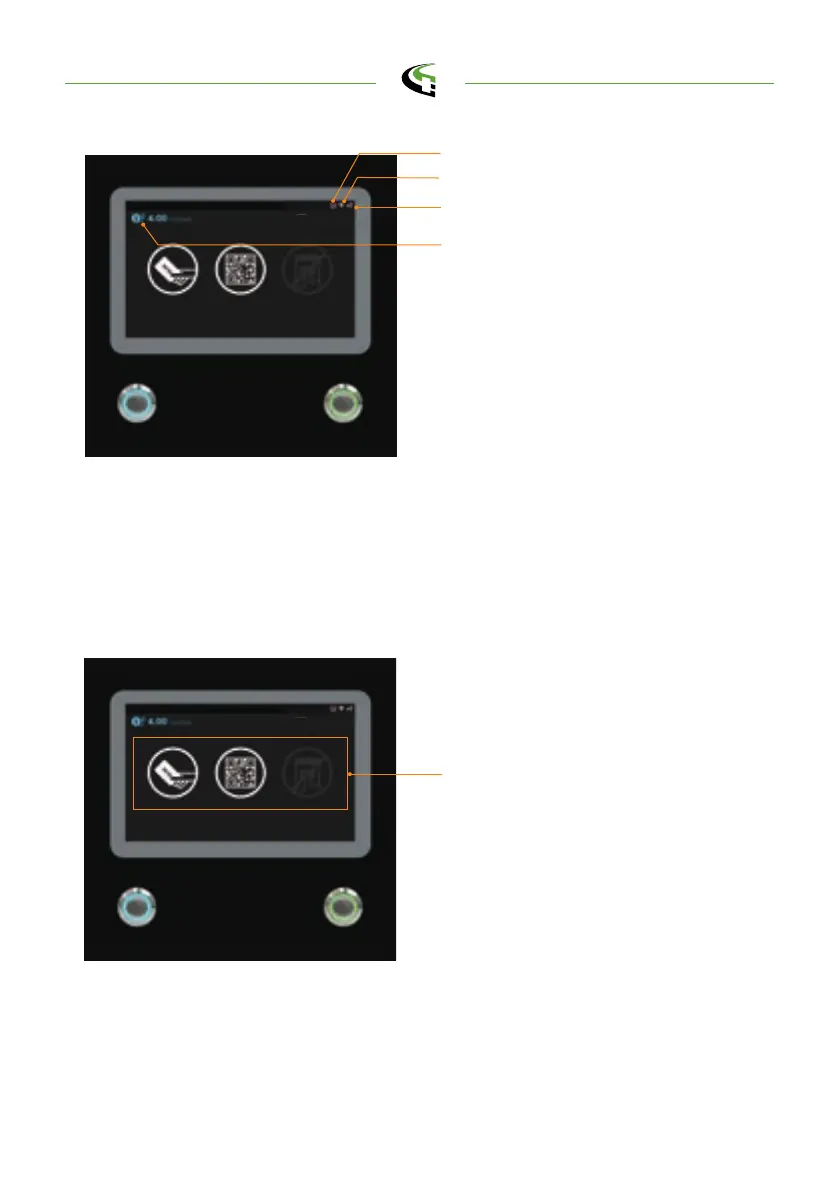
After the system is initialized the screen will stay at Home page as below illus -
trated.
•
Use your RFID card or mobile app to authorize the use of the EVSE.
5.2.2 User Authorization
User authorization Method: RFID,
QR code and mobile APP.
•
Unauthorized method(s) will be
darker on the screen if the method
is disable.
Home page
3G/4G Connection Indicator
Wi-Fi Connection Indicator
Unit and currency if billing function is
enabled
OCPP Backend Connection Indicator
semaconnect.com



 To Next Page