5. Operation
15
5.14 Store distance between axles
– option “AAV” –
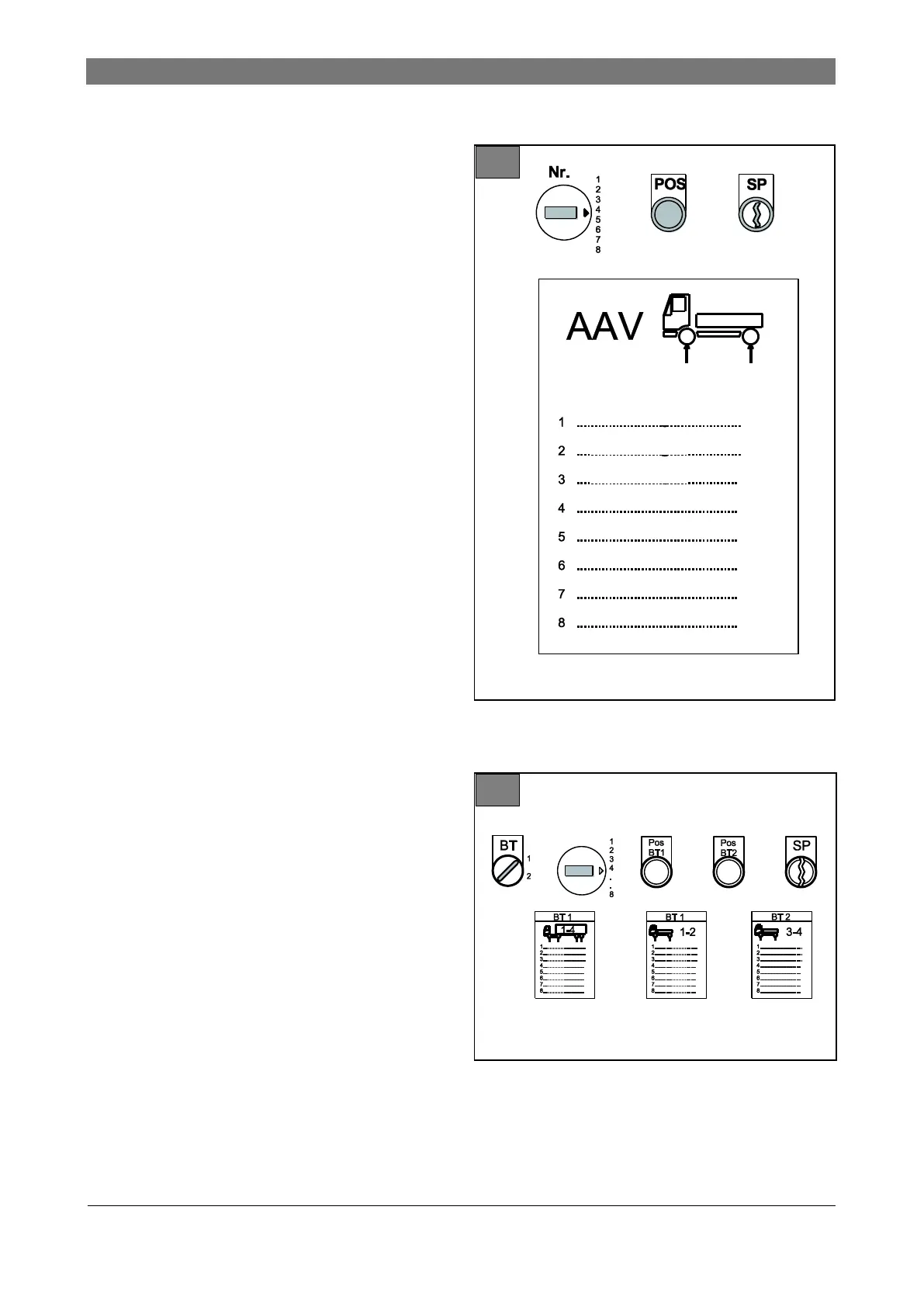
Illustrations 17 and 18: AAV controls
Nr. Rotary switch to store distance between
axles of a certain vehicle type
POS Positioning button. For positioning the lifting
cylinder(s) to the distance specifications.
The distance was stored for the vehicle type
by an authorized person.
SP For storing the distances between axles of
frequently used vehicle types. For
authorized persons, only with key switch.
BT Control panel (1 or 2)
Save
1. Drive vehicle onto the lift, check pick-up points
on the vehicle and select load points ( chap-
ters 5.5, 5.6 and 5.7).
2. Position and adjust the lifting cylinders precisely
under vehicle axles ( chapter 5.8).
3. Select memory preset with rotary switch “Nr.”.
Distances between axles for up to 9 vehicles
can be stored (option available for 18 or 27 ve-
hicles).
4. Store distance between axles with key switch
“SP”.
5. Enter vehicle type in list.
Retrieve distance between axles
1. Select desired vehicle type with rotary switch
“Nr.”.
2. Press and hold “POS”, “Pos BT1” or “Pos
BT2” switch until the lifting cylinders have
moved into position.
3. Drive the vehicle on the lift.
4. Position and set up the lifting cylinders exactly
under vehicle axles ( chapter 5.8).
5. Lift vehicle slightly off the ground. Check exact
lifting cylinder position.
Control lift with 1 control panel
Control lift with 2 control panels



 To Next Page