8. Maintenance
23
3. Measure vehicle height again and note the drop
travel on each axle.
4. Check working cylinders: Press and hold button
“2” (Illustration 22) approx. 1 min.
All solenoid valves of the safety cylinders are
opened. The working cylinders carry the entire
load.
Initially the load drops a little (maximum
100mm). Afterwards it must come to a
stop with activated button.
5. Measure vehicle height again and note the drop
travel on each axle.
8.13 Calibrate sensor setting
1. Lower all lifting cylinders to lowest position.
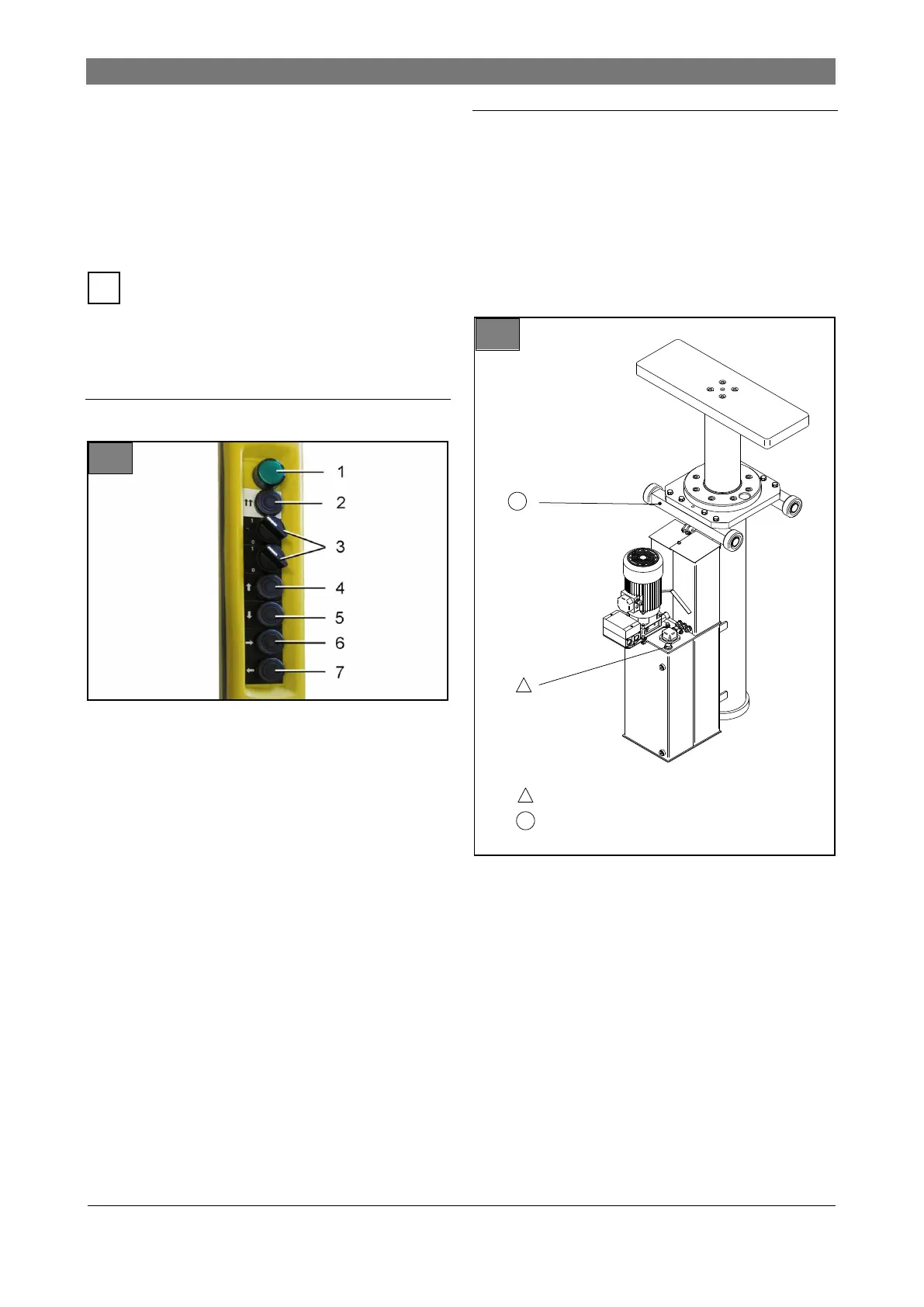
2. Set all lifting cylinder activating switches (3) to
zero.
3. Press and hold Synchronous operation (2) and
Back (7) buttons for approx. 10 seconds.
4. Press and hold Up (4) and Forward (6) buttons
for approx. 10 seconds.
5. Press and hold Down (5) and Back (7) buttons
for approx. 10 seconds.
The sensors are now calibrated.
8.14 Change hydraulic oil
Always change the hydraulic oil for all lifting cyl-
inders.
Permitted hydraulic oil:
Hydraulic oil with viscosity 22 cST/40° and quality
HLP DIN51524 T2.
Required amount of oil:
65 l per lifting cylinder.
1. Lower all lifting cylinders completely, switch off
and secure lift.
2. Open maintenance door and cover.
3. Remove dipstick.
4. Extract waste oil.
5. Fill fresh hydraulic oil up to the specified mark-
ing.
6. Replace dipstick.
7. Bleed lifting cylinder.
8. Check oil level.
9. Dispose of waste oil professionally according to
chapter 15.
Oil level / oil change
Lucrication



 To Next Page