3.5 Buzzer Alarm
When a fault occurs, the buzzer emits a series of 5 beeps. Each time lasts for 2
seconds with a 1-second interval between each beep.
Note: The buzzer alarm can be turned off in the BLUETTI App.
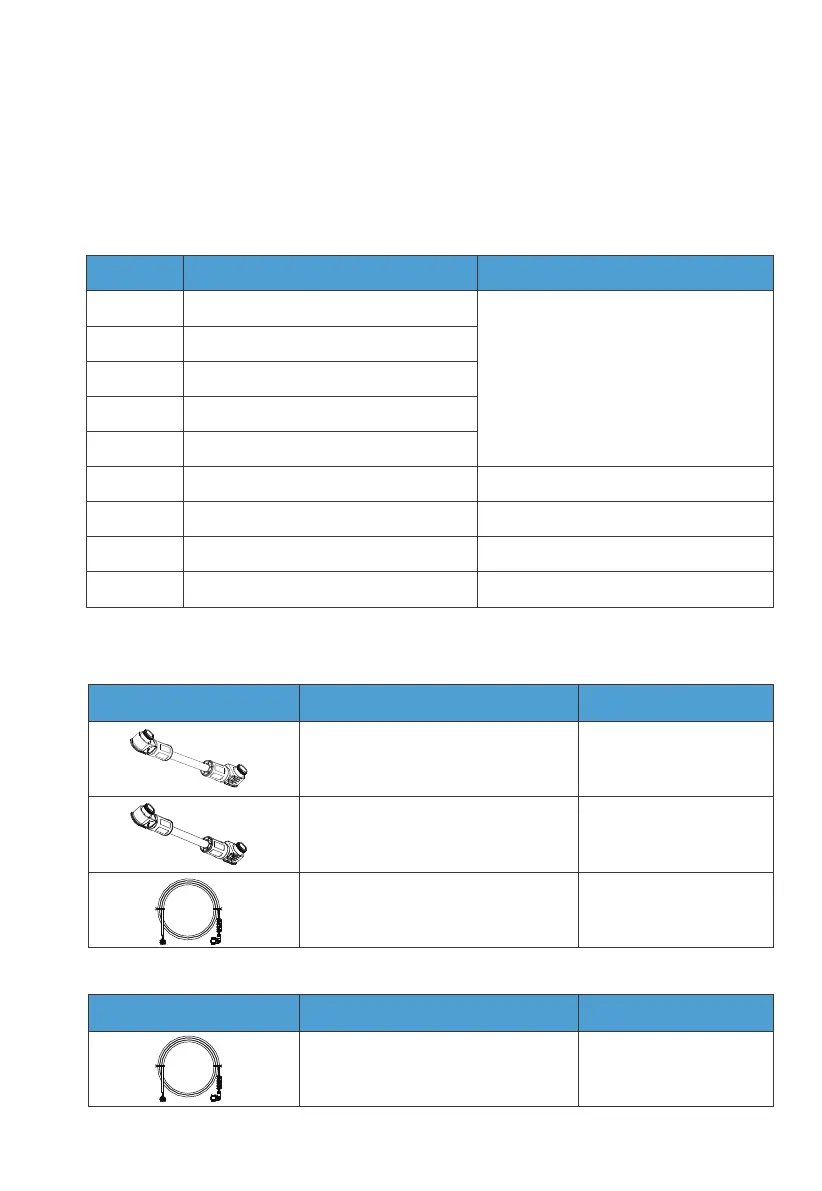
3.6 Inverter Cables
Fault Code
5.
6.
7.
8.
10.
26.
27.
28.
34.
Hardware BUS overvoltage
Hardware BUS2 overvoltage
Hardware battery overvoltage
Hardware inverter overcurrent
Hardware LLC1 current overcurrent input
Hardware PV1 fault
Hardware PV2 fault
Hardware PV3 fault
Hardware overcurrent input
Please contact the BLUETTI support team.
Please contact the BLUETTI support team.
Please contact the BLUETTI support team.
Please contact the BLUETTI support team.
SolutionDescription
Picture Description Interface (connect to)
Red battery power cable (Positive)
Black battery power cable (Negative)
CT communication cable (4m)
BAT+
BAT-
CT port
COM communication cable (4m) COM port
Turn off the inverter and
wait 30 minutes to restart
it. If the symptom persists,
please contact the
BLUETTI support team.
Table 3-10 Fault Code
Table 3-11 Inverter Cables
Picture Description Interface (connect to)
Table 3-12 Optional Inverter Cables
JUST POWER ON 27



 To Next Page