BMG LABTECH Omega Operating Manual
2014-05-16 0415B0001G 25/29
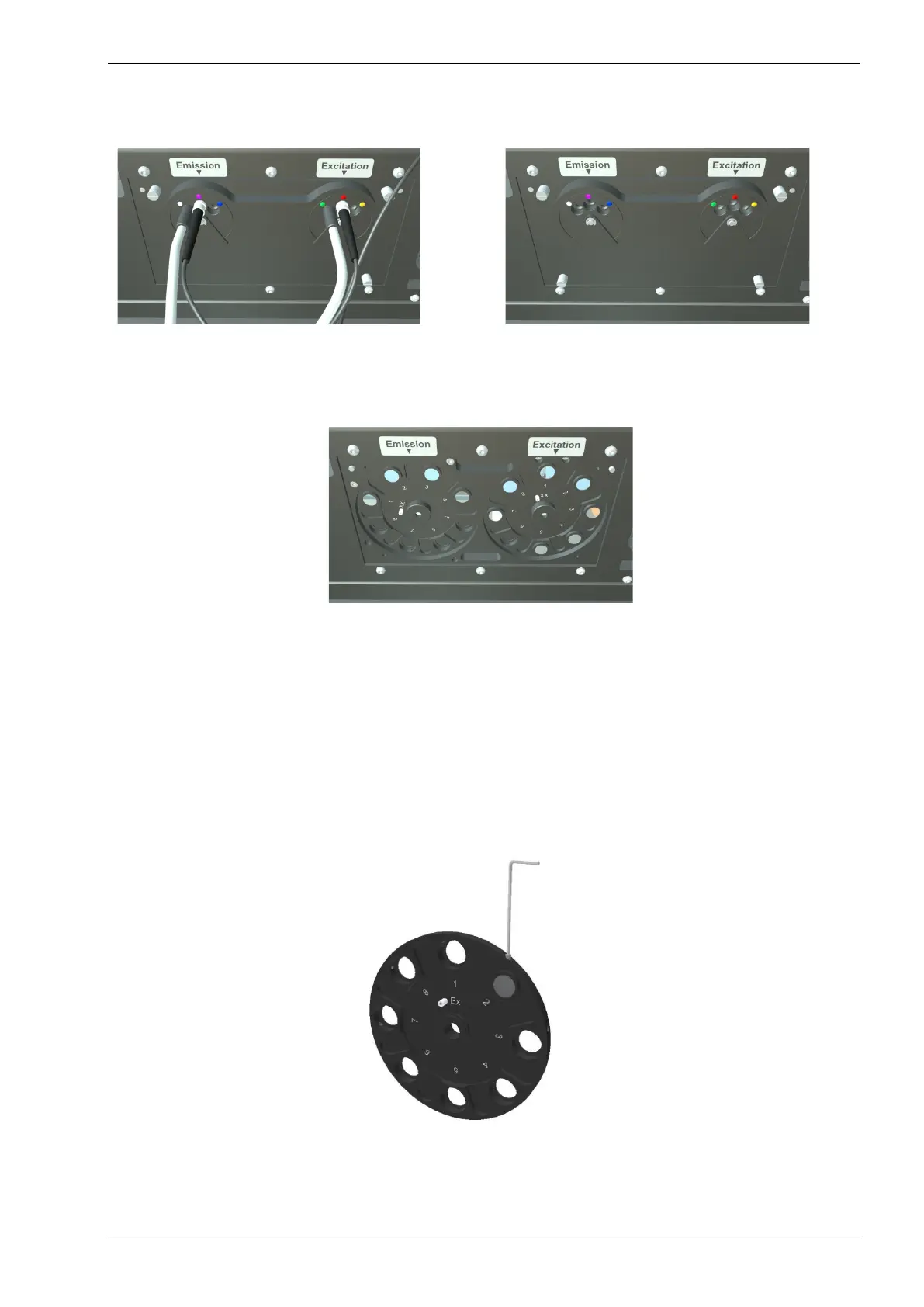
The excitation filters and the emission filters are located in their respective filter wheels behind the filter
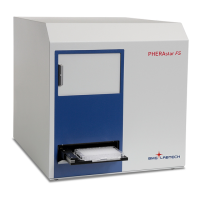
wheel cover (figure 28 to figure 30). To access the filters, first remove the light guides. The filter wheel cover
can then be removed by loosening the 4 thumbscrews (figure 29).
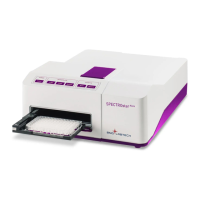
Figure 30: Filter change / filter installation:
Loosen the filter wheel by loosen the nut in
the middle (see text for detailed description).
The filter wheel itself (figure 31) can be removed by loosening the large retaining nut in the center (figure 30).
Put a finger on the filter wheel (careful not to touch any filters) and turn the nut counter clockwise. The filter
wheel can be pulled straight out of the housing.
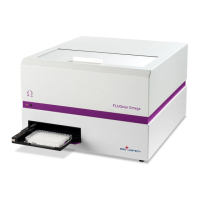
The filter positions are numbered 1 to 8. When installing new filters note the positions and enter the
information in the filter table in the Control software.
Once the filter is in place, it should be fixed with the Allen key and a small filter screw. Place the small screw
in the hole on the side of the wheel and turn it only until it is snug (not too tight).
Figure 31: Filter wheel
Note: Do not place a screw in a position that is not equipped with a filter; the screw may slowly loosen and
fall out and cause damage to the filter wheel mechanism.
Figure 29: Filter change / filter installation:
Loosen the 4 screws
Figure 28: Filter change / filter installation:
First remove the optic (valid for all readers)
(untighten) the
small screw that
holds the filter


 To Next Page