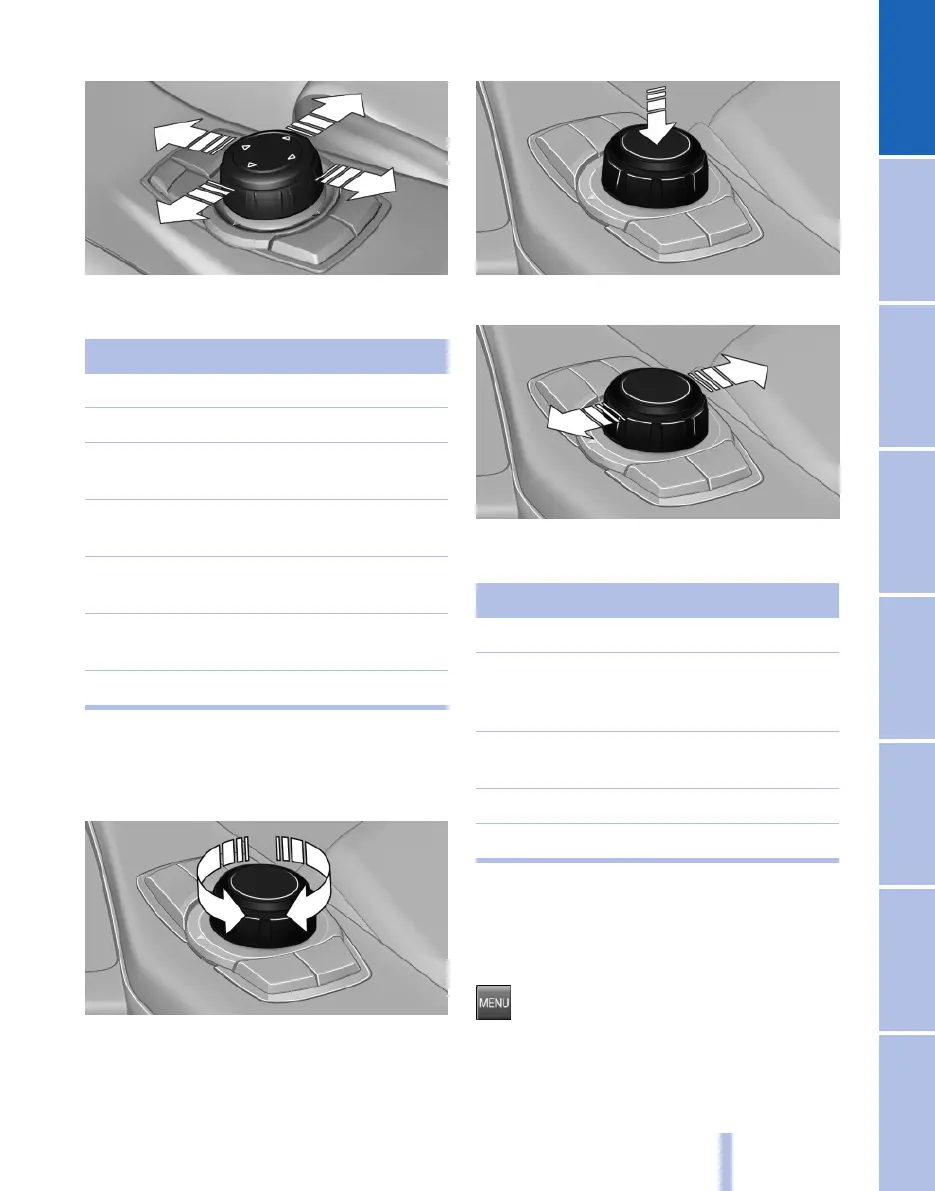
3. Tilting in four directions
Buttons on the controller
Press the button Function
MENU Calls up the main menu.
RADIO Calls up the Radio menu.
CD Calls up the CD/multimedia
menu.
NAV Calls up the Navigation
menu.
TEL Calls up the Telephone
menu.
BACK Displays the previous
screen.
OPTION Calls up the Options menu.
Controller without navigation system
Select menu items and making settings.
1.
Turning
2. Pressing
3. Tilting in four directions.
Buttons on the controller
Press the button Function
MENU Calls up the main menu.
AUDIO Calls up last heard audio
menu, change between au‐
dio menus.
TEL Calls up the Telephone
menu.
BACK Call up previous table.
OPTION Calls up the Options menu.
Operating principle
Calling up the main menu
Press the button.
Seite 15
15
Online Edition for Part no. 01 40 2 607 643 - 07 11 490
Reference Mobility Communication Entertainment Navigation Driving hints Controls Overview



 To Next Page