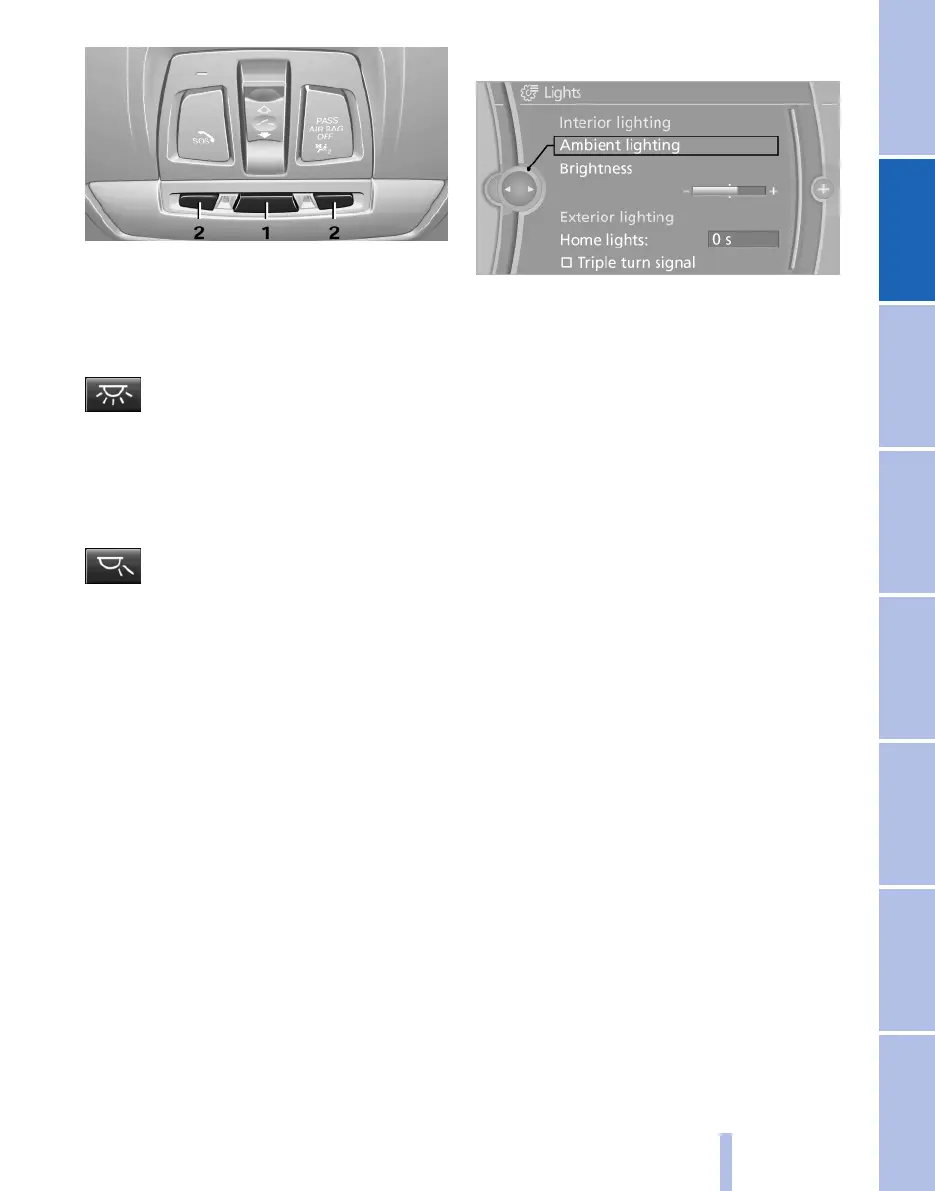
1 Interior light
2 Reading light
Switching the interior light on and off
manually
Press the button.
To switch off permanently: press the button for
approximately three seconds.
Switch on again: press button.
Reading lights*
Press the button.
There are reading lights located at the front and
in the rear beside the interior lights.
With the interior light switched off, the reading
lights cannot be switched on.
Ambient lighting*
Depending on the equipment, the lighting in the
interior can be set individually for a few lights.
Select colour scheme
1.
"Settings"
2. "Lights"
3. "Ambient:"
4. Select the desired setting.
Adjusting brightness
The brightness of the ambient light can be set
over the knurled wheel for the instrument light‐
ing but also independently of it.
1.
"Settings"
2. "Lights"
3. "Brightness"
4. Adjusting brightness.
Seite 83
83
Online Edition for Part no. 01 40 2 607 643 - 07 11 490
Reference Mobility Communication Entertainment Navigation Driving hints Controls Overview



 To Next Page