iDrive
Principle
iDrive integrates the functions of a large number
of switches. These functions can thus be con‐
trolled from one central point.
Operate iDrive while the vehicle is in mo‐
tion
Only make adjustments if the traffic conditions
are appropriate. Otherwise, you may become
distracted and endanger the vehicle occupants
and other road users.◀
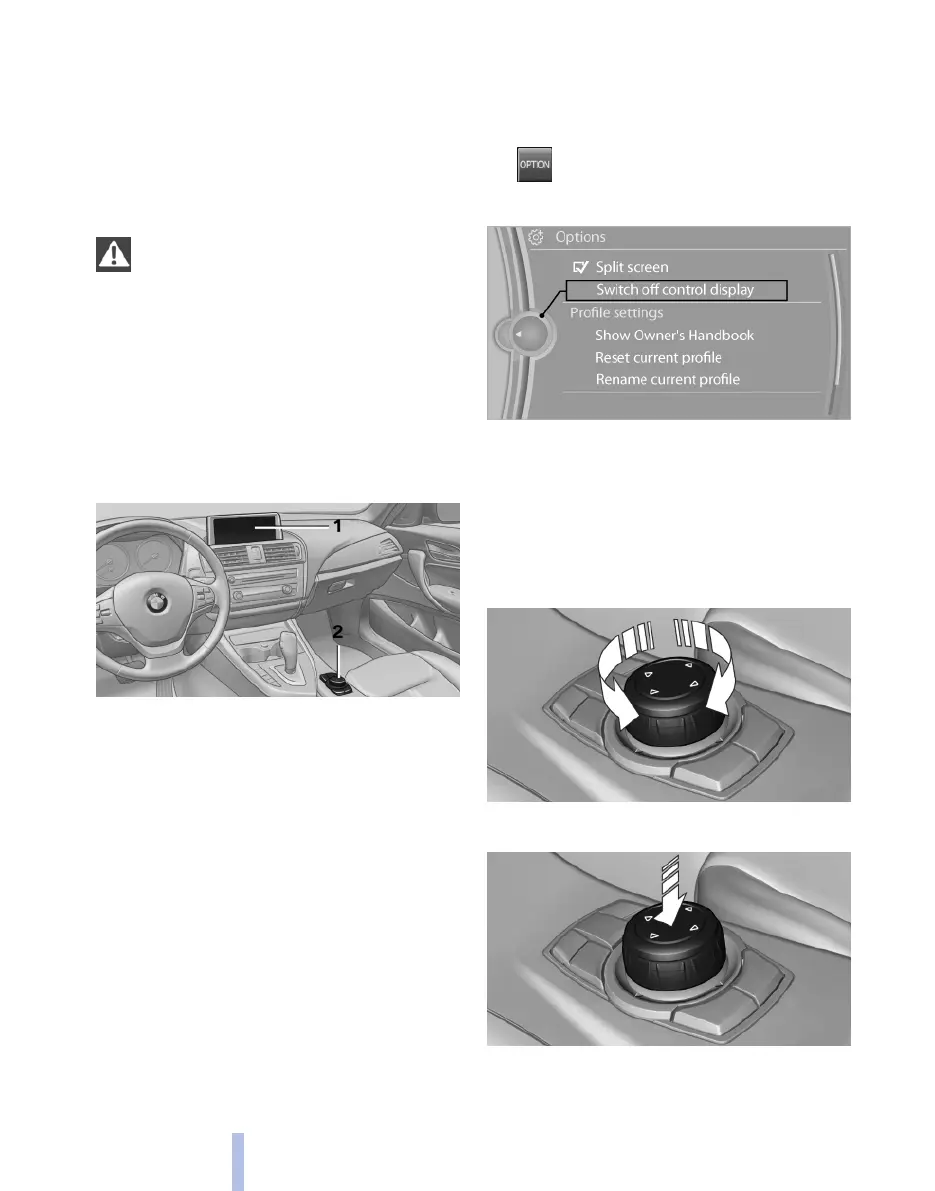
Overview of controls
Controls
1 Control display
2 Controller with buttons
The buttons can be used to call up menus
directly. The controller can be used to select
menu items and make settings.
Control display
Notes
▷ To clean the control display, comply with the
information regarding care.
▷ To avoid risk of damage to the control dis‐
play, please do not place objects in front of
it.
Switching off
1. Press the button.
2. "Switch off control display"
Switch on
Press the controller to switch on.
Controller with navigation system
Select menu items and making settings.
1.
Turning
2. Pressing
Seite 14
14
Online Edition for Part no. 01 40 2 607 643 - 07 11 490
iDrive



 To Next Page