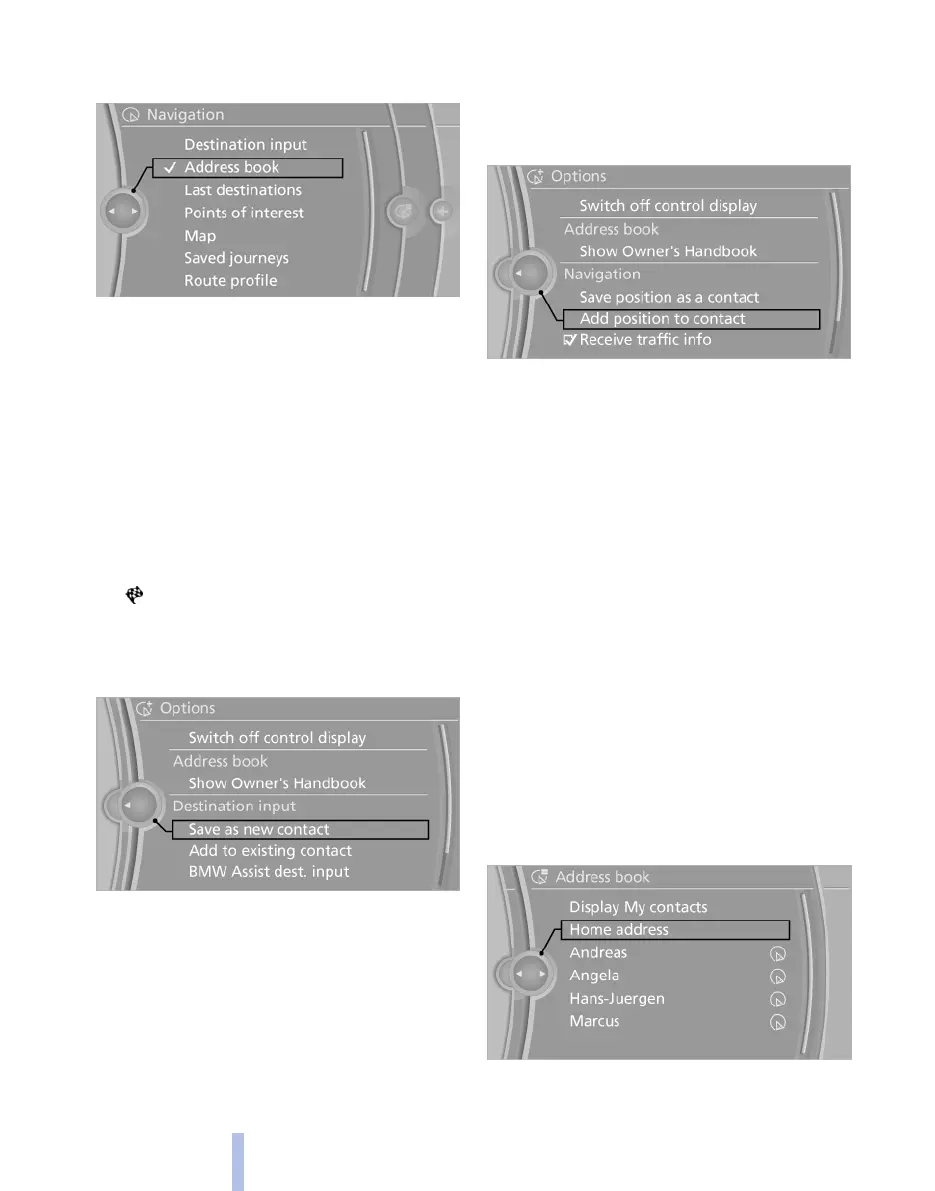
dress book* this must first be as destination
checked, see page 216.
3. Select a contact from the list or use "A-Z
search".
4. Where applicable, "Work address" or
"Home address"
Saving a destination in the address
book
After destination input, save the destination in
the address book.
1.
"Navigation"
2. "Map"
3. "Guidance"
4. Call up "Options".
5. "Save as new contact" or "Add to existing
contact"
6. If applicable, select an existing contact.
7. "Work address" or "Home address"
8. Enter "Surname" and, if applicable, "First
name".
9. "Save in car"
Saving position
The current position can be saved in the address
book.
1.
"Navigation"
2. Call up "Options".
3. "Save position as a contact" or "Add
position to contact"
4. Select an existing contract from the list, de‐
pending on the selection. Select the type of
address and enter first name and last name.
5. "Save in car"
Edit or delete the address
1.
"Navigation"
2. "Address book"
3. Mark entry.
4. Call up "Options".
5. "Edit in Contacts" or "Delete entry"
Accepting your home address as a
destination
The home address must be created. Specifying
the home address, see page 215.
1.
"Navigation"
2. "Address book"
3. "Home address"
4. "Start guidance"
Seite 140
140
Online Edition for Part no. 01 40 2 607 643 - 07 11 490
Navigation



 To Next Page