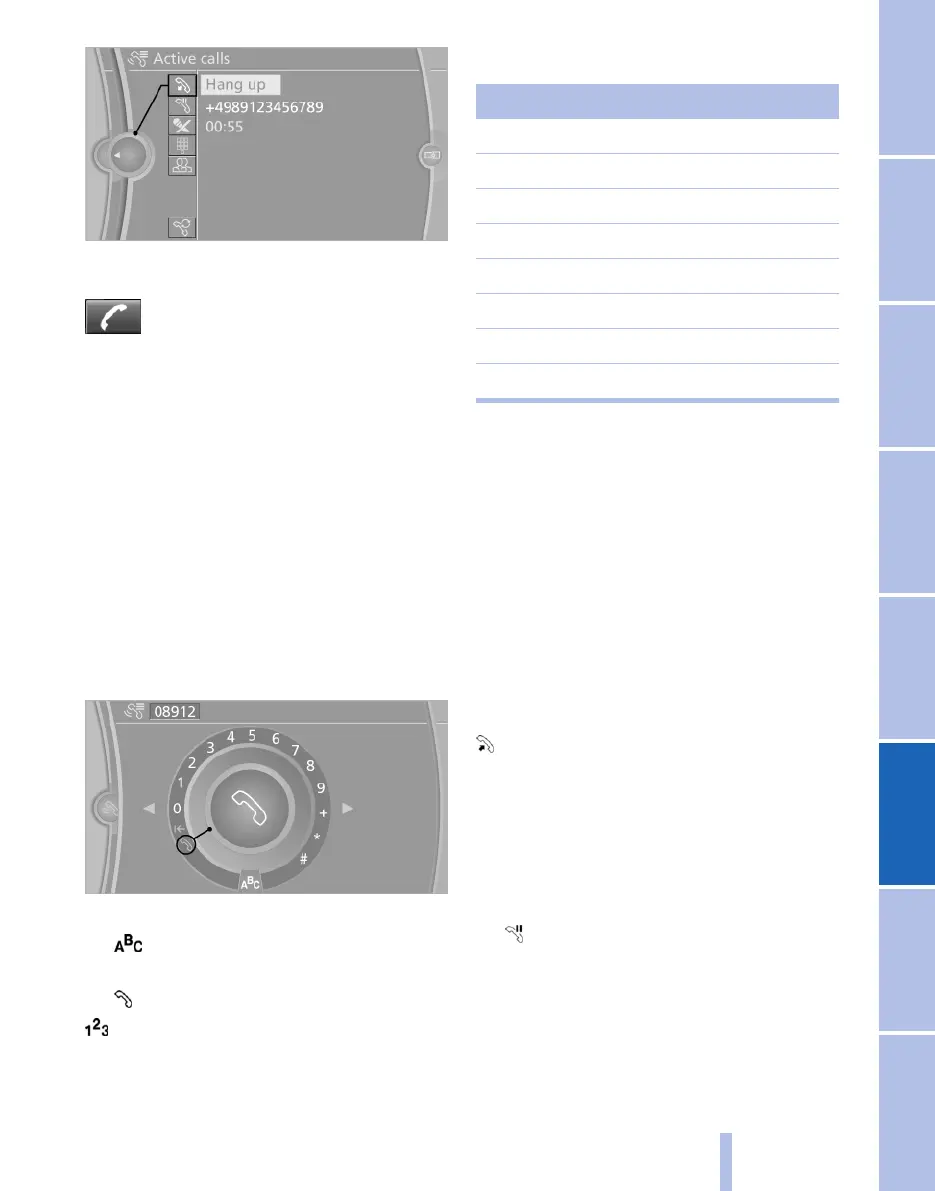
Via button on the steering wheel
Press the button.
Via instrument cluster*
"Hang up"
Entering phone numbers
Dialling a number
When entering telephone numbers, you can
switch between the input of letters and digits.
Service numbers can be input more easily, for
example. 0800-BMW-HILFE.
1.
"Telephone"
2. "Dial number"
3. Select the digits individually.
4. Toggle to letters as needed.
Select the symbol.
Select the letters individually.
5. Select the symbol.
Select symbol to toggle to digits.
Phone numbers can also be entered using the
voice control system. Only numbers can be en‐
tered by voice.
Assignment of letter to number
Letter Number
ABC 2
DEF 3
GHI 4
JKL 5
MNO 6
PQRS 7
TUV 8
WXYZ 9
Conference calls
General
It is possible to switch between calls or merge
two calls to set up a conference. The functions
must be supported by the mobile phone and
service provider.
Accepting a call during another call
If possible, this functions must be released by
the service provider and the mobile set for it.
If there is a second call during an ongoing call
you hear a call waiting signal, if applicable.
"Accept"
The call is accepted and the existing call is held.
Setting up a second call
Set up another call during a call.
1.
"Telephone"
2. "Active calls"
3. "Hold"
Seite 201
201
Online Edition for Part no. 01 40 2 607 643 - 07 11 490
Reference Mobility Communication Entertainment Navigation Driving hints Controls Overview



 To Next Page