BLT641 Product Manual
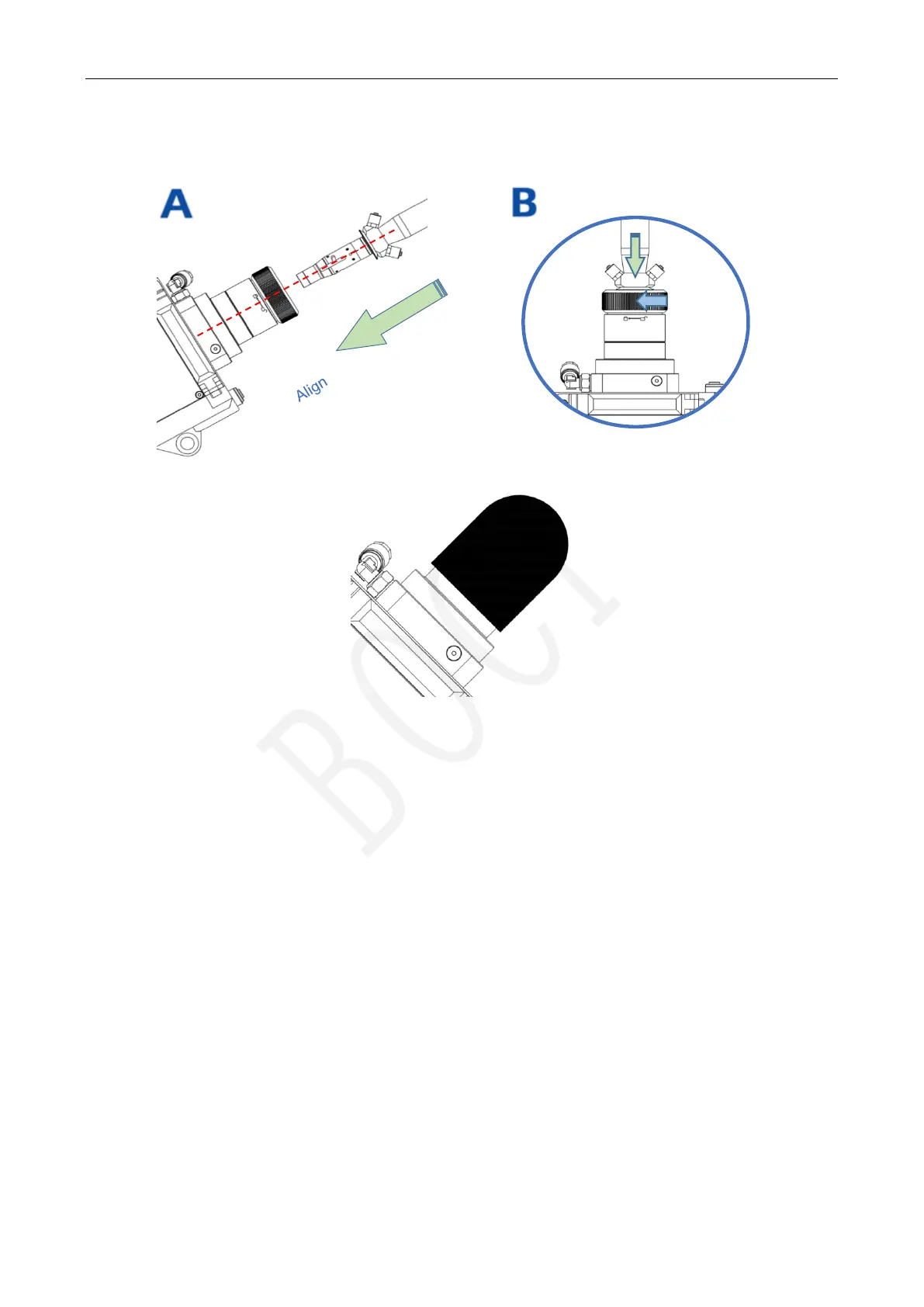
5.2.6 Insert the laser fiber interface into the cutting head
Align the fiber optic plug with the red dot, insert it into the unlocked fiber optic port, and ensure that it is inserted as far
as it will go. Rotate the lock cap until it tightly locked.
5.2.7 Wrap and seal
After inserting the optical fiber, wrap and seal the interface between the optical fiber and the cutting head with tape.
Lock



 To Next Page