5.3 USB loading and backup
The SIGMA can load or back up its programming via a USB key.
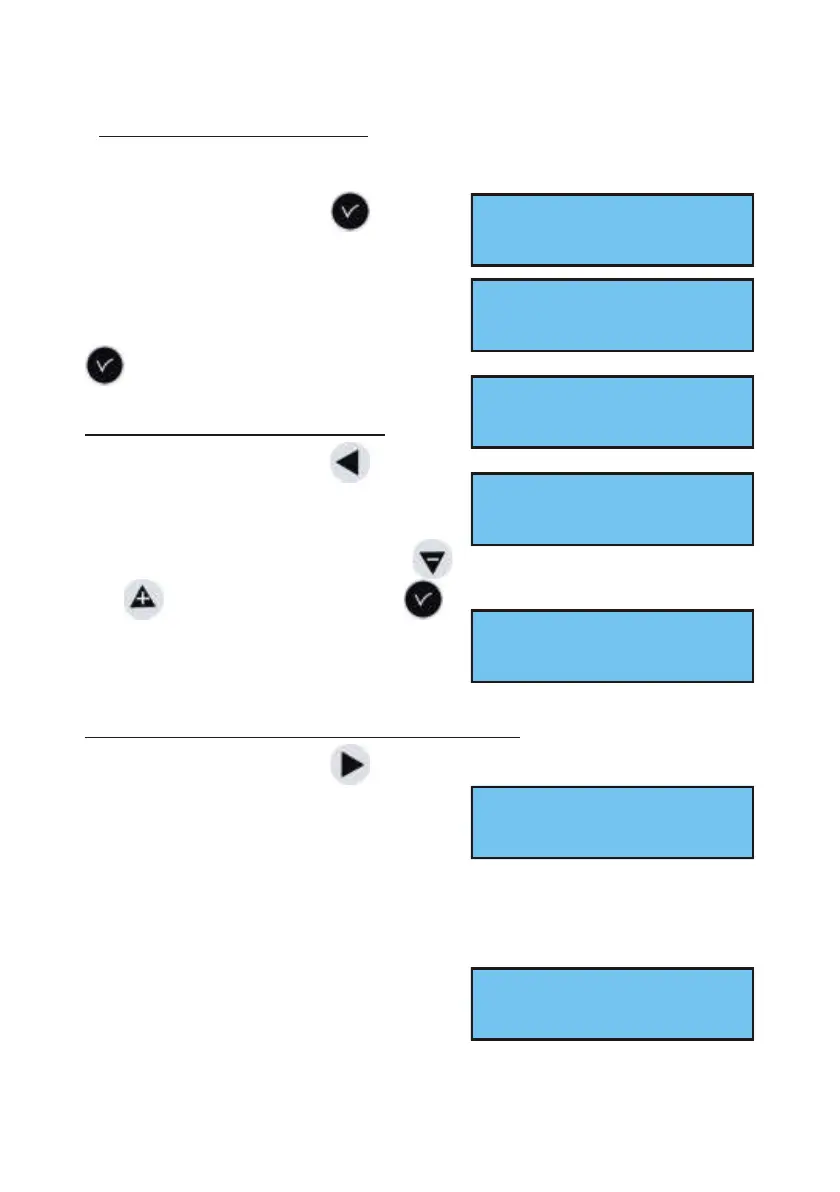
Validate the option with the key,
The following screen is displayed :
Insert the USB key and validate with the
key.
To load a Program in the Sigma :
Validate the option with the key,
The SIGMA will search for the files
available on the key (.sig extension).
Select the file to be loaded using the
and keys and validate with the key,
The loading is then carried out. When it is
completed, the unit displays :
To back up the existing Program of the Sigma :
Validate the option with the key,
The SIGMA saves the file with an
automatically allocated name in the
format: sauve1_DD_MM.sig (The number
(1, etc.) and the date are incremented automatically).
It is possible to rename this file from the PC, while keeping the same “.sig”
extension.
Once the backup is completed, the unit
displays:
10
USB trans fer ok
Add DHF re ceiv ers õ
Con nect USB key then
press ok exit C
Res tore bac kup ÷
Create bac kup ö
Res tore:Nest01.02ú
Con firm ok exit C
TRANSFER COMPLETED
REMOVE USB KEY
Create bac kup
Con firm ok exit C
TRANSFER COMPLETED
REMOVE USB KEY


 To Next Page