11
P063GUI001 - User guide eCelsius Performance Connect.1 - EN
A green LED is positioned on the upper side of the activator. This LED is continuously switched on when the
activator is powered and ashes throughout the activation process.
When the LED is ashing, the activation process is running. During this period, it is important to not remove
the capsule placed in the hole. In order to optimize the activation process, you may rotate the pill into the
hole of the activator during the activation process.
THE LED
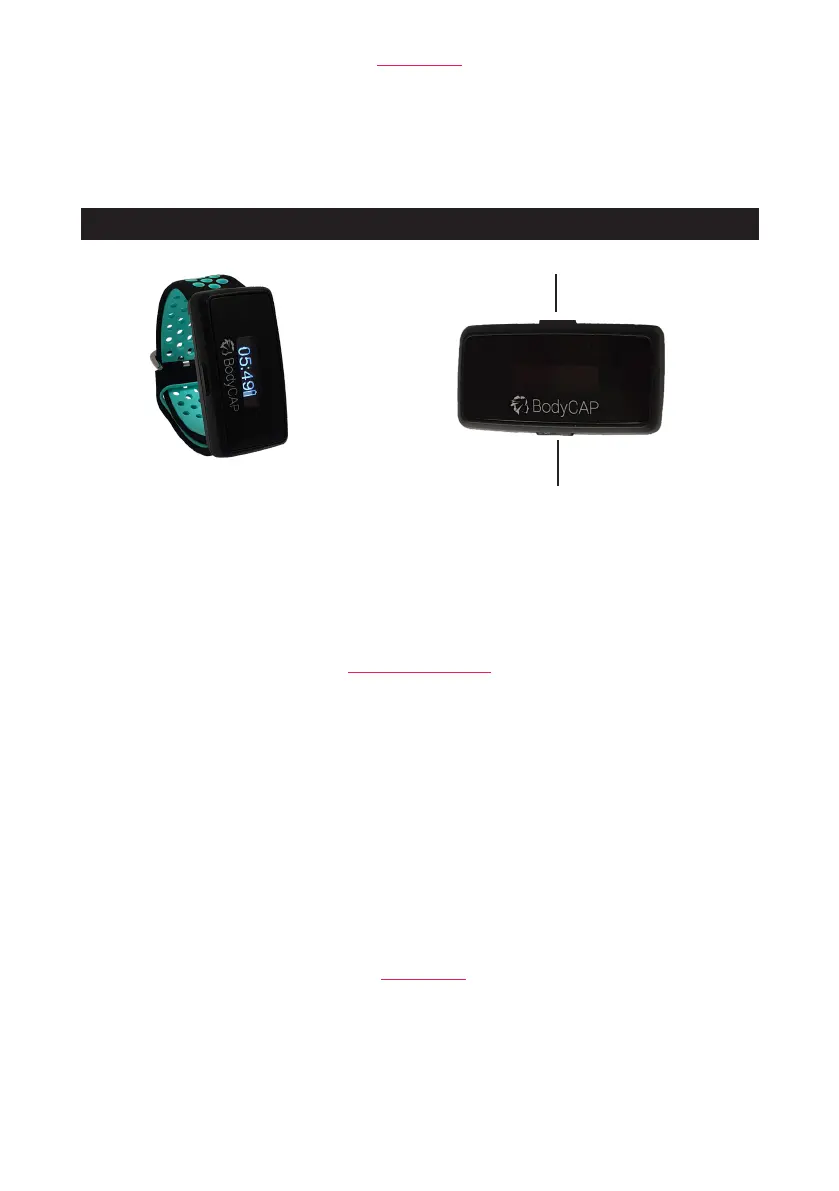
ePerf Connect device is intented to communicate in RF with the eCelsius Performance capsule to retrieve
the temperature data.
ePerf Connect device
Bouton 1
Bouton 2
LED
Figure 4: ePerf Connect device
WARNING: Modication of the device forbidden
The device has 2 buttons with differents functionalities.
Button 1 :
Long press: - Turn on the device if it is switched off
- Add a marker if the device is switched on
Short press: - Switch on or switch off the screen
- Conrm a message to come back to the main screen (Time)
Button 2 :
Long press: -Launch BLE peering process if the device is not yet connected
THE BUTTONS
A cyan LED is on the screen side of the device.
When the LED ashes, it indicates an alert status:
- fast ashing: a new alert is ongoing (turn on the screen to identify the type of alert)
- slow ashing: alert is still on but already visualized.
THE LED
Bouton 1
Bouton 2
LED
Button 1
Button 2



 To Next Page