20
P063GUI001 - User guide eCelsius Performance Connect.1 - EN
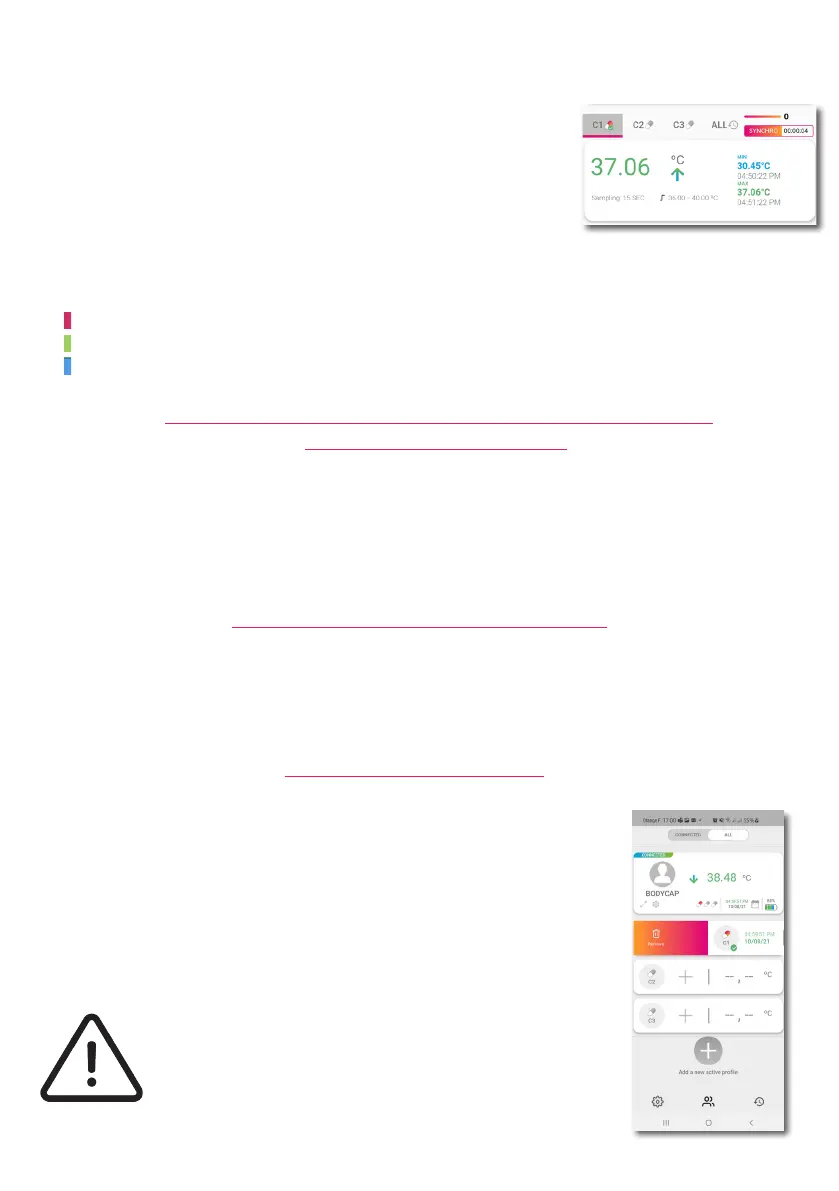
On the upper side of the screen, you may visualize several information related to each capsule:
- The minimum temperature value for the capsule (since the last reset)
- The maximum temperature value for the capsule (since the last reset)
- The number of missing data between the capsule and the ePerf Connect
device
- The time elapse (hh:mm:ss) since the last real time data communication
- The congurable temperature thresholds are also reminded.
AUTOMATIC SYNCHRONIZATION OF THE DATA STORED
IN THE CAPSULE MEMORY
When a capsule reaches its end of life, an alert is triggered on the ePerf Connect device (LED ashing) and
the information is then sent to the ePerf Mobile Application as a notication.
The capsule will stopped around 500 measurements after the notication appears. A marker will be
automatically added in the raw data le.
CAPSULE END OF LIFE VISUALIZATION
The ePerf Connect device, worn by the subject, will automatically seek to synchronize the data not received
in real time. If the ePerf Connect device has been put away from the subject, it will synchronized the data
once it will come back close to the capsules concerned. The numeric indication displayed on the ePerf
Mobile Application should alert of any issue regarding the communication between the capsule and the
ePerf Connect device.
When the use of the capsule is over, (capsules released, end of the monitoring
period, ...) the desassociation with the ePerf Connect device is performed
through the ePerf Mobile Application. On the prole concerned, select the
capsule to deassociate, put your nger on the slot and swipe your nger on the
right. Click then on the red trash icon to nalize the operation.
To ensure the sucess of the operation, the capsule and the ePerf Connect
device have to be close each other to be able to communicate.
CAPSULE DEASSOCIATION
An acknowledge has to be conrmed before the
deassociation of the capsule. This is a denitive action, the
capsule disappears from the ePerf Connect device data base.
The corresponding capsule data le is archived in the ePerf
Mobile application.
The temperature displayed respect a color code allowing to immediately identify the
current condition of the subject:
Red: temperature in real time above the high threshold
Green: temperature in real time between the high and down thresholds
Blue: temperature in real time below the high threshold



 To Next Page