DUCTED REVERSE CYCLE REFRIGERATED AIR CONDITIONING
Page 26
Control Installation
Setting Up the Thermostat
Radio Frequency
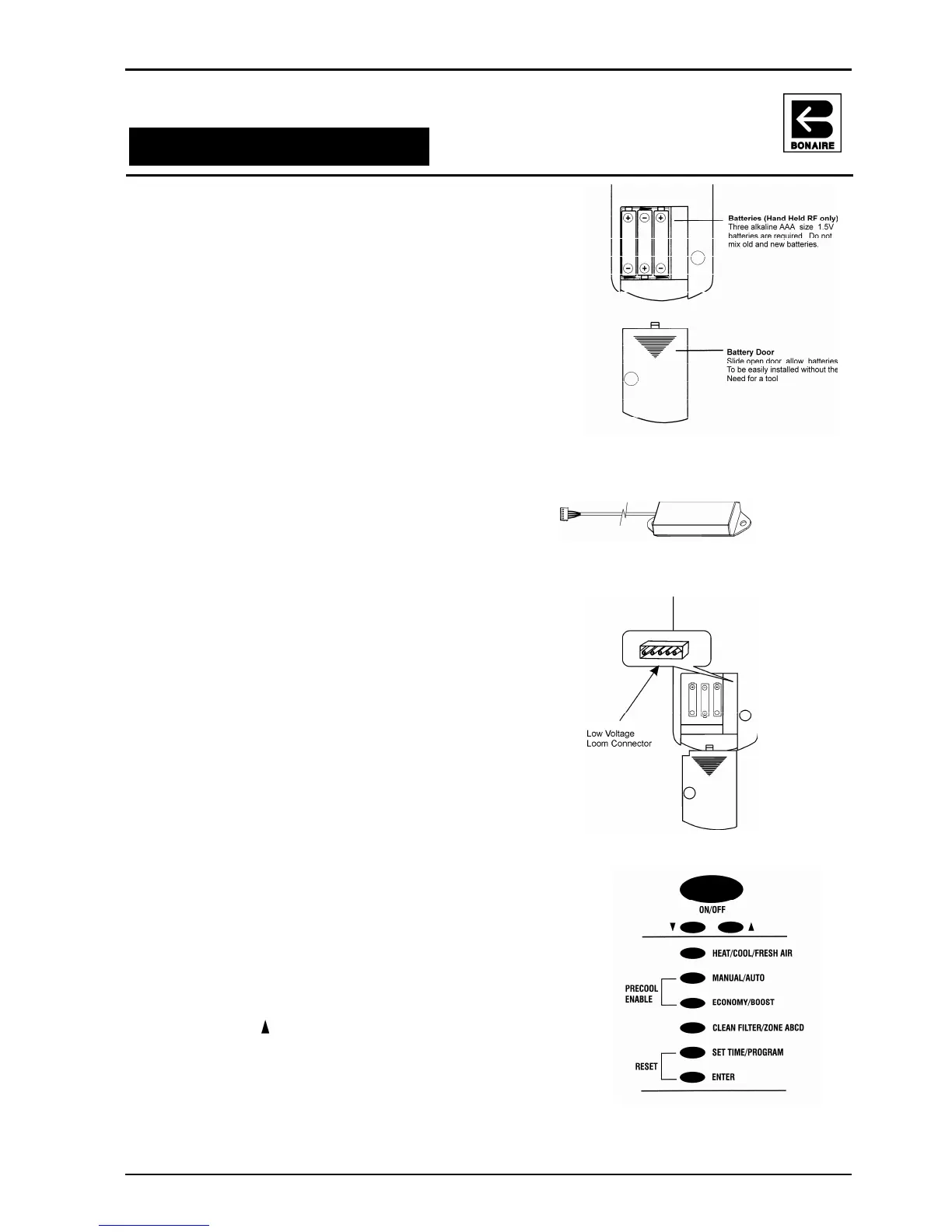
1) Place the 3 AAA batteries supplied into the
thermostat. Make sure they are correctly
rotated to ensure the thermostat screen
initialises.
Battery replacement requirements will be
indicated via the thermostat screen.
2) Fit the battery cover.
3) Before the RF thermostat will control the unit, it
will need to be coded into the control board.
See coding instructions below.
4) Make sure the antenna has been connected
to the control board of the indoor unit.
Ensure that it is at least 500mm from any
metal mass. Do not fix the antenna to the
indoor coil box.
Low Voltage
Once the loom has been pulled through the wall
and the cradle as been fixed to the wall:-
1) Connect the loom to the thermostat control
2) Fit the compartment cover and carefully snap
the control into the scabbard
3) Turn the power on to the unit. The screen
should be displayed
4) The communication code is set to the default
code of 0016 and the unit should respond
immediately. However there appears the
control is not communicating, code the unit as
below.
Coding The Unit
There is a 4 minute window from the timer the 240V has
been turned on to the control board in which to code the
unit.
1) Turn the 240V power ON to the unit. If the power
has already been applied, turn the power OFF,
then ON again.
2) Press the arrow and the ON/OFF button for 5
seconds until the word “CODE” flashes.
3) Code flashes for 15 seconds. When code stops
flashing the unit is now ready to turn on.
For more information refer to the Owner’s Manual



 To Next Page