Commission
OPERATING PARAMETERS
Led Operation
FUNCTION A B C D E F G H
RED LED1 FLASH 1 2 3 4 5 6 7 8
ON ON HUSH MED ON ON ON ON
GREEN LED2
(STATUS)
{
OFF OFF QUICK HIGH OFF OFF OFF OFF
SETTING THE OPERATING PARAMETERS
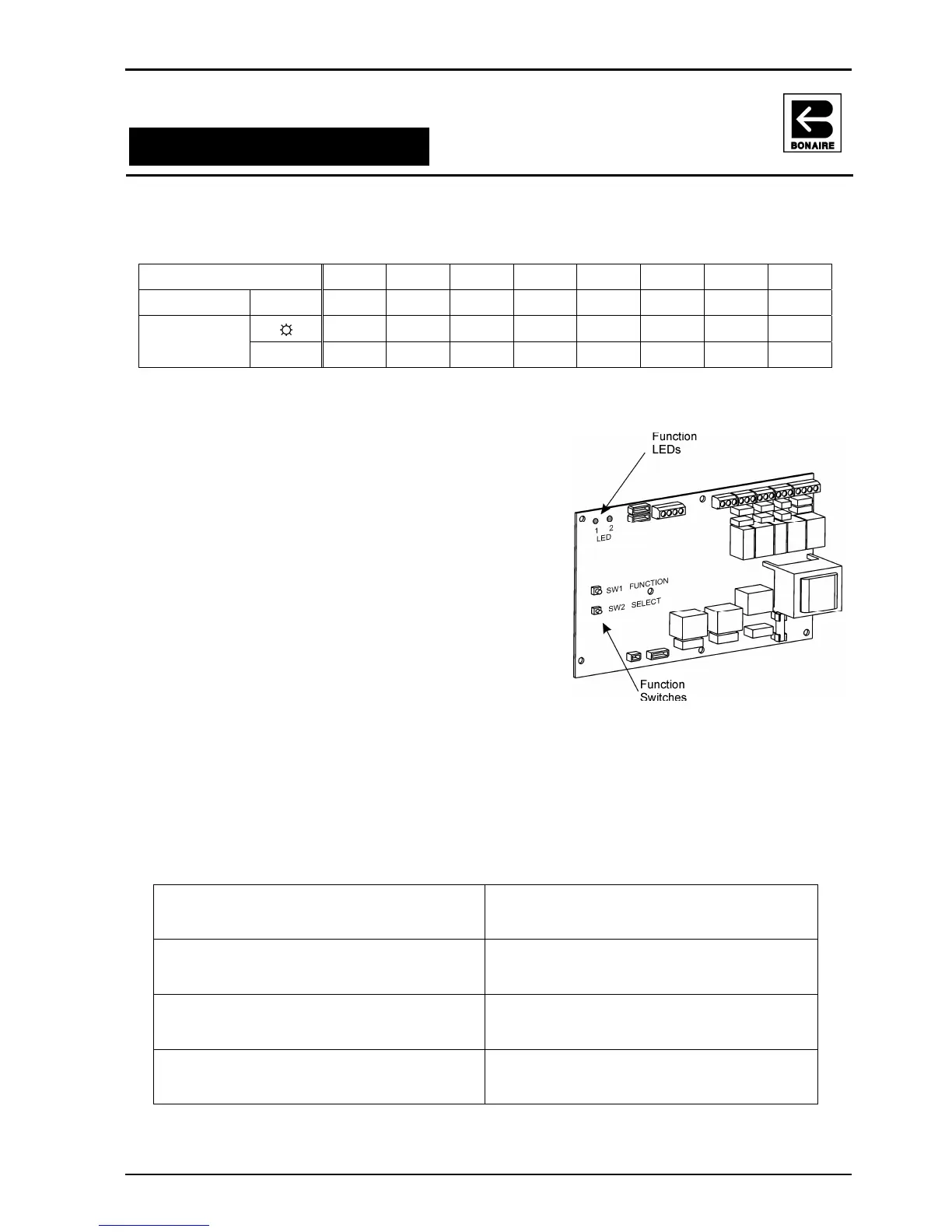
1. To enter the setup mode press and hold both the
‘FUNCT’ and ‘SELECT’ buttons for a period of 5
seconds then release both buttons, a successful
operation will be indicated by both 'Red Led1' and
'Green Led2' turning on for 2 seconds.
2. To modify system functions press the ‘FUNCT’
button to select the parameter/function to be
adjusted, this is indicated by the number of
consecutive flashes of ‘Red Led1’, (note: a long
press of the ‘FUNCT’ button will result in the
previous parameter/function being displayed i.e.
going backwards.
3. To modify the value of each selected function, press
the ‘SELECT’ button to toggle the value ‘on or off’,
(see the “LED OPERATION” table for ‘on/off’
values).
4. To exit and save the setup mode press and release
both ‘FUNCT’ and ‘SELECT’ buttons
NOTE: no parameter value change will be accepted until the setup mode has been exited
via pressing both buttons. If not exited the system will self exit after a time out with no
movement for a period of 30 secs, at this point the system will maintain the previous
parameter settings
Parameters
Function (A): Indoor fan on during defrost
Value: 0 = Off (default)
1 = On
Function (E): Indoor fan always on - Heat
Value: 0 = Off (default)
1 = On
Function (B): Soft heat
Value: 0 = Off
1 = On (default)
Function (F): Indoor fan always on - Cool
Value: 0 = Off (default)
1 = On
Function (C): Defrost Termination Cycle
Value: 0 = Quick
1 = Hush (default)
Function (G): Boost heating mode
Value: 0 = Off (default)
1 = On
Function (D): Indoor fan speed select
Value: 0 = High (default)
1 = Medium
Function (H): Outdoor economy mode
Value: 0 = Off
1 = On (default)



 To Next Page