EasyManua.ls Logo

Bongioanni Multidea Evo 60 - Checking; Modifying Factory Settings

Default Icon
64 pages
Print Icon
To Next Page IconTo Next Page
To Previous Page IconTo Previous Page
Loading...
Key to
press
Description Display
D
C
D
C
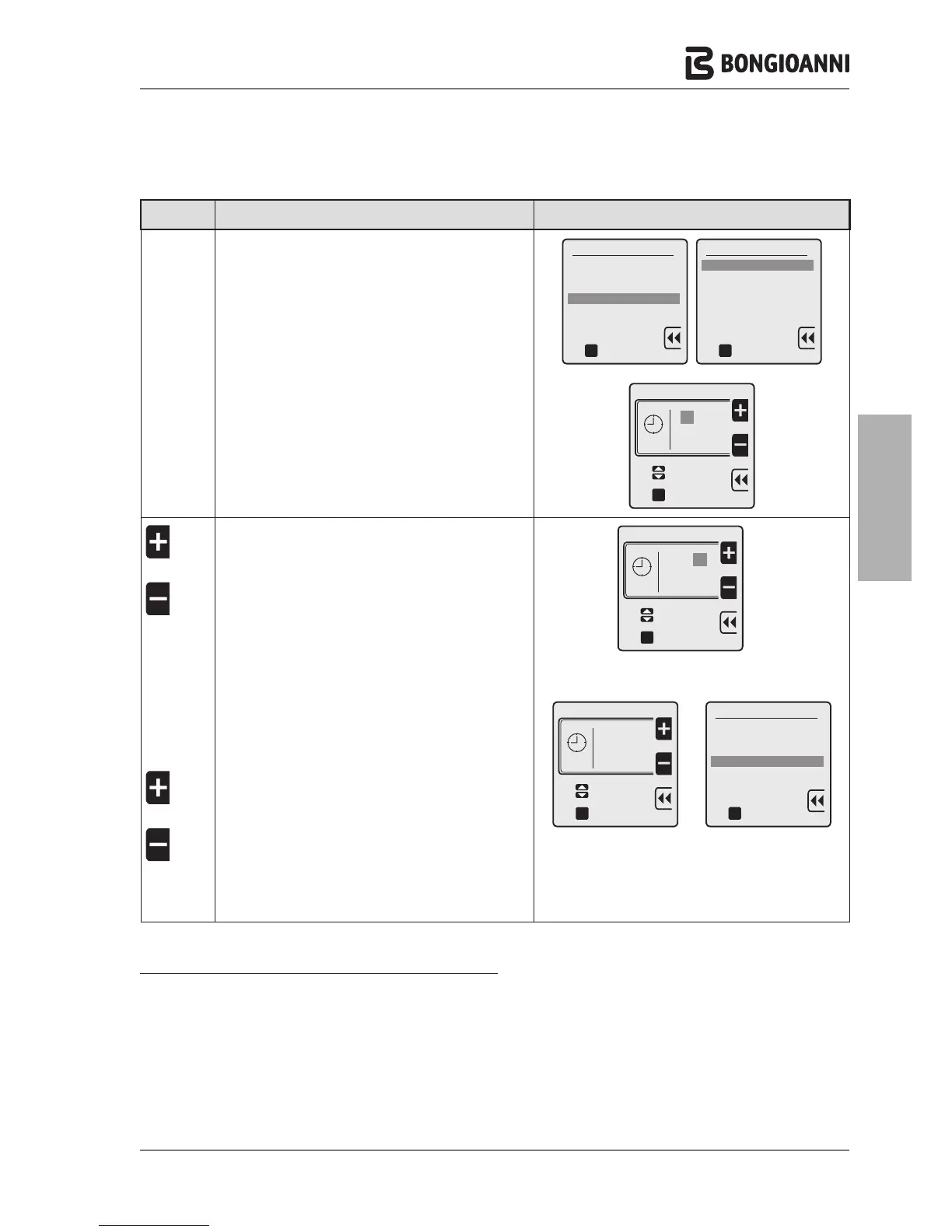
to select "4. Set time"
to confirm and access the selected line
to modify the time format used
to confirm and access the selected line
User interface settings
1. Select Language
2. Select Units
3. Set date
4. Set time
oK
to confirm
Select time format
24 hours
12 hours
oK
to confirm
Set time
to confirm
oK
10 : 05
to select
A
OR
A
D
OR
C
A
OR
A
C
to set the current time
to select the minutes
to set the minutes
to confirm the settings and return to line “4. Set time"
Set time
oK
16 : 05
to select
to confirm
a
a
A
Set time
oK
16 : 20
to select
to confirm
a
a
A
User interface settings
1. Select Language
2. Select Units
3. Set date
4. Set time
oK
to confirm
CHECKING / MODIFYING FACTORY SETTINGS
The appliance leaves the factory with the settings as described in the paragraph “Technician menu navigation tree” page
32. If the factory settings are not optimal for the specific system to be managed, follow the navigation tree to locate the
value to be modified.
- 43 -
INSTALLATION

Related product manuals