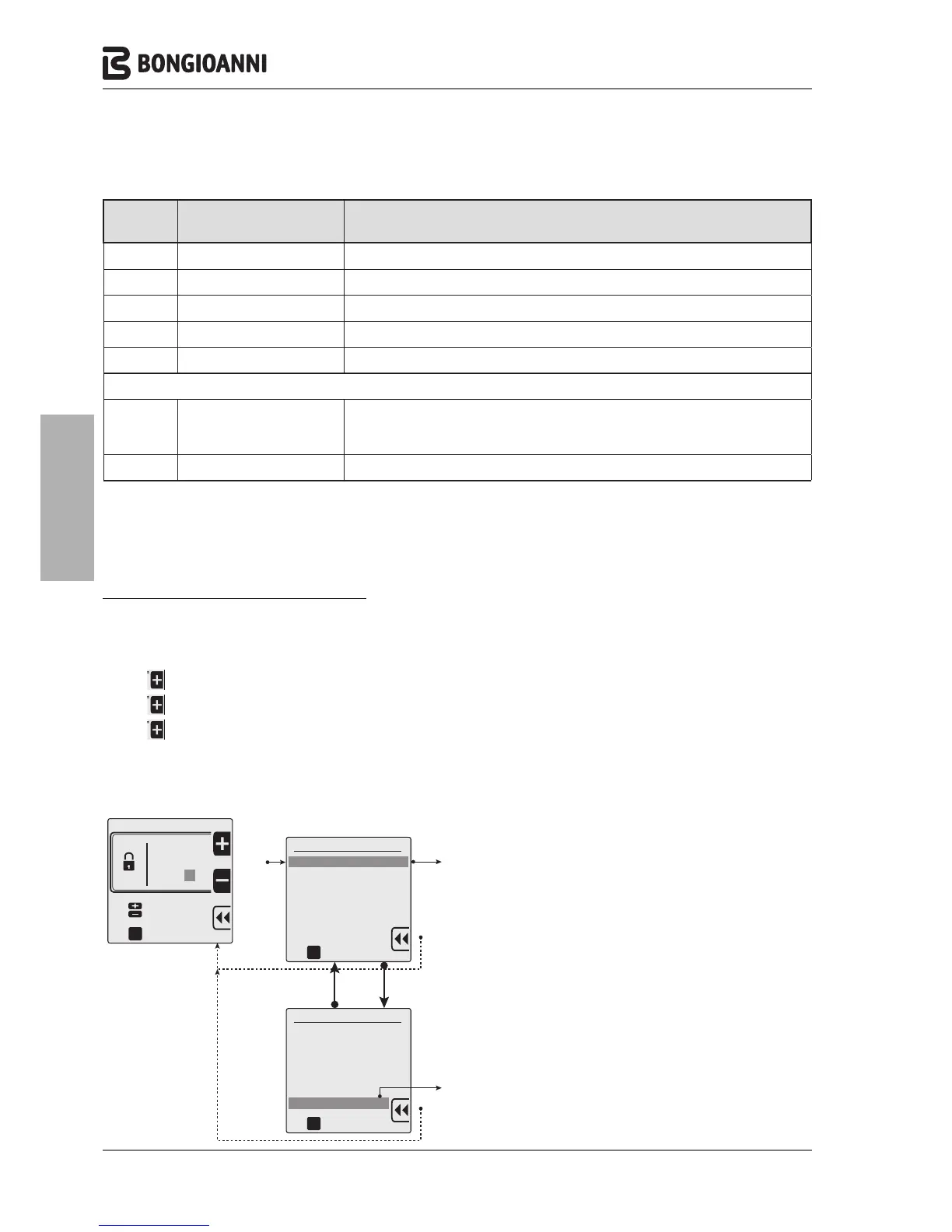
Technician menu navigation TREE
Access to the technician menu requires entry of the PASSWORD “231”.
The procedure is as follows:
- press
ONCE followed by
C
.
For a maximum of 15 minutes, the system enables exit and subsequent re-entry to the technician menu without the need
to enter the password. On elapse of this interval, entry of the password is required again to access the technician menu.
A
A
PASSWORD
Technician menu
1. ADVANCED CH SETTINGS
2. ADVANCED DHW SETTINGS
3. SYSTEM SETTINGS
4. DIAGNOSTICS
5. USER SETTINGS
6. CASCADE
7. RESTORE FACTORY SETTINGS
to confirm
oK
A
DB
C
Technician menu
1. ADVANCED CH SETTINGS
2. ADVANCED DHW SETTINGS
3. SYSTEM SETTINGS
4. DIAGNOSTICS
5. USER SETTINGS
6. CASCADE
7. RESTORE FACTORY SETTINGS
to confirm
oK
A
C
Technician menu
Insert code
to confirm
To select
oK
2 3 1
See
NAVIGATION
TREE
See
NAVIGATION
TREE
Ref. menu
line
Line title Meaning
5.1 Select Language Selection of language (English or Italian)
5.2 Select Units Selection of units of measurement (Celsius or Fahrenheit)
5.3 Set date Entry or modification of current date
5.4 Set time Selection of 12 or 24 hour format - Entry or modification of current time
5.5 Restore factory settings Restores factory settings
6. DIAGNOSTICS
6.1 Boiler information
Display of boiler status and temperature readings
To display, selectthe message, press
C
and view the values, scrolling through items by
means of the arrows
D
B
6.2 Lockout history Displayof the error list.
- 32 -



 To Next Page