EN
11
Appliance description
www.bora.com
4 Appliance description
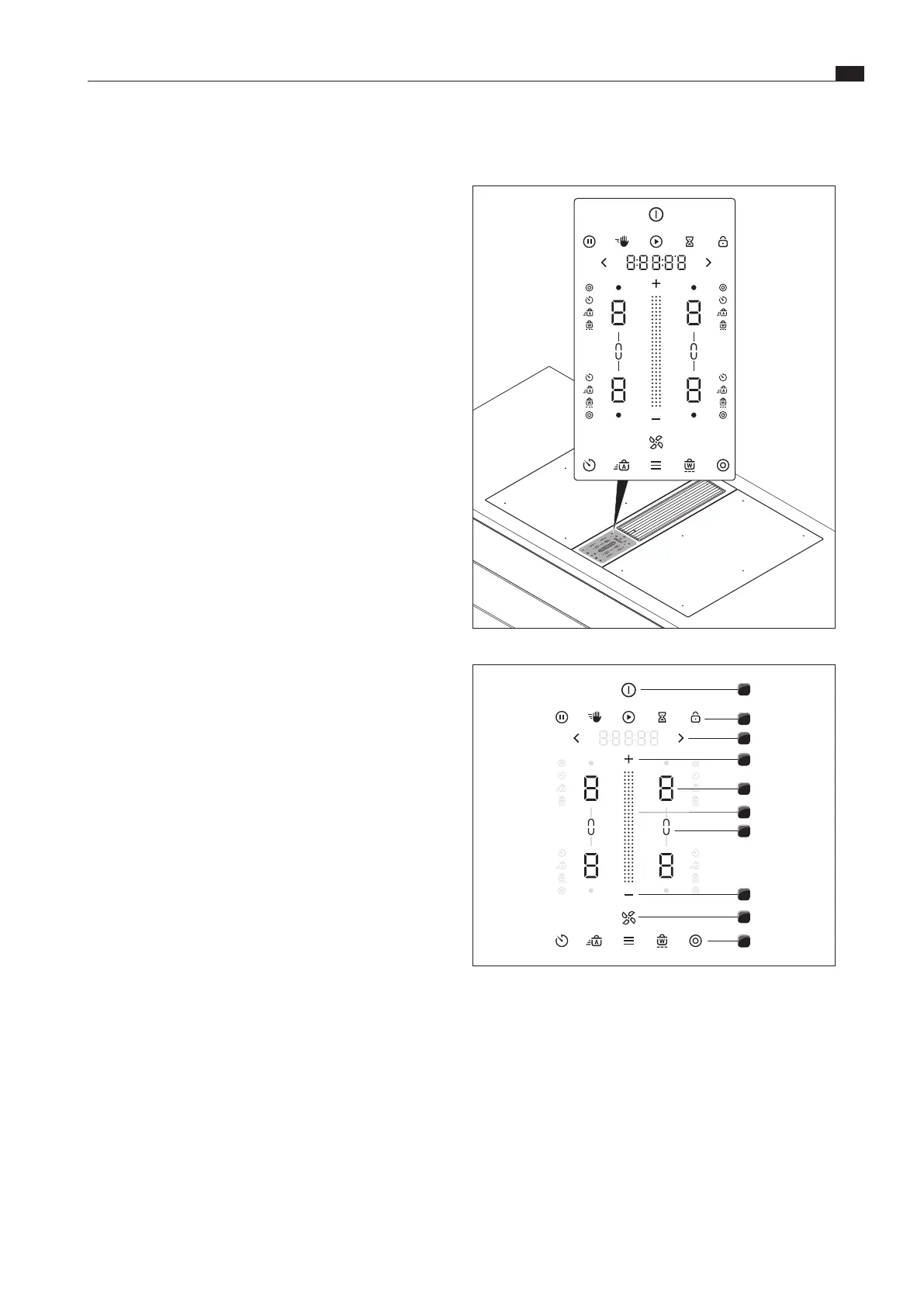
Fig. 4.1 Central touch/slider operating panel
1
2
3
4
5
6
7
4
8
9
Fig. 4.2 Touch zones
[1] Switching on/off
[2] Higher-level functions
[3] Navigation
[4] Power level setting zone plus/minus
[5] Cooking zone selection (4x)
[6] Touch slider (power level setting zone)
[7] Bridging function (2x)
[8] Fan
[9] Additional cooking functions and menu
Observe all safety and warning information during operation
(see Safety chapter).
4.1 BORA Classic 2.0 system
XX
Always use the latest system software to operate the BORA
Classic 2.0 system.
i
The latest software is available free of charge on the
BORA website (www.bora.com – Products – BORA Classic
2.0 – BORA Classic cooktop extractor CKA2/CKA2AB –
Documents).
XX
If necessary, retrieve the installed software version (see Menu
chapter, Retrieving the software version).
XX
Update the system software if necessary (see Menu chapter,
Updating the system software)
4.1.1 Operating panel and operating principle
i
The BORA Classic 2.0 system is operated via the
operating panel on cooktop extractor CKA2/CKA2AB.
i
1 or 2 cooktops can be controlled and operated by a
single cooktop extractor.
i
The operating principle and functions are described in
more detail in the Operation chapter.
The cooktop extractor and cooktops are operated via a central
operating panel. The operating panel is fitted with electronic
sensor buttons and display panels. The sensor buttons respond
to finger contact (touch zones).



 To Next Page