EN
36
Menu
www.bora.com
6.3.6 Menu item 6:
Retrieving the software version
i
The system software version may be needed by the BORA
Service Team during an error search.
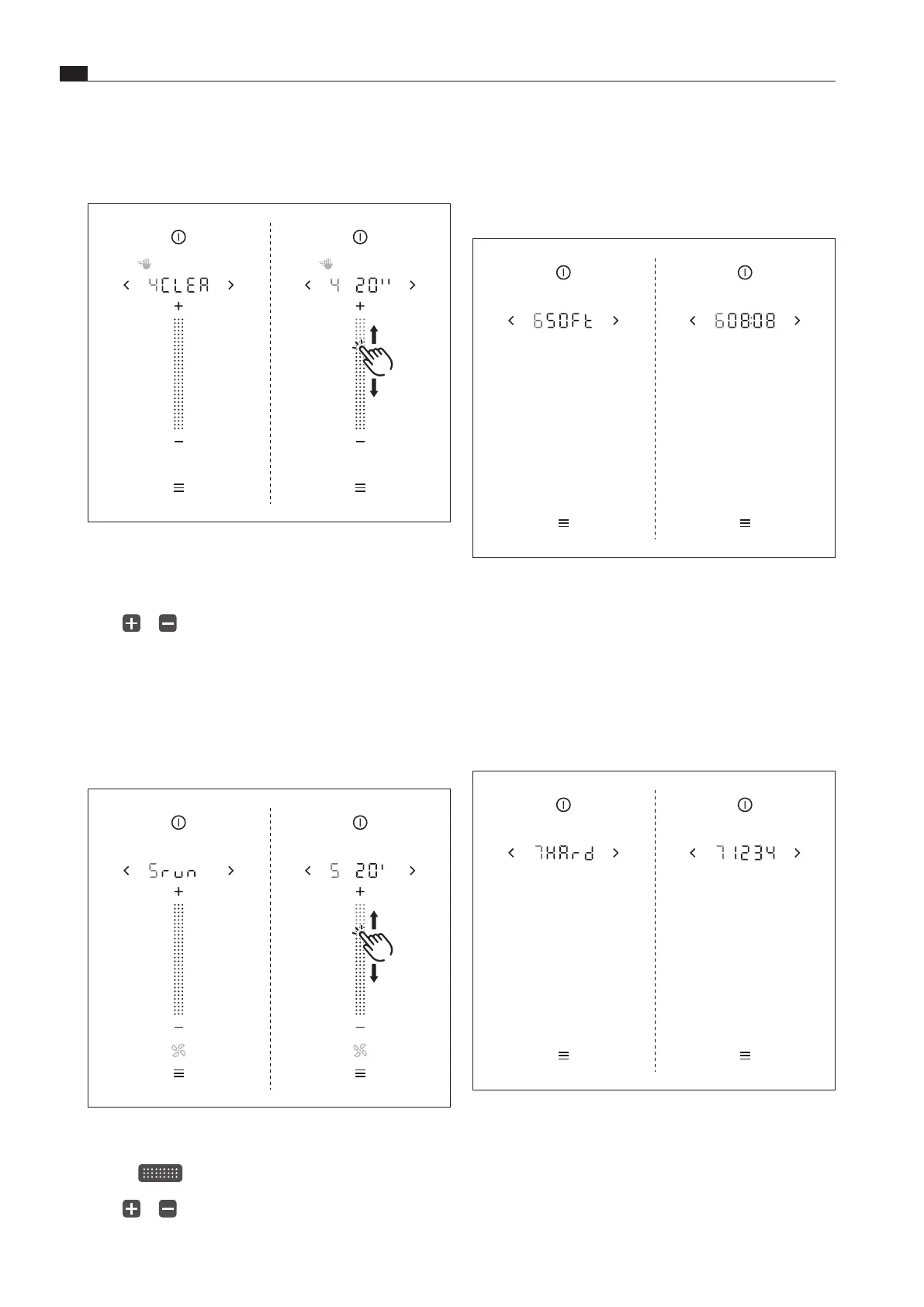
Fig. 6.7 Menu item 6: Retrieving the software version
XO
The current system software version is displayed after
2 seconds.
6.3.7 Menu item 7:
Retrieving the hardware version
i
The appliance hardware version may be needed by the
BORA Service Team during an error search.
Fig. 6.8 Menu item 7: Retrieving the hardware version
XO
The current hardware version of the appliances is displayed
after 2 seconds.
6.3.4 Menu item 4:
Duration of the cleaning lock
(wipe function)
Fig. 6.5 Menu item 4: Duration of the cleaning lock
Setting the duration of the cleaning lock
XX
Swipe to obtain the required duration (5–30 s)
or
XX
tap or
until the required duration is reached
XX
Confirm and save the setting.
6.3.5 Menu item 5: Duration of the automatic
after-run function
i
Use of the cooktop extractor after-run function makes
sense and BORA expressly recommends it.
Fig. 6.6 Menu item 4: Duration of the cleaning lock
Setting the fan after-run time
XX
Swipe to obtain the required duration (10–30 min)
or
XX
tap or
until the required duration is reached
XX
Confirm and save the setting.



 To Next Page