Touch-screen operation
The touch‑screen of the DCNM‑MMD Multimedia Device is used to participate in a meeting,
and/or manage meetings within the DCN multimedia system.
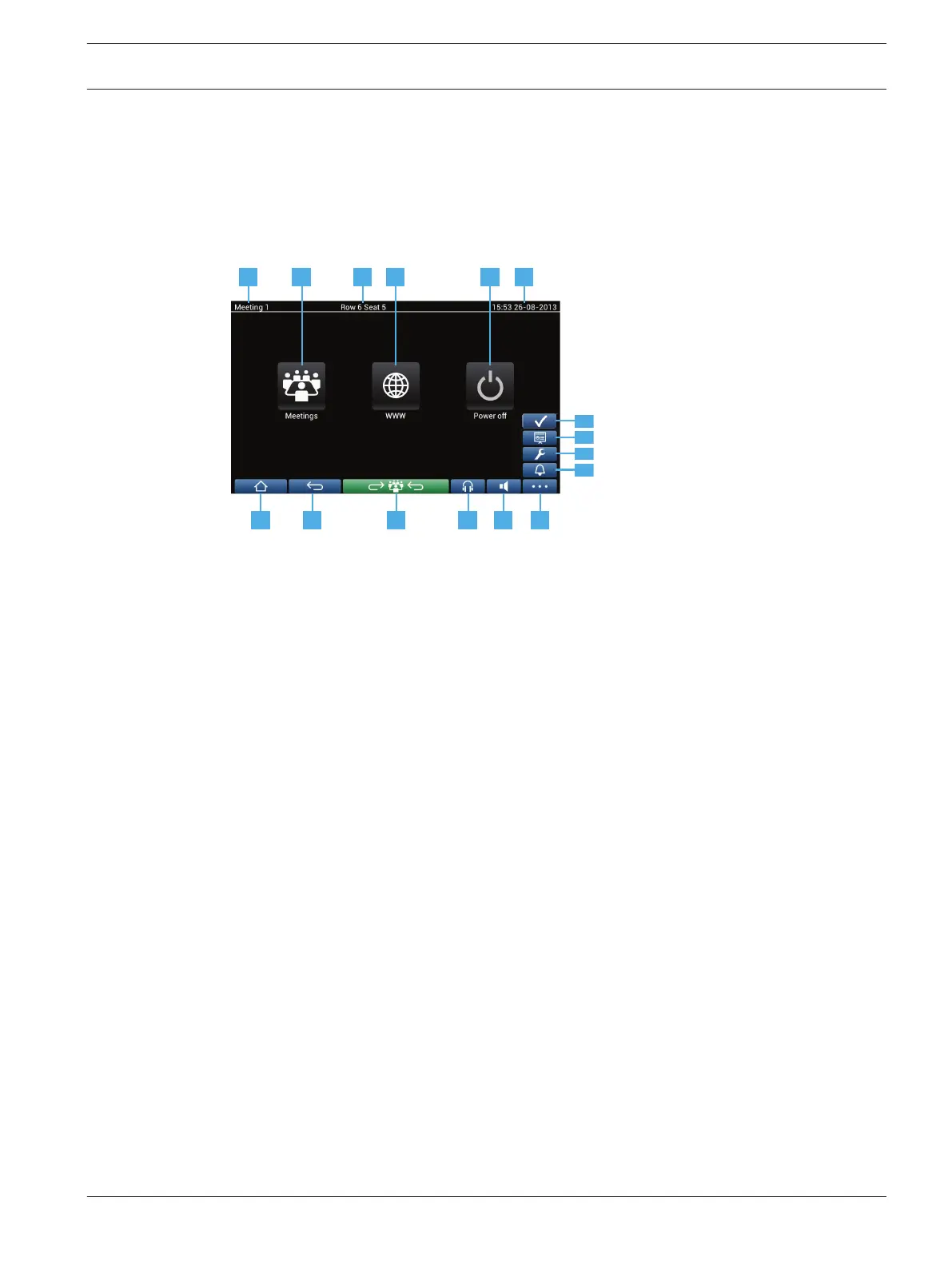
Home screen
Depending on the authorizations, some items might not be present.
1 2 4 53 6
7 8 9 10 11 12
12.3
12.4
12.2
12.1
1 Name of the active meeting or agenda topic.
2 Meetings overview button: See Meeting overview screen, page 12.
3 Seat name or participant name is shown here.
4 WWW button: Opens a web browser.
5 Power off button: Switches off the system.
6 Time & date.
7 Home button: Returns you to the home screen.
8 Back button: Navigates one step back in the navigation history.
9 Back to active button: Brings you to the active part of the meeting.
10 Headphone button: Opens the headphone volume control and the available
interpreted languages. The control disappears automatically after 3 seconds when
not used.
11 Master volume control button: Opens the volume control. The control disappears
automatically after 3 seconds when not used.
12 Menu button: Opens a menu for additional functionality:
12.1 Summon button: Activates a chime to summon the participants.
12.2 Configure button: Opens the discussion settings screen. See Discussion settings
screen, page 15.
12.3 Presentation button: Activates the presentation mode.
12.4 Voting button: Activates the voting function. See Voting screens, page 16.
4.2
4.2.1
DCN multimedia Multimedia Device | en 11
Bosch Security Systems B.V. User manual 2016.03 | V1.5_01 |












 To Next Page