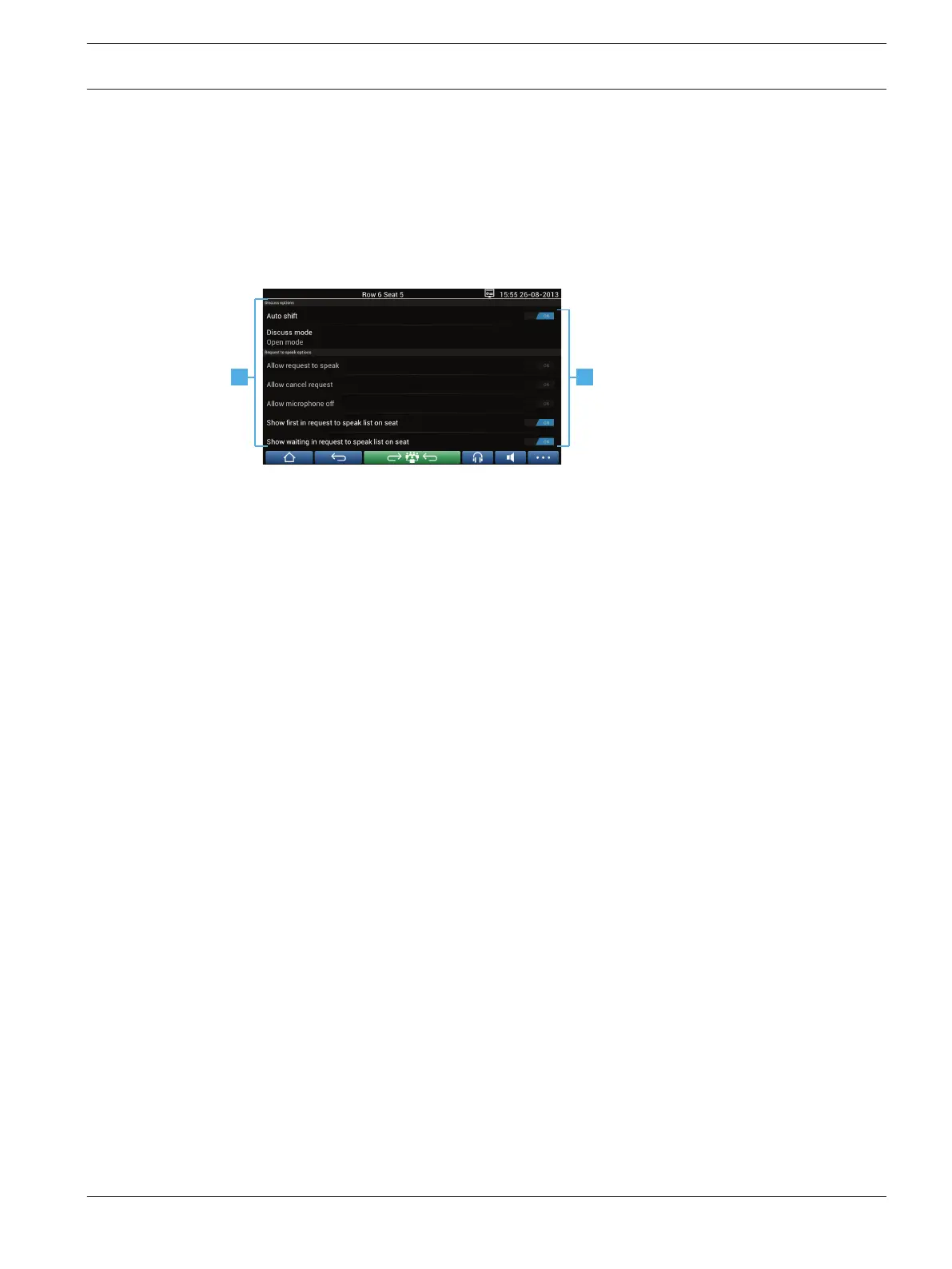
Discussion settings screen
The discussion and request‑to‑speak options can be managed here, depending on
authorizations.
To display this screen:
– press the menu button to display a pop-up list, and then
– press the configure button
1 Swipe the screen from bottom to top to display the following options:
– Discuss options
– Request to speak options
– Microphone options
– Priority options
– Speaker viewing options
2 ON / OFF: Slide button. Swipe the slide button to switch the option ON or OFF
(depends on authorizations and functionality).
If the option does not have a slide button, press the option, and a pop-up menu will
appear. Use this menu to enter the required settings.
4.2.5
DCN multimedia Multimedia Device | en 15
Bosch Security Systems B.V. User manual 2016.03 | V1.5_01 |












 To Next Page