GPS Sensor | 16
Bosch Motorsport DDU 9 133/148
16.3.1 Configuration of the recommended Navilock
NL-8004P MD6 Serial PPS Multi GNSS Receiver
For the sensor configuration, the sensor needs to be connected to the Navilock software
“U‑Center” which is available from Navilock free of charge. Navilock offers a USB connec-
tion cable for the sensor.
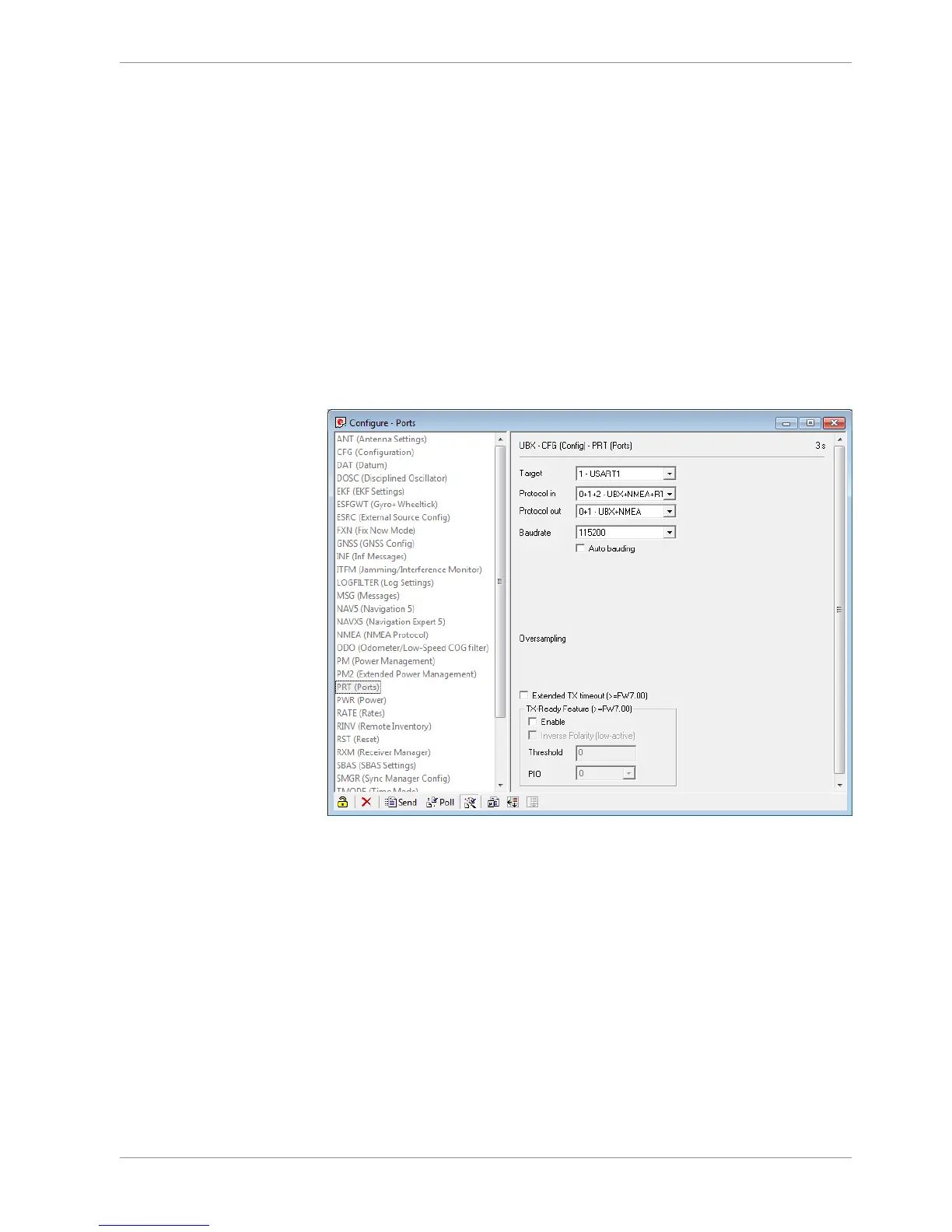
In “U-Center” click “View” – “Configuration View” to start the configuration. The follow-
ing 3 points have to be changed:
Transfer Rate
– Click on “PRT (Ports)”.
– Change the baud rate to a fix value, this value needs to meet the setting of RaceCon.
For a good signal quality we recommend 115,200 baud.
– Click on “Send” to store the new setting in “U-Center”.
– Click on “CFG (Configuration)”.
– Click on “Send” to save the new setting on the sensor.













 To Next Page