10.2 Display element configuration
10.2.1 Numeric display element
Adding a numeric display element to display page
The ‘Large Element’ and the ‘Medium Element’ numeric display elements differ in element
and font size. The element and font size can be changed using the Numeric Wizard.
NOTICE
In this view the displayed values are random values and do not show
the real values of the measurement channels.
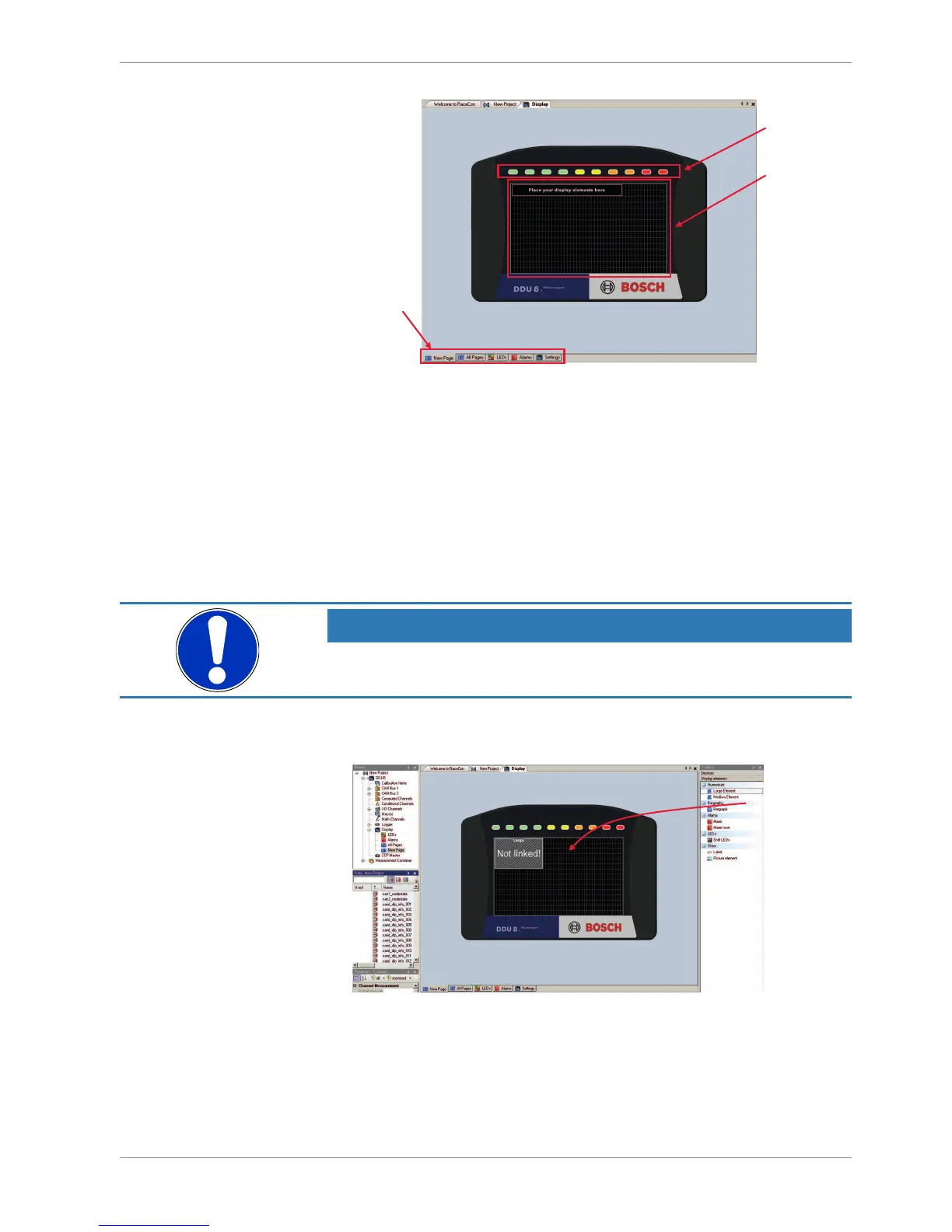
1. Drag a numeric display element from the Toolbox and drop it on the display page. A
message in the numeric element box shows that it is not linked to a measurement
channel.













 To Next Page