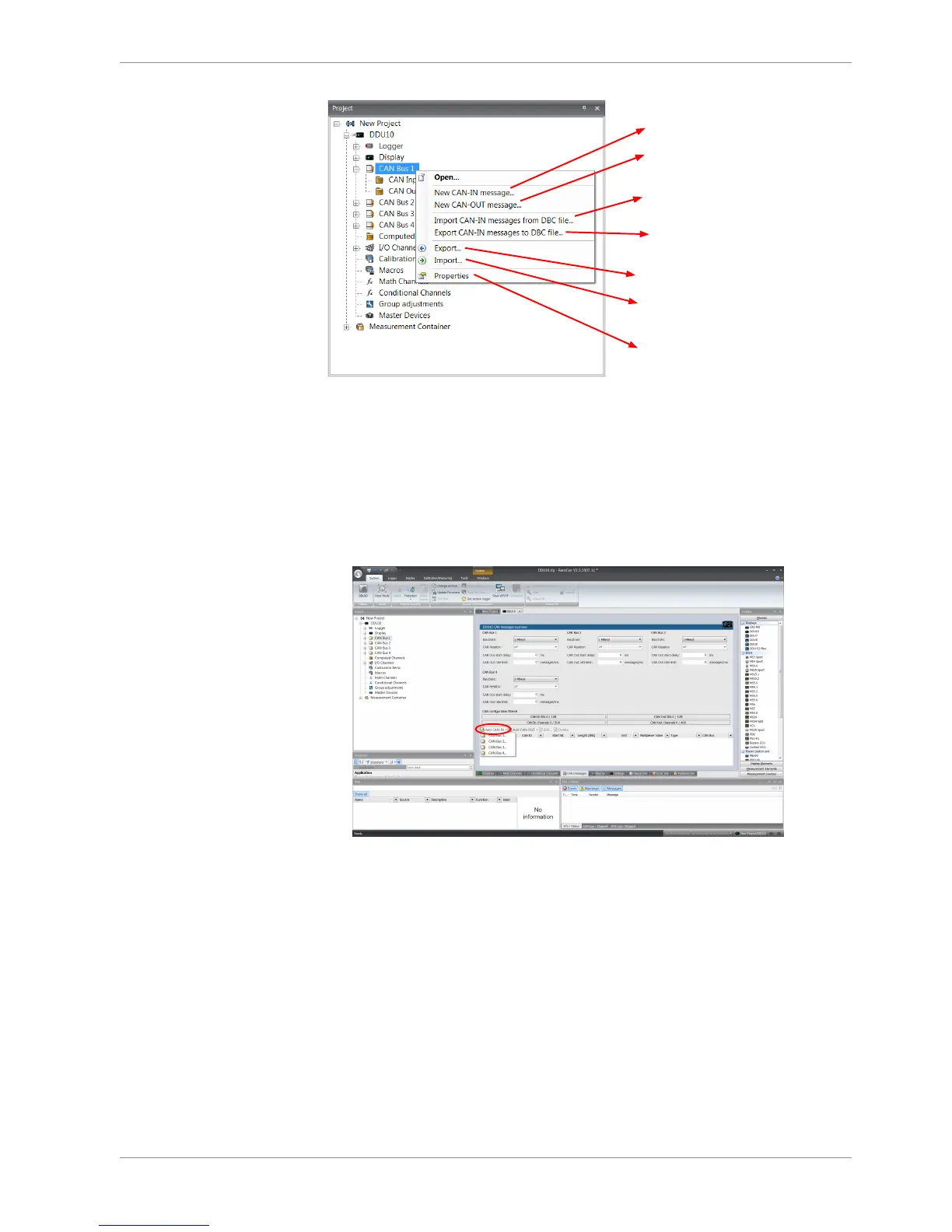
Create new channel to read from CAN bus
Import Vector CAN database (DBC)
channel configuration
Export RaceCon CAN configuration to file
Import RaceCon CAN configuration from file
Display CAN bus properties (Baudrate)
Create new CAN output message
Export Vector CAN database (DBC)
channel configuration
11.2 CAN input
11.2.1 Create new CAN Input channel
1. Double-click on any CAN bus item, to open the "CAN messages overview".
2. Select ‘Add CAN-IN’ and choose the desired CAN bus for the new input channel.
A CAN channel configuration window opens.













 To Next Page