18 | Firmware
140/148 DDU 9 Bosch Motorsport
The configuration of Input channels, CAN I/O, display, recording + telemetry will not be
changed.
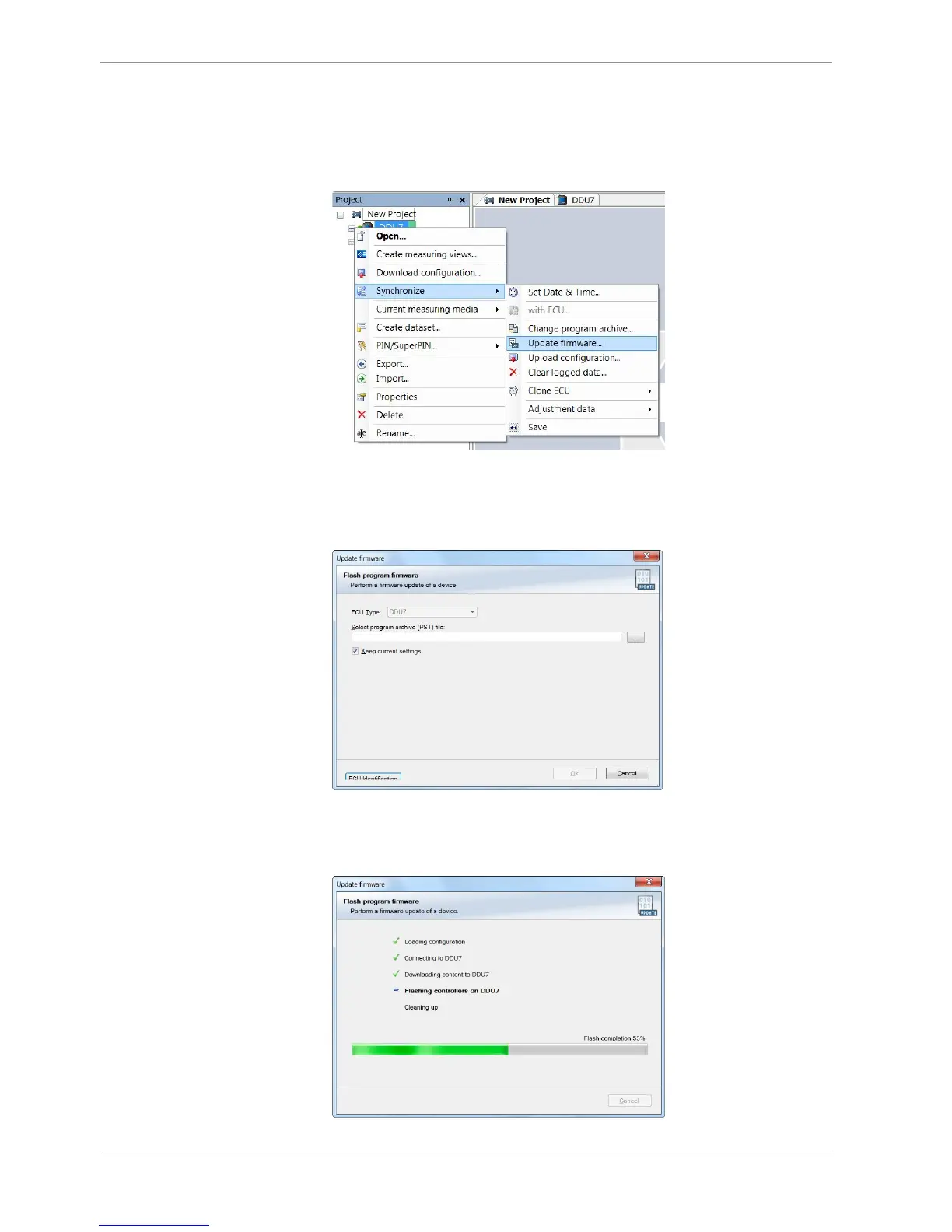
1. In the DDU 9 Project Tree, right-click on ‘DDU 9’ and choose ‘Synchronize’ then ‘Up-
date firmware’.
A pop-up menu opens.
2. Select the destination of the firmware archive (PST).
You can find the latest firmware for the device at the Bosch Motorsport homepage.
3. Click ‘OK’ when done.
The firmware update starts. The DDU 9 displays the message ‘Updating firmware’. Do
not switch off the car’s ignition or interrupt the power supply of the DDU 9!













 To Next Page