9 | Starting up
24/148 DDU 9 Bosch Motorsport
Connection via Ethernet Cable
1. Follow the steps above for a connection via MSA-Box.
2. Instead of connecting the ethernet line to the MSA-Box, Connect the ethernet directly
to your computer.
Troubleshooting while setting up the network interface
The DDU 9 contains a DHCP server, network addresses can be assigned automatically to
the configuration PC. In case of problems during the network connection, please try the
following steps:
1. Switch off the PC’s firewall.
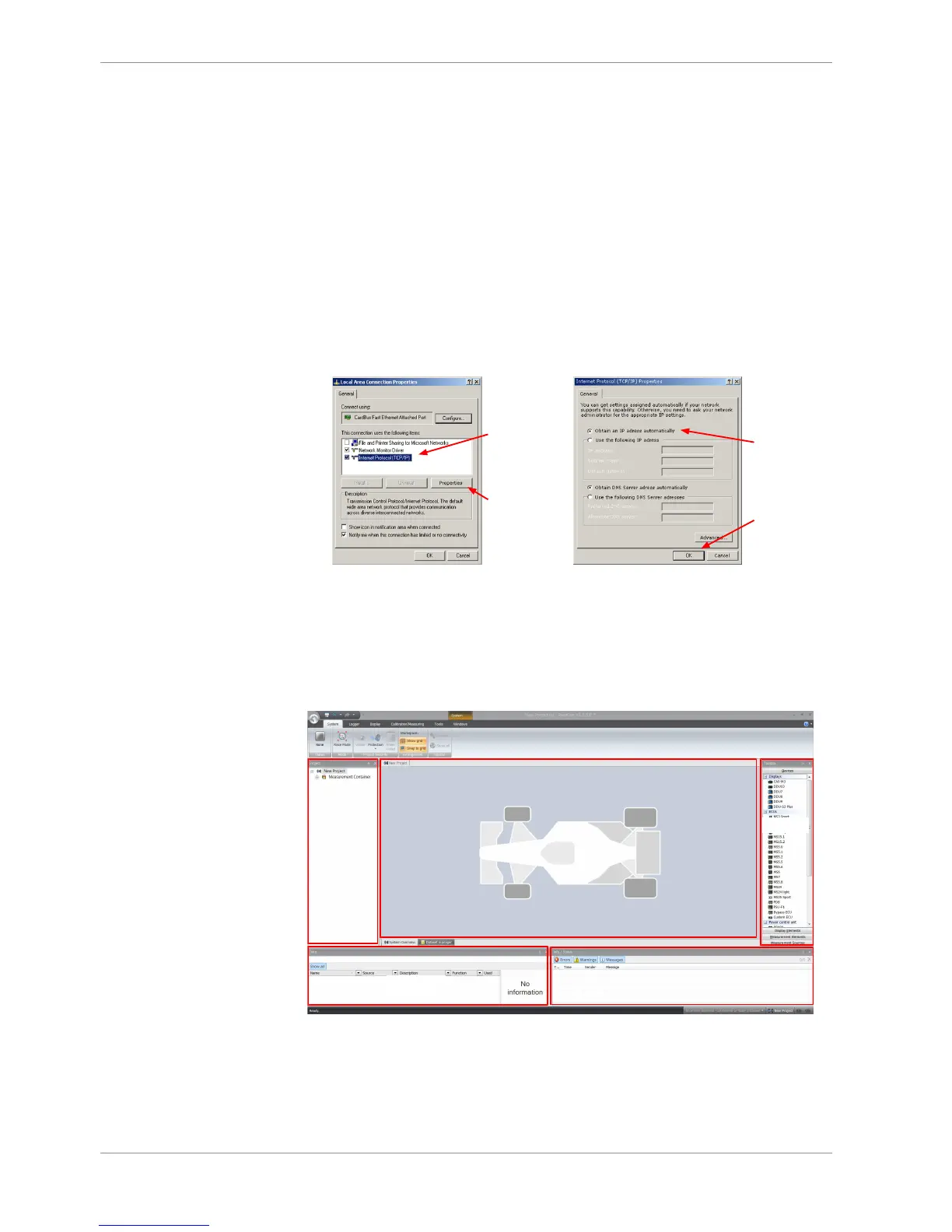
2. Reconfigure the PC or the MSA-Box network interface settings, to obtain an IP ad-
dress automatically as shown in the pictures below.
9.1.3 Setting up a new RaceCon Project
The following screenshot shows an overview of the RaceCon Main Screen with its areas.
All (sub-) windows are resizable and dockable. You can find them under the ‘Windows’
tab.













 To Next Page