Display Configuration | 10
Bosch Motorsport DDU 9 45/148
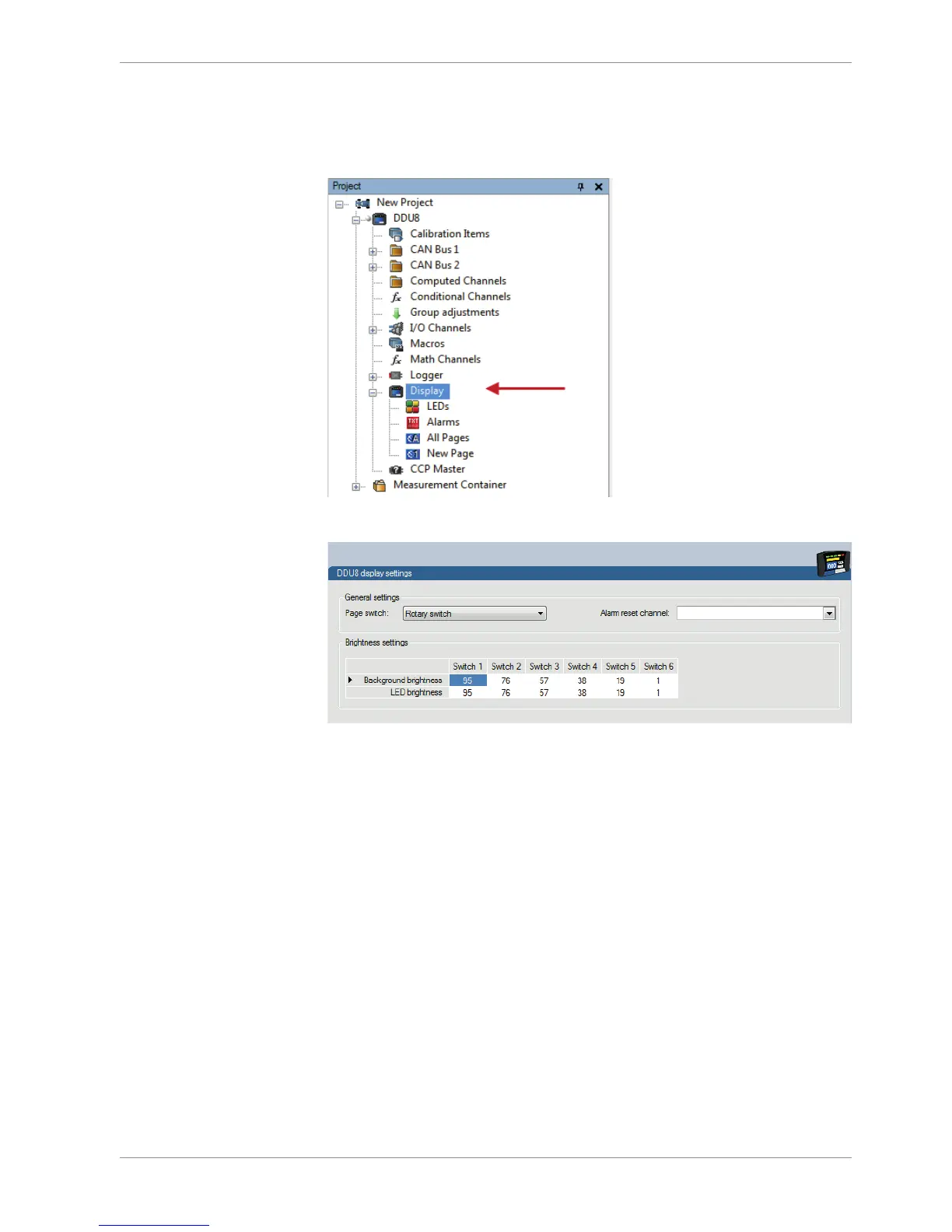
Configuring an ‘Alarm Reset Channel’
The Alarm Reset Channel can be defined in the display setting menu.
1. Double click on the display icon in the project tree.
10.2.4 Other display elements
Two types of other display elements are available:
– Label: A label displaying a specified text
– Picture element: An element displaying a static picture (e.g. temperature warning)
Adding a Label or picture display element to display page
Drag the Label or picture display element from the Toolbox and drop it on the display
page.
Configuring a Label display element
1. Double-click on the Label display element. The Label Wizard window opens.













 To Next Page