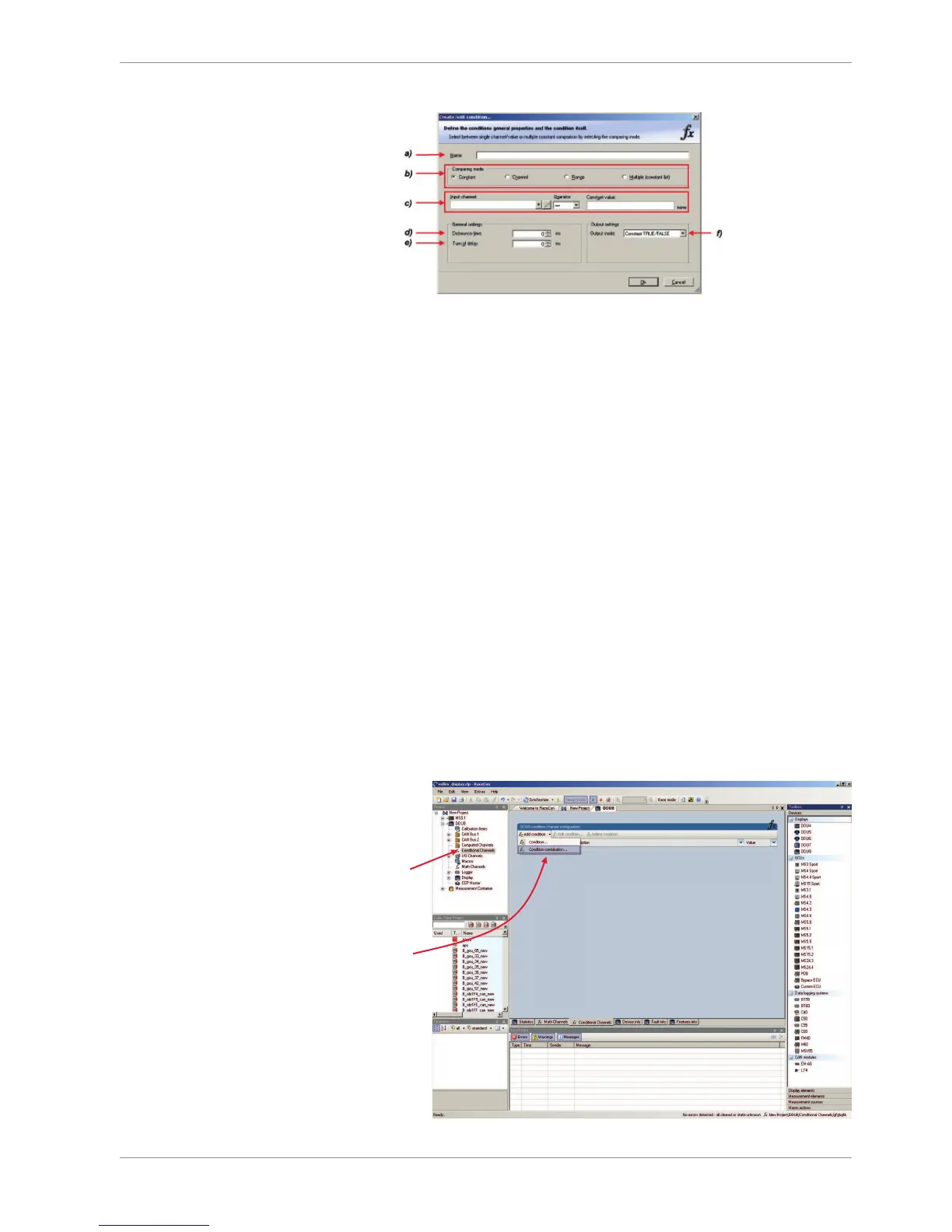
a) Enter the name of the condition channel.
b) Select the comparing mode:
Constant: Compare a measurement channel with a constant value.
Channel: Compare a measurement channel with a measurement channel.
Range: Compare a measurement channel with a defined value range.
Multiple: Compare a measurement channel with up to 5 constant values.
c) Depending on the chosen comparing mode, you can enter the following values:
Constant: Choose the measurement channel or condition, the operator and enter the value of the constant.
Channel: Choose the measurement channel or condition, the operator and the measurement channel or
condition to be compared.
Range: Choose the measurement channel or condition, the operator and define the minimum and
maximum value.
Multiple: Choose the measurement channel or condition, the operator and enter the value of up to 5
constants.
d) Enter the minimal time to detect the signal of the measurement channel to avoid high-frequent
switchovers.
e) Enter the time the signal of the measurement channel is delayed after its ending.
f) Choose the output setting of the result.
Constant TRUE/FALSE: Result is as a constant with the value TRUE or FALSE.
Blinking: Result is a blinking if the condition is fulfilled.
Pulse: Result is a short one-time pulse if the condition is fulfilled.
Toggling output: Result is a pulse that lasts until the next condition is fulfilled.
2. Click ‘Ok’ when done.
The conditional channel is displayed in the DDU 9 condition channel window.
10.6.2 Creating a new condition combination
1. Follow the steps shown in the screenshot.













 To Next Page