– Preferred DNS: the preferred DNS server IP address.
–
Alternate DNS: an alternative DNS server address.
– LAN download: System can process the downloaded data first if you enable this function.
The download speed is 1.5x or 2.0x the normal speed.
Once all fields are correctly entered, click <Network setting> to assign other network settings
– see Network settings, page 47.
When ready, click <Save> to enter values and go back to the previous menu.
Network settings
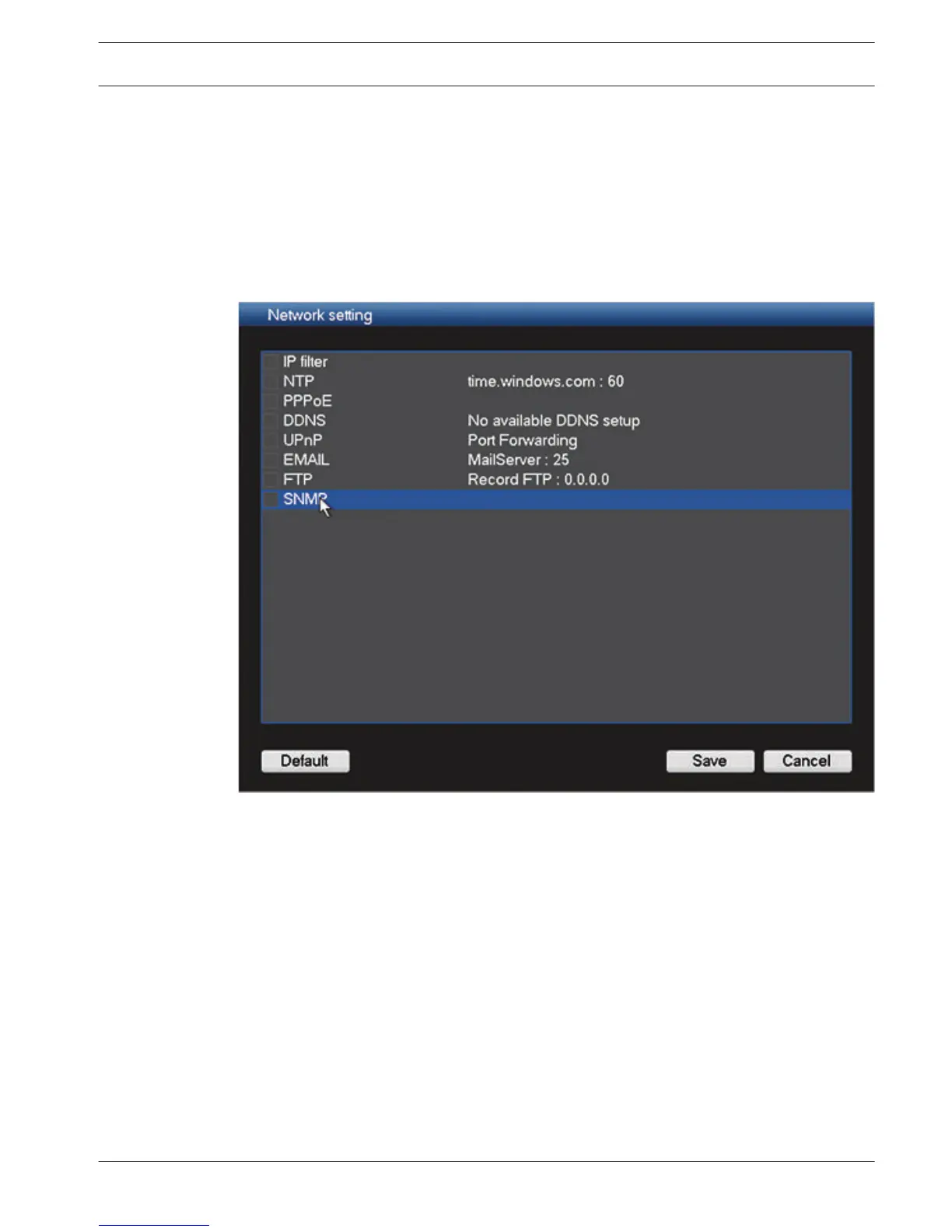
Figure 6.10: Network setting
This example screen shows an example Network setting interface. Please check a box to
enable the corresponding function, and then double-click current item to go to setup
interface. See the following sections for examples of possible network functions.
6.6.1
DIVAR 3000/5000 Digital Video
Recorder
Configuration | en 47
Bosch Security Systems Operator Manual 2013.05 | 1.0 | DIVAR 3000/5000 Digital Video
Recorder











 To Next Page