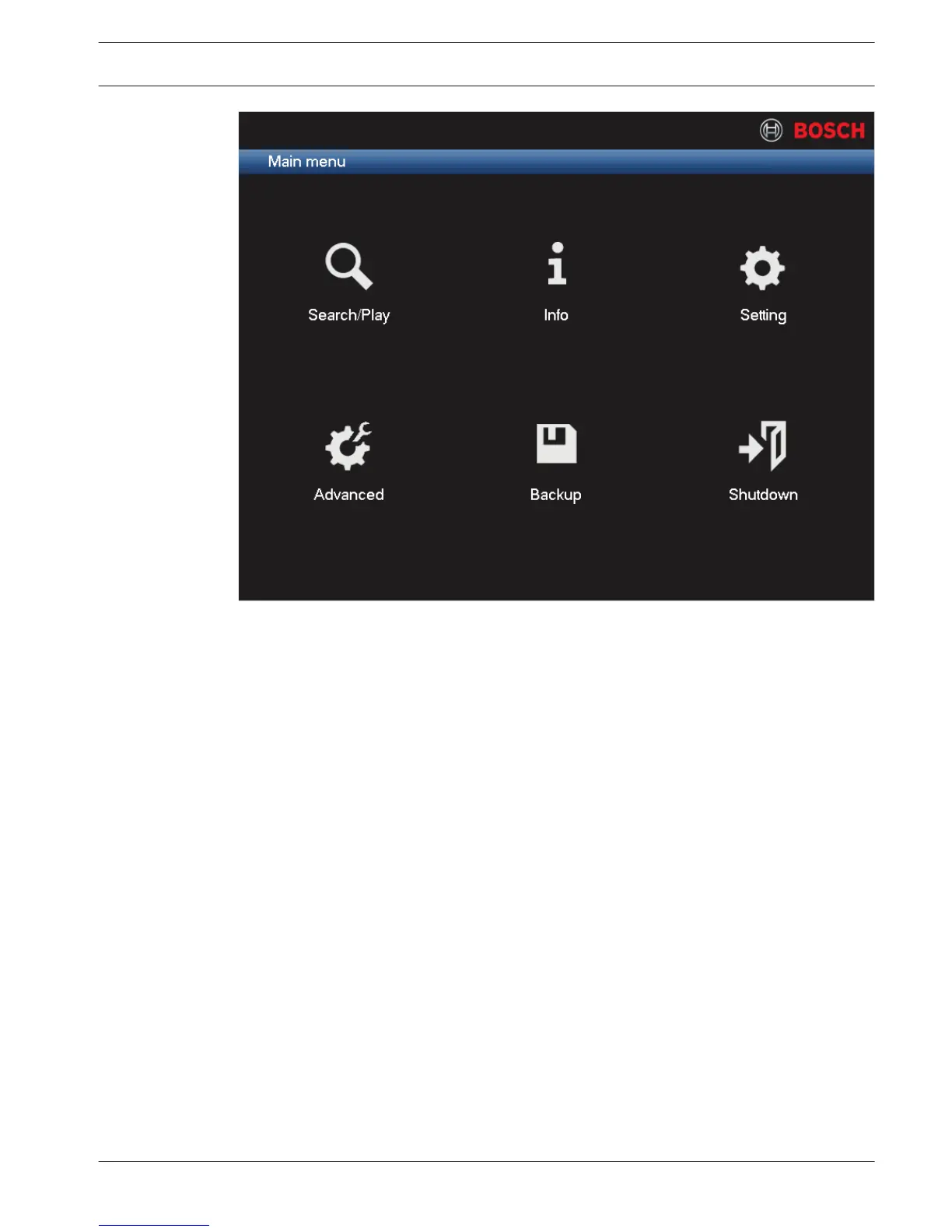
Figure 7.6: Main menu
Move through the Main menu items and select the required sub-menu:
– Setting and Advanced are used for system configuration
– Search/Play is used to search for and play recordings
– Info shows relevant system status information
– Backup is used to backup your system files
– Shutdown is used to logoff and shutdown your system
For more information, see:
– Configuration, page 35
– Search/Play, page 93
– Info, page 101
– Backup, page 98
– Shutdown/Logout, page 26
See also
– Configuration, page 35
– Search/Play, page 93
– Info, page 101
– Backup, page 98
– Shutdown/Logout, page 26
Live and playback
The unit has four monitor outputs, three for monitor A (see Monitor A, page 93) and one for
monitor B (see Monitor B, page 93). Refer to the descriptions below, and to Display, page 63
to see how to configure the monitor displays.
7.2
DIVAR 3000/5000 Digital Video
Recorder
Operating instructions | en 89
Bosch Security Systems Operator Manual 2013.05 | 1.0 | DIVAR 3000/5000 Digital Video
Recorder






 To Next Page