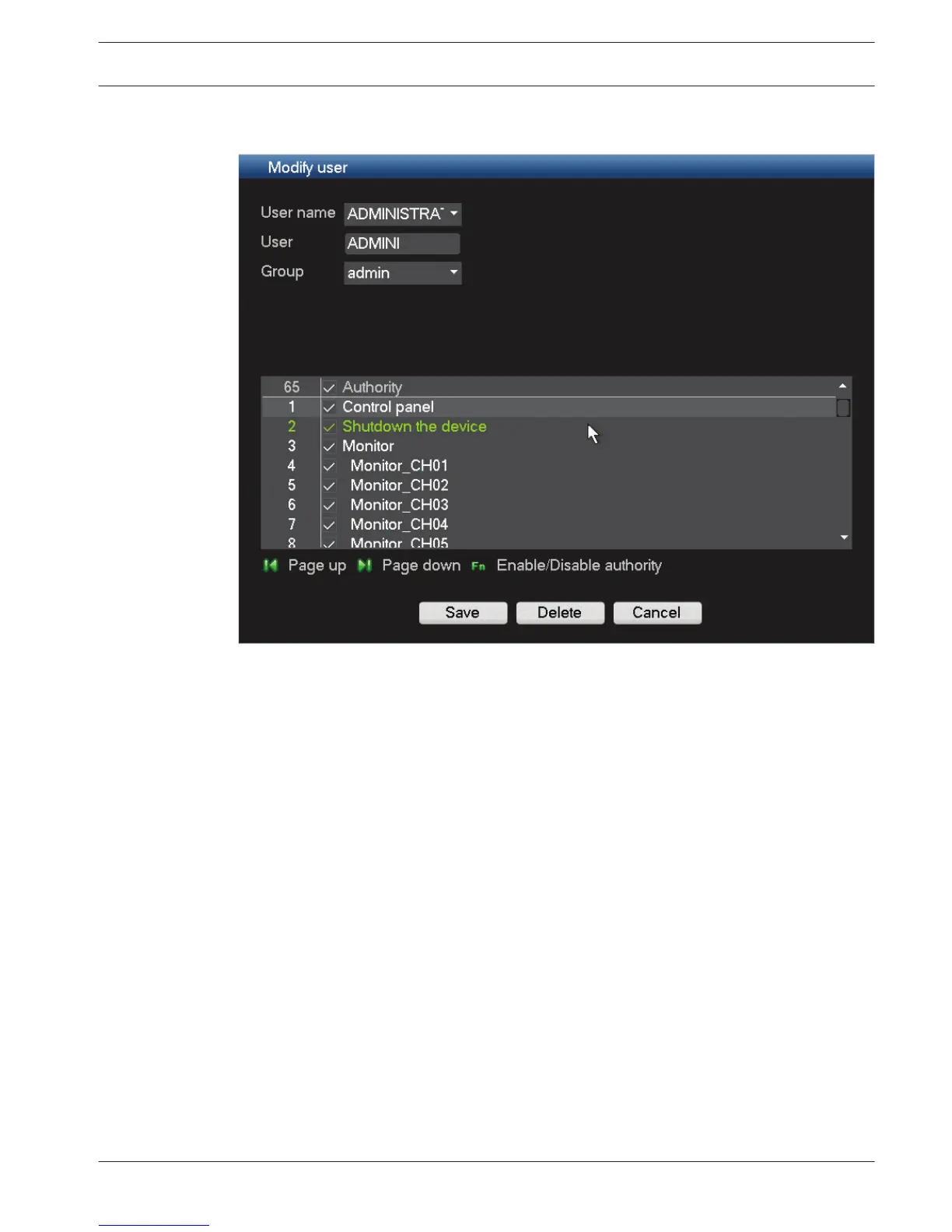
Modify/Delete a user
Figure 6.35: Modify user
Modify a user as follows:
1.
Choose the User name from the drop-down list.
2. If required, assign the user to a different Group by selecting from the drop down list.
3. Change the user authority by (de)selecting the check boxes.
4. Click <Save>.
Delete a user as follows:
1. Choose the User name from the drop-down list.
2. Click <Delete>.
3. Confirm the delete by clicking <OK>.
6.17.2
DIVAR 3000/5000 Digital Video
Recorder
Configuration | en 73
Bosch Security Systems Operator Manual 2013.05 | 1.0 | DIVAR 3000/5000 Digital Video
Recorder











 To Next Page