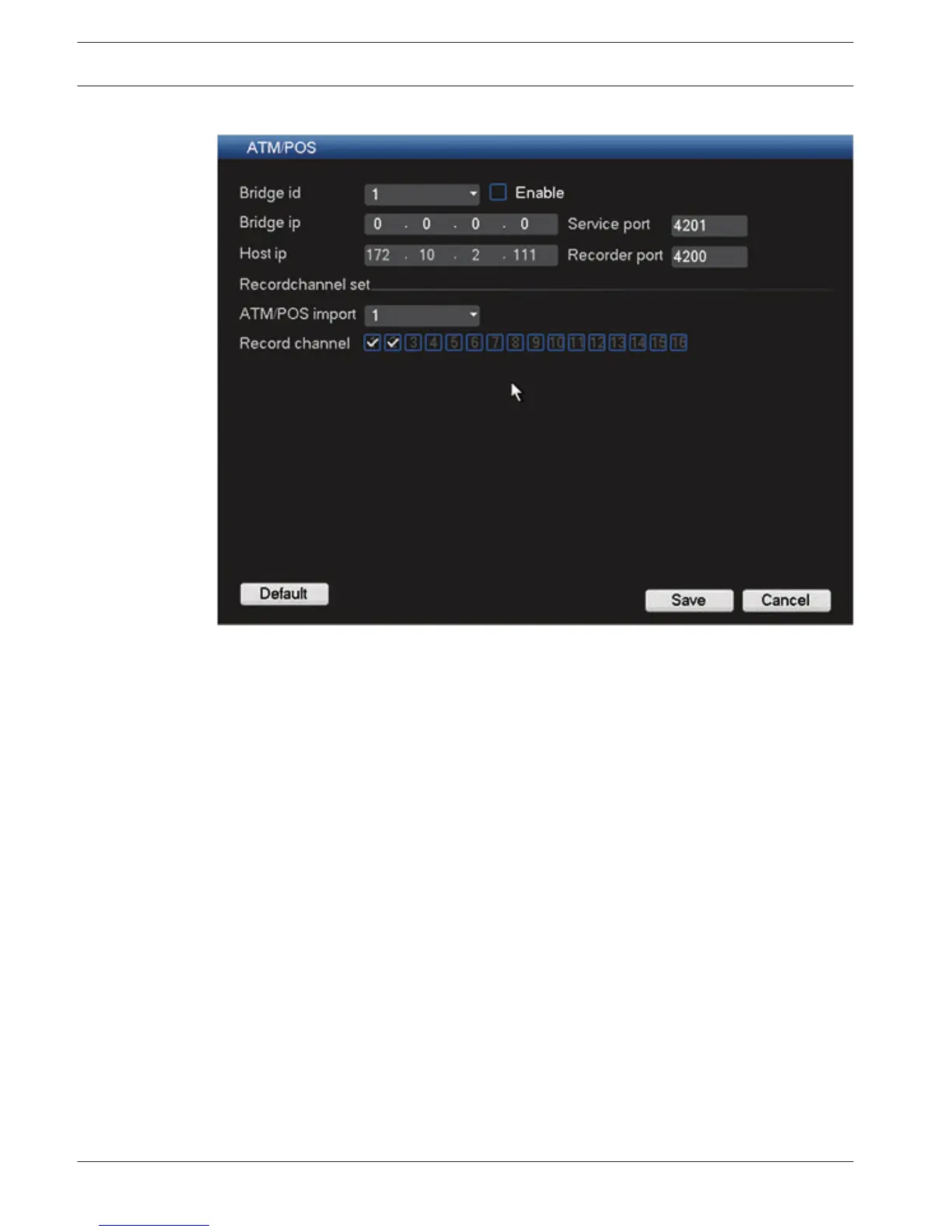
ATM/POS
Figure 6.40: Text overlay ATM/POS
Here you can enter:
–
Bridge id: enter the correct channel (and select Enable)
– Bridge IP / Host IP: destination ports (you may need to input the corresponding port
number)
– Record channel set: assign the correct channels
See also
– Text data overlay, page 77
78 en | Configuration
DIVAR 3000/5000 Digital Video
Recorder
2013.05 | 1.0 | DIVAR 3000/5000 Digital Video
Recorder
Operator Manual Bosch Security Systems











 To Next Page