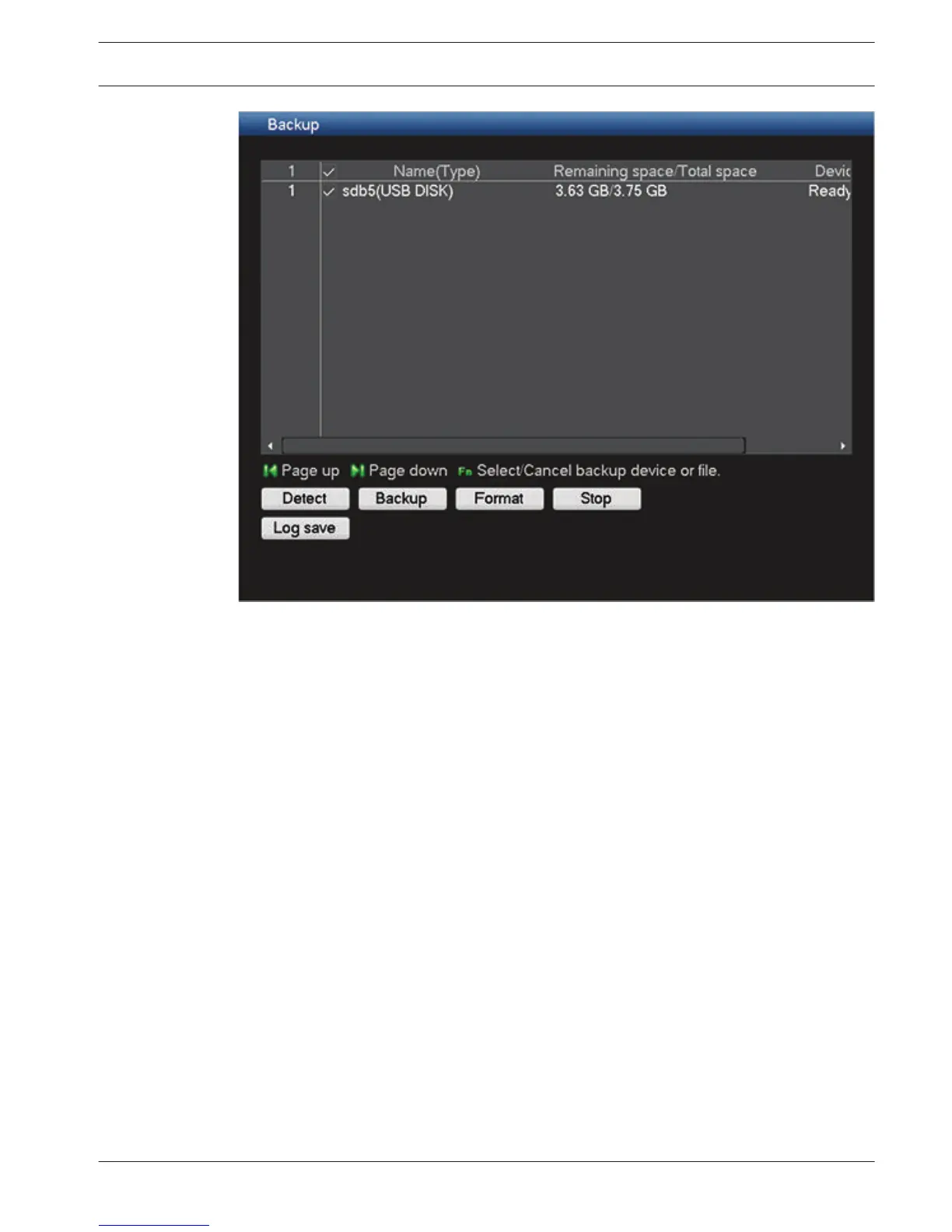
Figure 7.11: Backup menu
1.
Select here a backup device from the list (the total space and remaining space are
displayed for each device).
2. Use the selection buttons (on the bottom of the screen) for your backup:
– Detect search for available memory devices
– Backup a new backup browse screen appears where you can choose which files to
be backed up - see description below
– Format will ask to confirm a format of the selected memory device
– Stop halt the backup
– Log save to save ‘Export history log file’ to the selected memory device
DIVAR 3000/5000 Digital Video
Recorder
Operating instructions | en 99
Bosch Security Systems Operator Manual 2013.05 | 1.0 | DIVAR 3000/5000 Digital Video
Recorder






 To Next Page