Pack201 | Operator Interface | Section 4
EN | 17
© Bosch Packaging Technology, Inc.
All rights reserved 2012
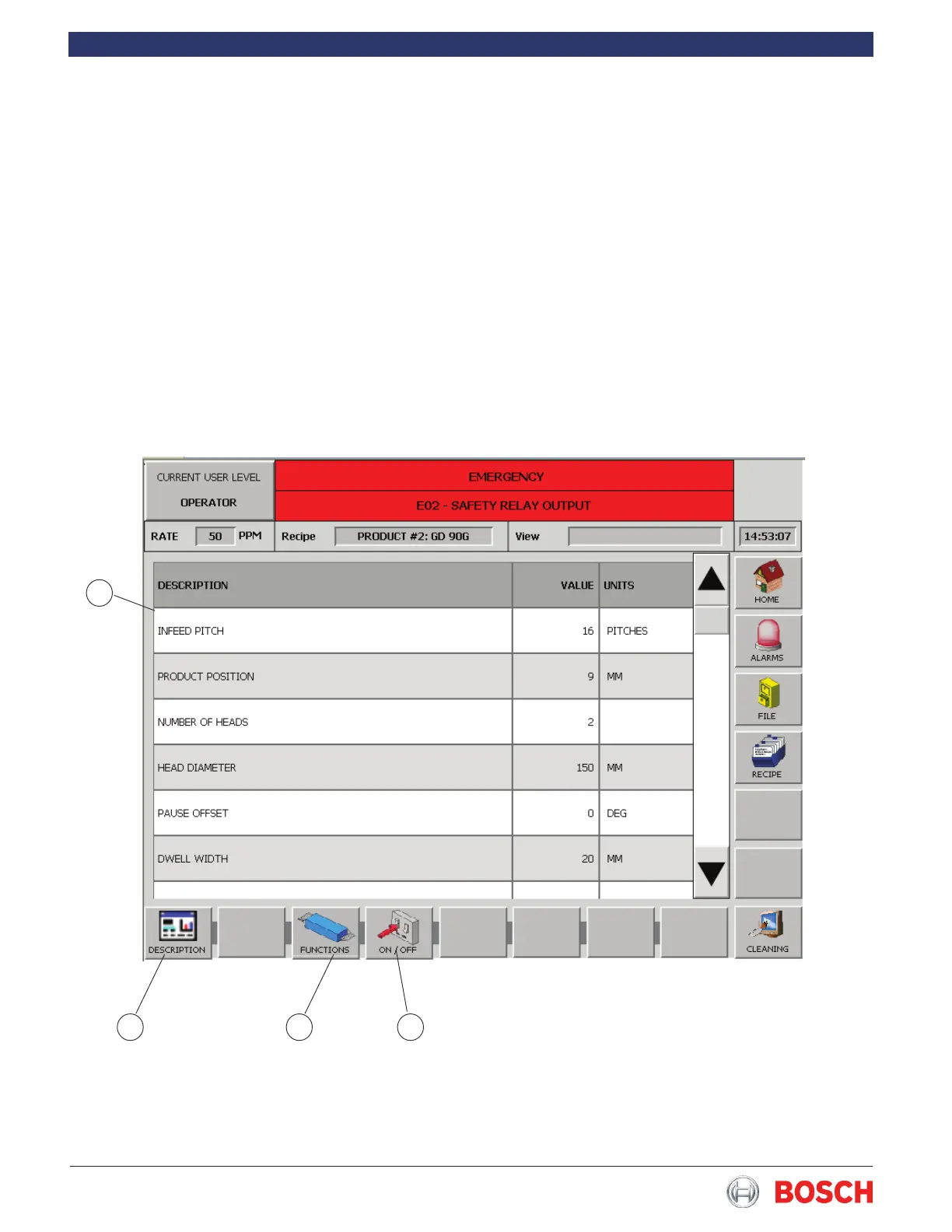
4.6.9 Functions Screen
The Functions screen allows proper level personnel
access to the machine operating parameters�
• Touch the desired parameter from the list (1
Figure 14) and use the keypad to enter or edit a
value�
• Touch the Description button (2 Figure 14) to
return to the Recipe screen�
• Touch the Functions button (3 Figure 14) to return
to the Functions screen�
• Touch the On/Off button (4 Figure 14) to display
the On/Off screen�
2
1
3 4
Figure 14


 To Next Page