Pack201 | Operator Interface | Section 4
EN | 37
© Bosch Packaging Technology, Inc.
All rights reserved 2012
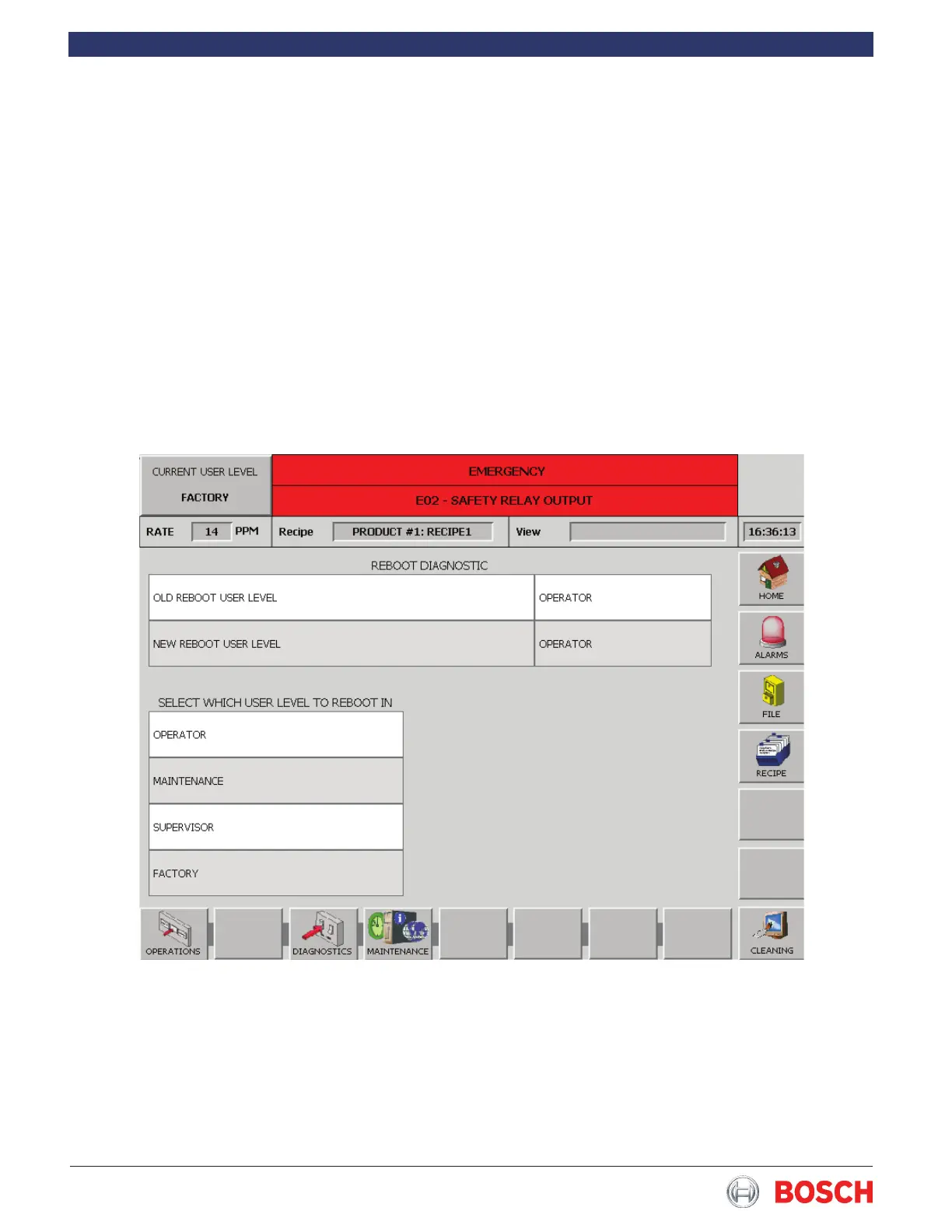
4.6.29 Reboot
Touch the Reboot diagnostic in the list to display the
screen below�
This diagnostic allows maintenance or supervisor level
personnel to select the user level that the wrapper
will be in whenever it is turned on� To change from
the current user level, simply touch the appropriate
box to select the desired level on the Select Which
User Level To Reboot In box� You cannot reboot to a
level higher than the current level� You must go to the
User Level Diagnostic and change to a higher user
level rst, then you can use the Reboot Diagnostic to
reboot to a lower level�


 To Next Page