Pack201 | Operator Interface | Section 4
EN | 34
© Bosch Packaging Technology, Inc.
All rights reserved 2012
MAINTENANCE LEVEL DIAGNOSTICS
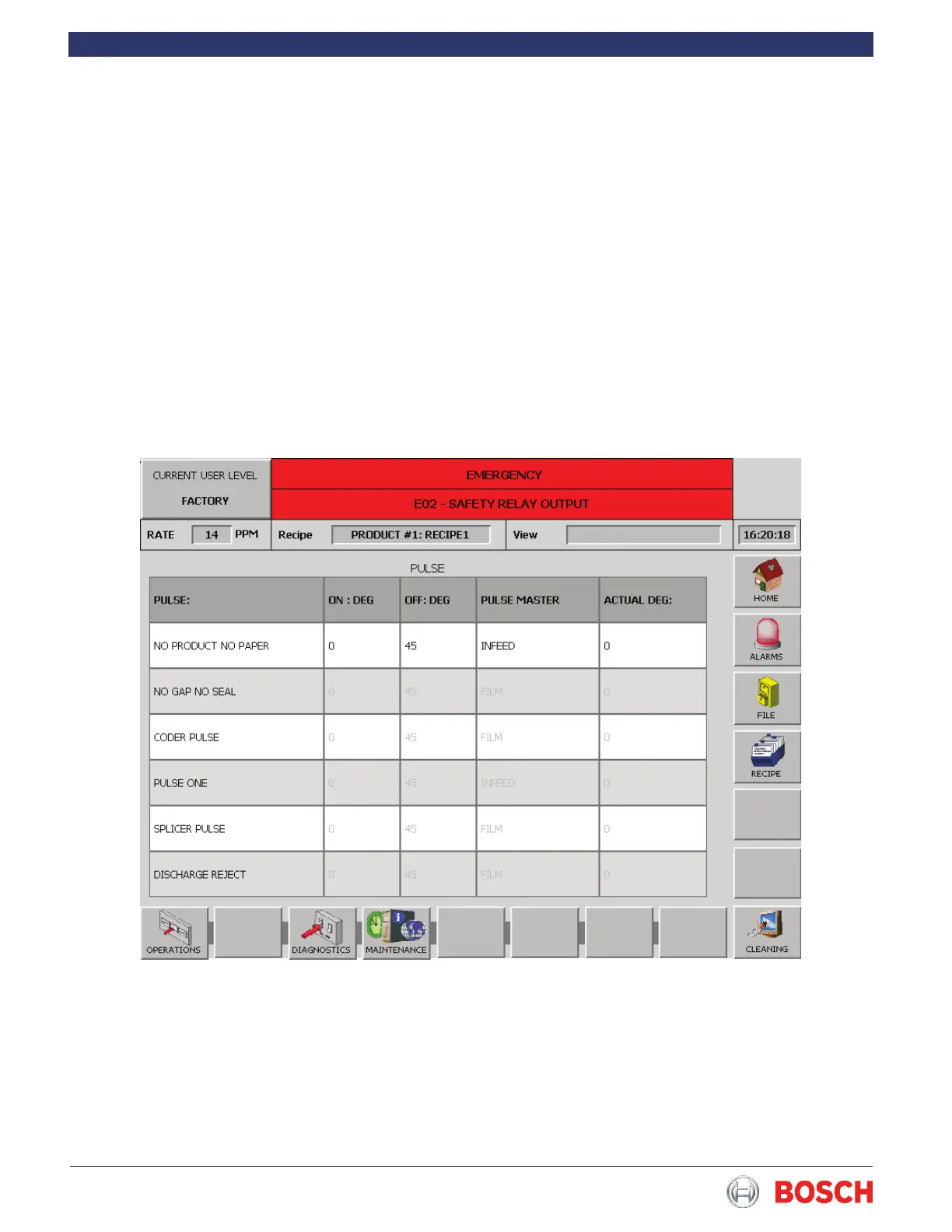
4.6.26 Pulse
Touch the Pulse diagnostic in the list to display the
screen below�
This diagnostic is available when the wrapper is
equipped with any option that requires a pulse from
the wrapper such as a coder or tucker� Touch the
Pulse diagnostic in the list to display the screen below�
Touch the appropriate box to select the desired pulse�
Touch the On area to change the On value, then press
the green check to enter� The value displayed in the
Actual Deg� line is the current machine position and
is used to determine the On and Off values� The Off
value is changed ion the same manner� The Pulse
Master refers to the axis (motor) the option is follow-
ing� These changes can be made while the machine is
running�


 To Next Page