Pack201 | Operator Interface | Section 4
EN | 35
© Bosch Packaging Technology, Inc.
All rights reserved 2012
4.6.27 Open Loop
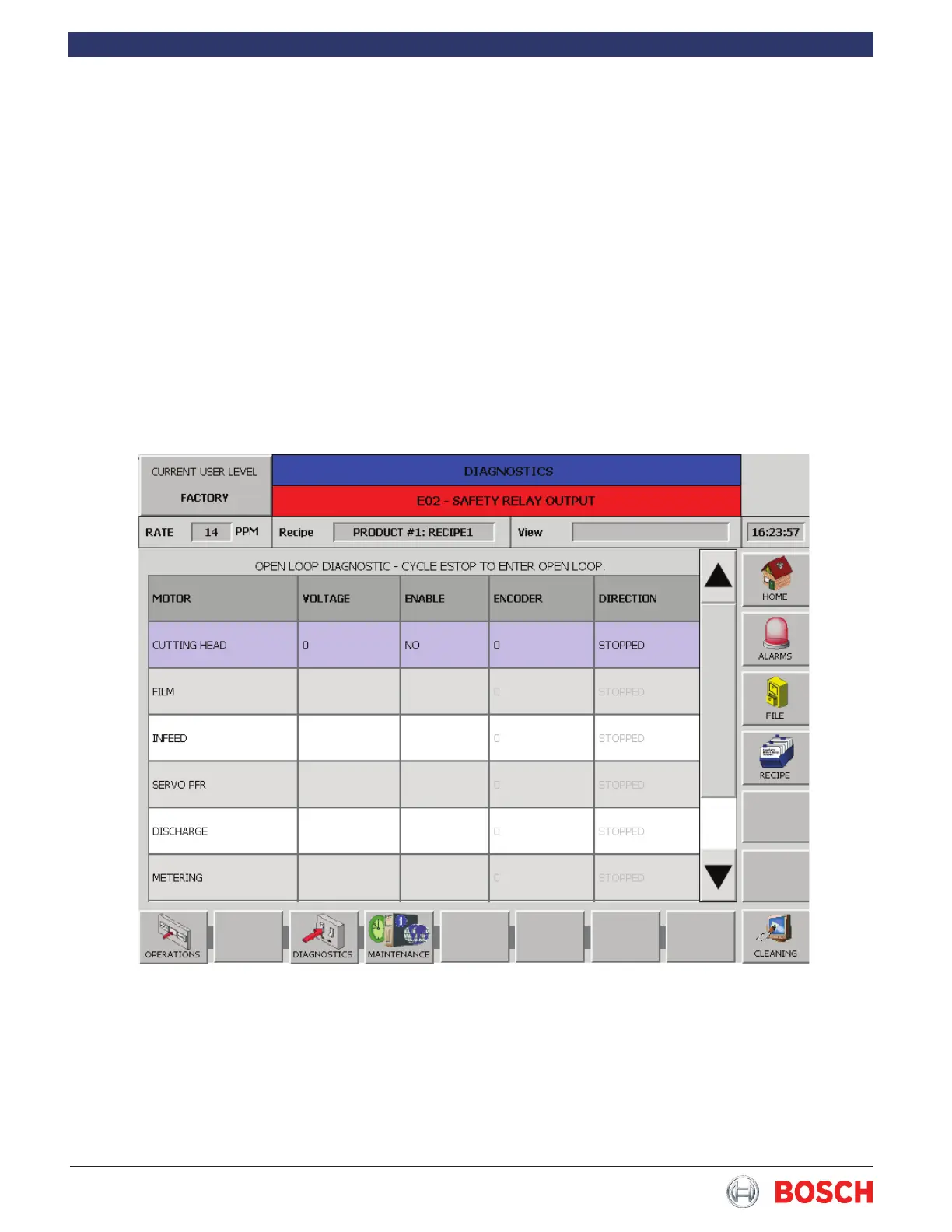
Touch the Open Loop diagnostic in the list to display
the screen below�
Touch the appropriate box to select the desired motor
drive� This diagnostic allows the maintenance person-
nel to select a motor, enter a voltage using the keypad
and run the motor (Enable)� All servo motors use the
same style screen�
Pull out the Emergency Stop button� Press and hold
in the Start button� The selected motor will run in an
open loop mode as long as the Start button is held in�
It is necessary to push in the Emergency Stop button
when rst starting this diagnostic.
Motors will rotate when voltage is applied� Observe all
safety procedures when running this diagnostic�


 To Next Page