Pack201 | Operator Interface | Section 4
EN | 36
© Bosch Packaging Technology, Inc.
All rights reserved 2012
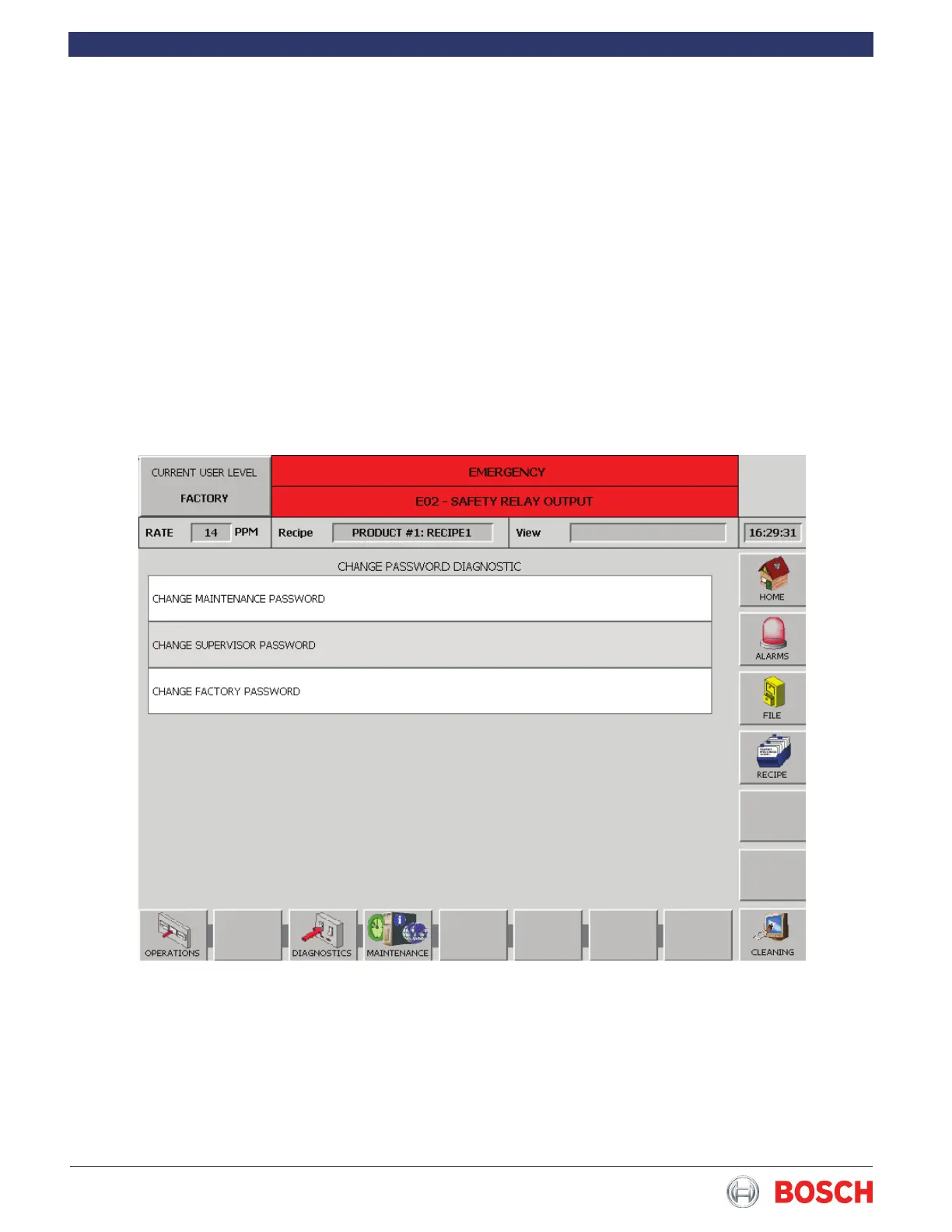
4.6.28 Change Password
Touch the Change Password diagnostic in the list to
display the screen below�
To change from the current password rst touch the
Change Maintenance Password box then use the
keypad to enter the letters of the new password, then
press the green check to save� You must be in Supervi-
sor level to change the supervisor password and either
supervisor or maintenance level to change the mainte-
nance level password�


 To Next Page