Basic settings en-us
35
Basic setting Selection Description
Wi-Fi On
Off
1
Switch the wireless
network connection on or
off.
→
"Setting Wi-Fi",
Page36
The basic setting is not
available until you have
connected the appliance
with the HomeConnect®
app.
→
"HomeConnect® ",
Page37
Remote Start Scale with 3 levels Activate or deactivate the
function.
The basic setting is not
available until you have
connected the appliance
with the HomeConnect®
app.
→
"HomeConnect® ",
Page37
Factory setting Reset Restore changed settings
to the factory settings.
The settings for initial use
must be configured.
1
Factory setting (may vary according to model)
Tip:Connect your appliance to a
mobile device. You can conveniently
change all settings using the
HomeConnect® app.
→
"HomeConnect® ", Page37
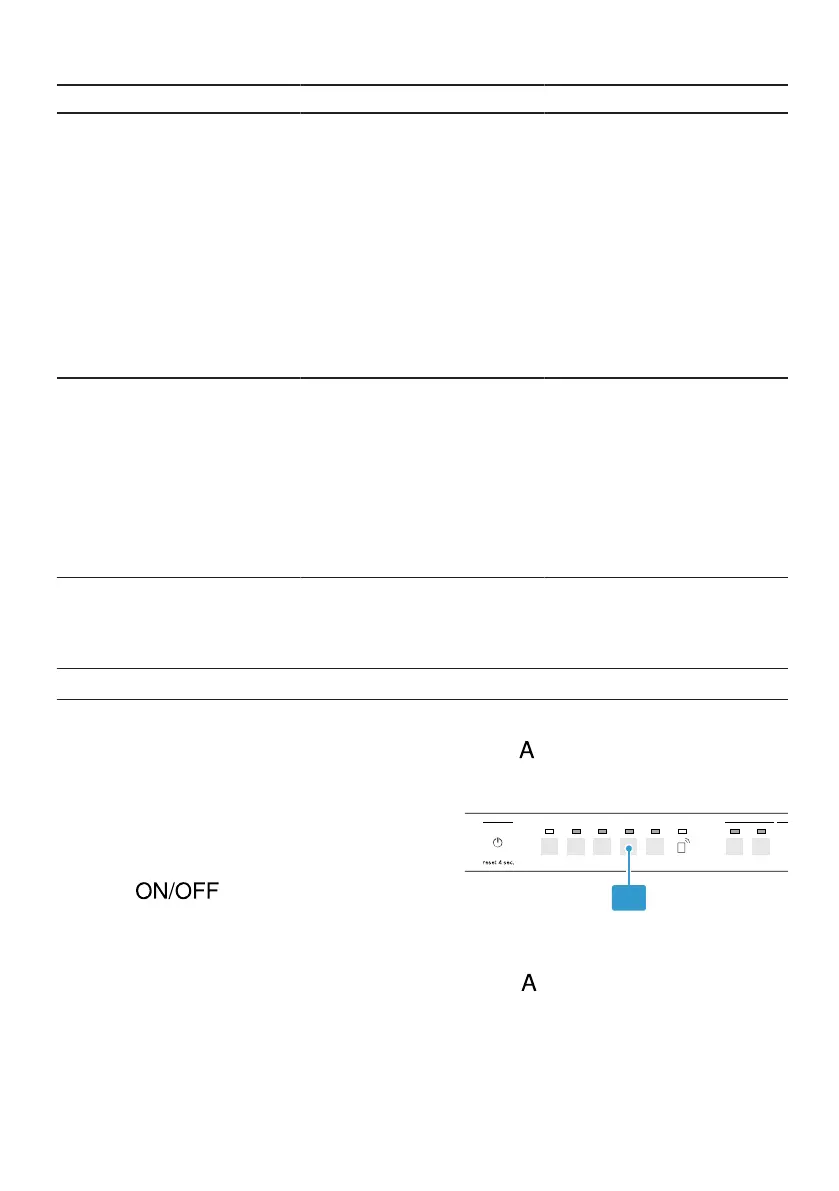
Setting intensive drying
1. Press .
2. To open the appliance settings,
press button for 3 seconds.
a The special salt refill indicator lights
up.
3. Press button repeatedly until the
Clean and Sanitize LEDs flash.



 To Next Page