Creating a Patch
11
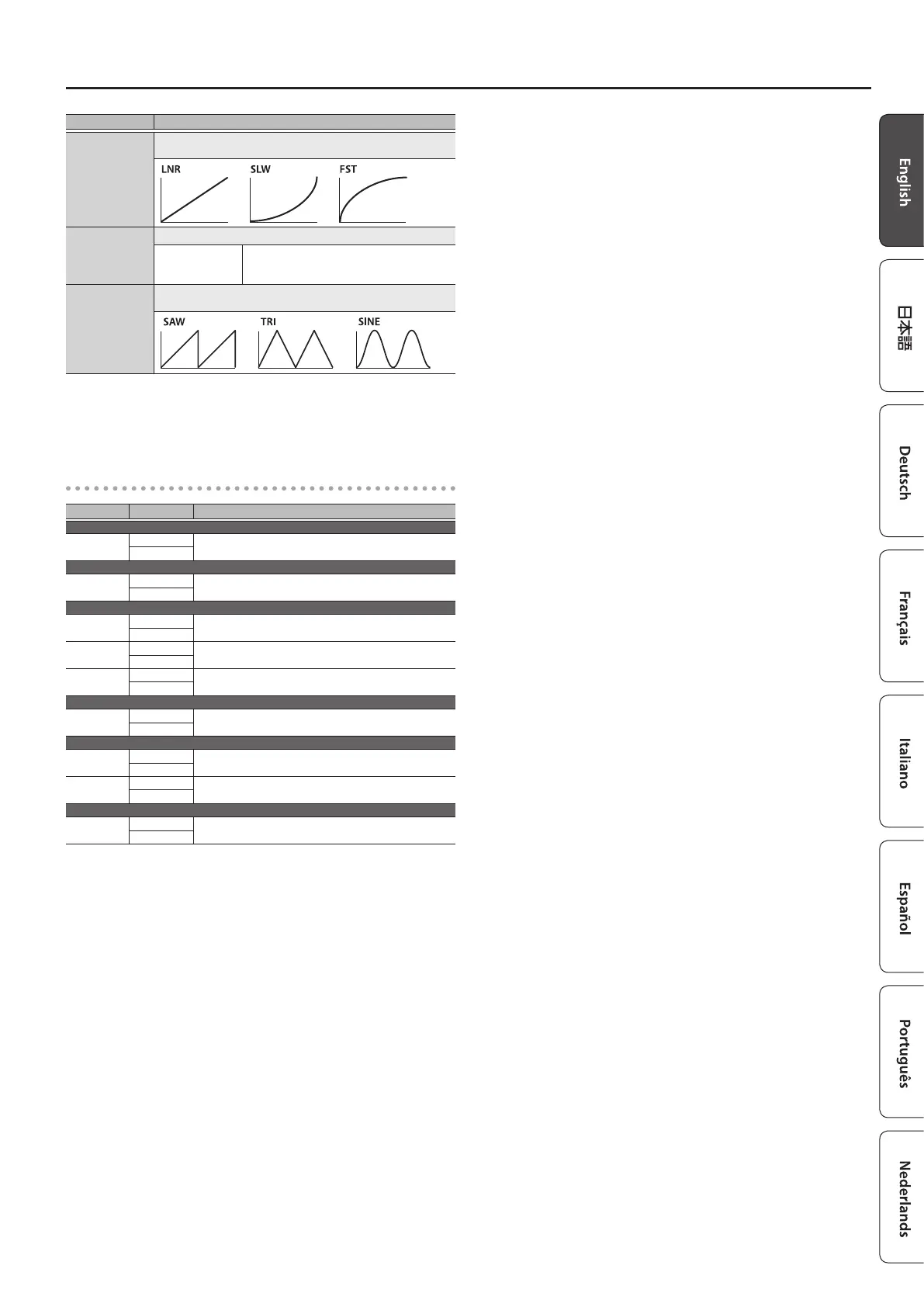
Parameter Value/Explanation
Crv
Select one of the following curves to specify the change
produced by the internal pedal.
Rate
Species the time for one cycle of the wave pedal.
ª
–
˜
, 0–100
If this is set to a note value, a time
corresponding to the “Master BPM” value
specied for each patch is assigned.
Form
Select one of the following to specify the change produced by
the wave pedal.
*1 Shown if Cate is set to MIDI.
*2 Shown if Src is set to INT.
*3 Shown if Src is set to WAV.
Target List
Target Min/Max Explanation
When Cate is set to LOOP
L1–5
OFF, ON
Eect loop on/o
OFF, ON
When Cate is set to E.CTL
CTL1–4
OFF, ON
Switches the setting of the jack.
OFF, ON
When Cate is set to MODE
MemM
MEM, MAN
Switches between memory mode and manual mode.
MEM, MAN
Mute
OFF, ON
Mute on/o
OFF, ON
Byps
OFF, ON
Bypass on/o
OFF, ON
When Cate is set to MIDI
000–127
0–127
The control change value is transmitted from the MIDI
OUT connector.
0–127
When Cate is set to BPM
MstBPM
20–500
Master BPM
20–500
Tap
OFF, ON
Uses tap operations to set the Master BPM.
OFF, ON
When Cate is set to LED
Mute, Bank,
Num1–5
OFF, ON
Lights or turns o the indicator of the controller that is
set to Target.
OFF, ON
*2
*3
*3




 To Next Page