13
1. Press the [EDIT] button.
2. Use the [
K
] [
J
] buttons to select “Utility” and press the [ENTER] button.
3. Use the [
K
] [
J
] buttons to select the desired item, and press the [ENTER] button.
Copying a Patch (Patch Copy)
Patch Copy
111 Ã 855 _
Select the copy-source and copy-destination patches, and press the [ENTER] button.
* The copy-destination patch is overwritten.
Exchanging Patches (Patch Exchange)
Patch Exchange
111 ÅÃ 855 _
Select the exchange-source and exchange-destination patches, and press the [ENTER] button.
Initializing a Patch (Patch Init)
Patch Init
111 _
Select a patch that you want to initialize, and press the [ENTER] button.
When the conrmation message appears, press the [ENTER] button once again.
Copying a Bank (Bank Copy)
Bank Copy
11 Ã 85 _
Select the copy-source and copy-destination bank, and press the [ENTER] button.
* All patches in the copy-destination bank are overwritten.
Exchanging Banks (Bank Exchange)
Bank Exchange
11 ÅÃ 85 _
Select the exchange-source and exchange-destination banks, and press the [ENTER] button.
Copying a Group (Group Copy)
Group Copy
1 Ã 8 _
Select the copy-source and copy-destination group, and press the [ENTER] button.
* All patches in the copy-destination group are overwritten.
Exchanging Groups (Group Exchange)
Group Exchange
1 ÅÃ 8 _
Select the exchange-source and exchange-destination groups, and press the [ENTER] button.
Transmitting Data to an External MIDI Device (Bulk Dump)
Frm (From)
Sys, 111–855
To
111–855, Sys (*1)
*1
Shown if Frm is set to Sys.
Bulk Dump
Frm:Sys To:855 _
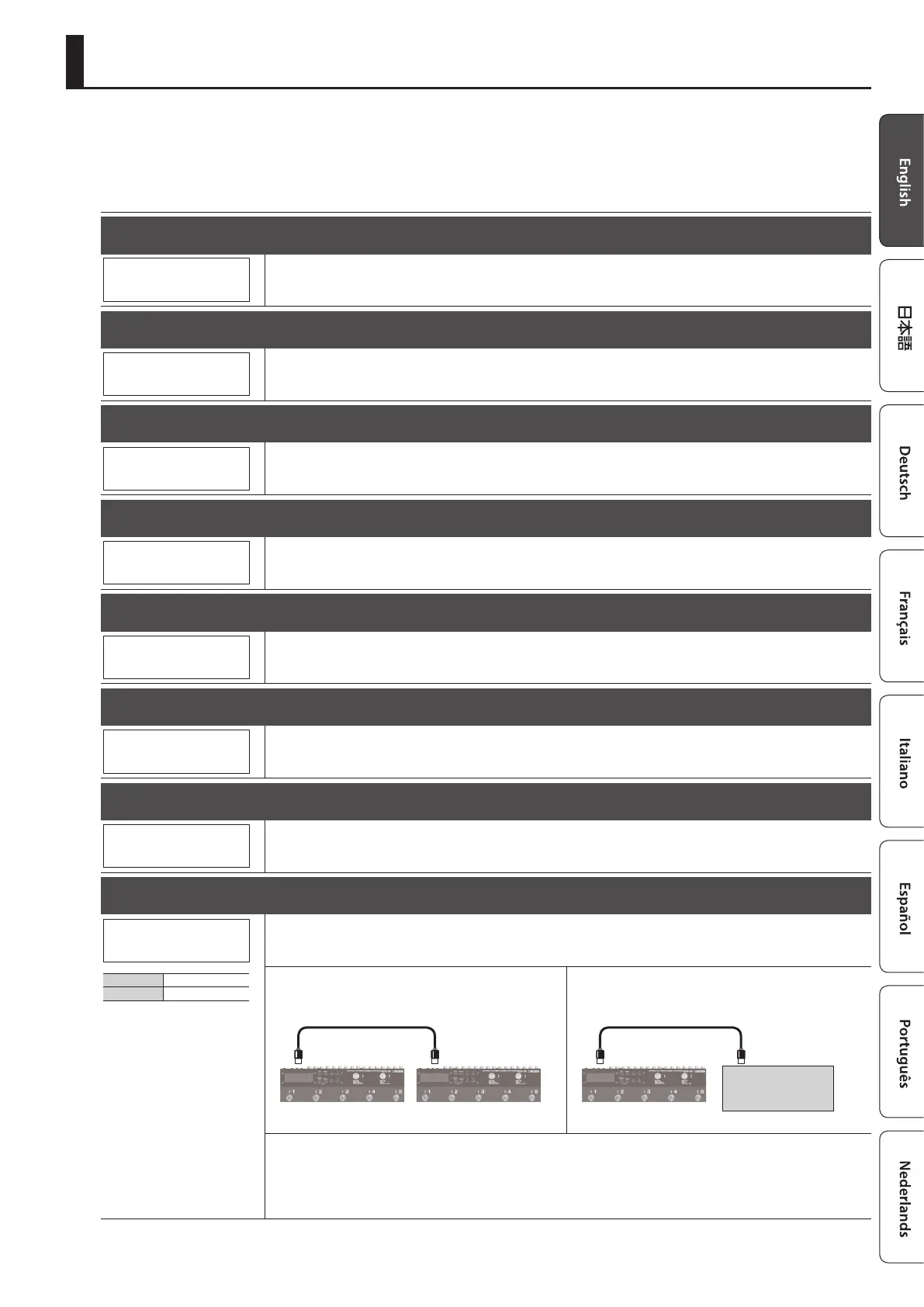
With the ES-5, you can use Exclusive messages to set another ES-5 to the same settings or to save settings to MIDI sequencers and
other such devices. This transmission of data is referred to as bulk dump.
“System settings” + “settings of the selected patch” can be transmitted.
When Transmitting Data to Another ES-5
Make connections as shown in the illustration below, and set the
transmitting and receiving units to the same device ID (p. 12).
Transmitting unit Receiving unit
INOUT
When Saving to a MIDI Sequencer
Connect as shown in the gure below, and put the sequencer in
the state where it is ready to receive Exclusive messages.
MIDI sequencer
INOUT
Specify the highest patch whose data you want to transmit, and press the [ENTER] button.
Restoring saved data from a MIDI sequencer to the ES-5
Connect your MIDI sequencer’s MIDI OUT to the ES-5’s MIDI IN, select the same device ID as when transmitting the data to the MIDI
sequencer, and then transmit the data from the MIDI sequencer.
Patch/Data Operations (Utility)












 To Next Page