12
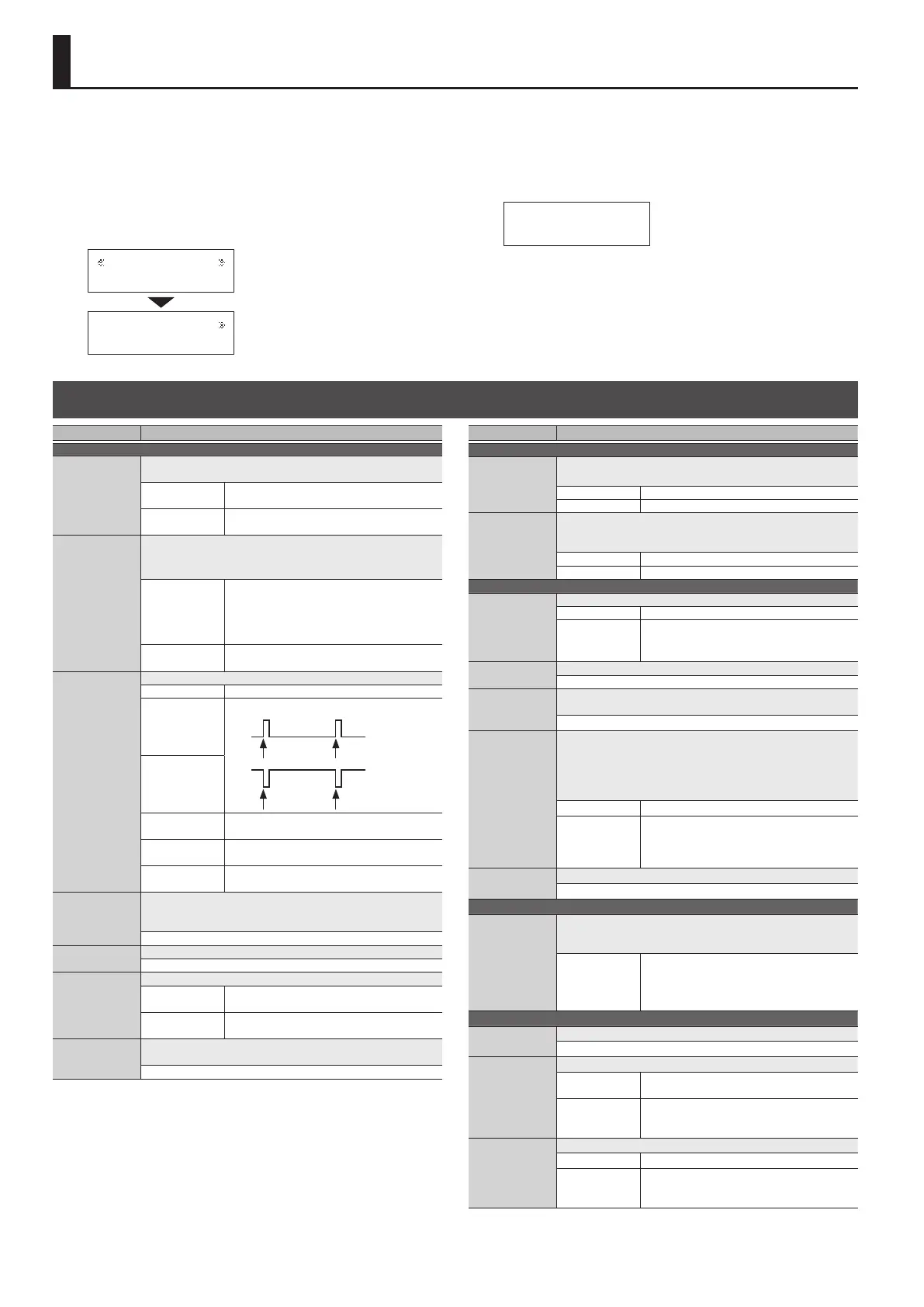
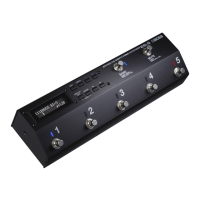
Settings that are shared by the entire ES-5 are called “system settings.”
1. Press the [EDIT] button.
2. Use the [
K
] [
J
] buttons to select the system setting
category (Play Option–Others), and then press the [ENTER]
button.
Play Option
[ENTER]
Switch Mode
PUSH
3. Use the [
K
] [
J
] buttons to select a parameter, and then
press the [ENTER] button.
Switch Mode
PUSH _
4. Use the [–] [+] buttons to specify the value.
5. Press the [DISPLAY/EXIT] button several times to return to
the play screen.
List of Parameters
Parameter Value/Explanation
Category: Play Option
Switch Mode
Species the timing at which the bank or patch is changed when
you operate the switch.
PUSH
The change happens when you press the
switch.
RELEASE
The change happens when you release the
switch.
Bank Chg Mode
Species how patches are switched.
* Regardless of the Bank Chg Mode setting, the group is
switched immediately.
WAIT
Although the indication in the display is
updated to reect the change in the bank
when a [BANK] switch is pressed, the patch will
not change until a number switch has been
pressed.
IMMEDIATE
The patch switches instantly when a [BANK]
switch or any of the number switch is pressed.
C1–4
Species the operation of the EXT CTL CTL 1/2, 3/4 jacks.
LAT (Latch) Latch operation
PLS
Send a pulse when changing patches
Patch change Patch change
PLS
Patch change Patch change
INV
INV
TP2 (Tap 2)
Turns on/o twice at the Master BPM setting
when the patch changes
TP3 (Tap 3)
Turns on/o three times at the Master BPM
setting when the patch changes
TP4 (Tap 4)
Turns on/o four times at the Master BPM
setting when the patch changes
Bank Extent Min,
Max
Specify the lower and upper limit of the banks that can be
selected. Only the specied range of banks are available for
selection.
(Min) 1–5, (Max) 1–5
Patch Chg Time
Species the mute time when switching patches.
0–10
Patch Slct Mod
Species how patches are switched.
MODE1
Each time the [BANK] switch is pressed, cycle
through 1
0
2
0
3
0
4
0
5
0
1
0
…
MODE2
Press the [BANK] switch and then press a
number switch [1]–[5] to switch to banks 1–5.
Beat Indicator
If this is ON, the BANK (MEMORY/MANUAL) indicator blinks in
time with the Master BPM (p. 9) setting.
OFF, ON
Parameter Value/Explanation
Category: Preference
Input Buer
Species whether the input buer uses the setting of each patch
or the system setting.
PAT The settings of each patch are used.
OFF, ON Turns the input buer on/o.
BANK, MUTE,
NUMBER 1–5,
CTL IN 1–2,
EXP IN
Specify whether the functions of the [BANK] switch, [MUTE]
switch, number switches [1]–[5], and CTL IN jack use the settings
of each patch or the system setting.
PAT The settings of each patch are used.
SYS The settings of system settings are used.
Category: MIDI Setting
MIDI Out Mode
Selects the operation of the MIDI OUT/THRU connector.
OUT Operates as a MIDI OUT connector.
THRU
Operates as a MIDI THRU connector.
MIDI data received at MIDI IN is mixed with the
MIDI data of the ES-5, and output together.
Rx Ch
Species the MIDI channel on which MIDI messages are received.
1–16
Dev ID
Species the device ID used to transmit and receive exclusive
messages.
1–32
Sync
This setting determines the basis used for synchronizing the
timing for tempo and other time-based parameters.
* When synchronizing performances to the MIDI Clock signal
from an external MIDI device, timing problems in the
performance may occur due to errors in the MIDI Clock.
INT Synchronize with the ES-5’s internal clock.
AUTO
Synchronize with MIDI clock received via MIDI.
However, automatically synchronize with the
ES-5’s internal clock if MIDI clock messages
cannot be received.
Clock Out
Species whether MIDI clock messages are transmitted.
ON, OFF
Category: PC Map
Bank 0/PC# 1/
Memory
|
Bank 1/PC#128/
Memory
You can use the “program change table” to freely specify the
correspondence between program change messages received by
the ES-5 and the patches that are selected.
111–855
Specify the group/bank/number of the patch
that is selected when “bank select MSB +
program number” are received.
* Bank select LSB is ignored.
Category: Others
LCD Contrast
Adjust the contrast (brightness) of the display.
1–10
Pol Exp
Specify the polarity of the CTL IN EXP jack.
ST
If a Roland or BOSS expression pedal is
connected
IN
If pressing or releasing the connected
expression pedal produces the opposite result
from what is expected
Pol C1, C2
Specify the polarity of the CTL IN CTL 1/2 jack.
ST If a BOSS footswitch is connected
IN
If pressing or releasing the connected
footswitch produces the opposite result from
what is expected
Making Global Settings (System Setting)











 To Next Page