DeutschEnglish Français Italiano Español Português Nederlands
Before using this unit, carefully read the sections entitled “USING THE UNIT SAFELY” and “IMPORTANT NOTES” (separate sheet “Read Me First” and Owner’s Manual p. 15). These
sections provide important information concerning the proper operation of the unit. Additionally, in order to feel assured that you have gained a good grasp of every
feature of your new unit, read the Owner’s Manual in its entirety. This manual should be saved and kept on hand as a convenient reference.
Copyright © 2014 BOSS CORPORATION
All rights reserved. No part of this publication may be reproduced in any form without the written permission of BOSS CORPORATION.
Owner’s Manual (this document)
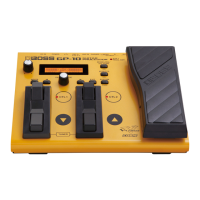
Read this rst. It explains the basic things you need to know in order to use the GP-10.
PDF Manual (download from the Web)
• Parameter Guide
This explains the parameters and audio signal ow of the GP-10.
• Sound List
This is a list of the sounds built into the GP-10.
• MIDI Implementation
This is detailed information about MIDI messages.
To obtain the PDF manual
1. Enter the following URL in your computer.
http: //www.roland.com/manuals/
2. Choose “GP-10” as the product name.
Owner’s Manual
Connections . . . . . . . . . . . . . . . . . . . . . . . . . . . . . . . . . . . . . . . . . . . . . . . . . . . . . . . . . . . . . . . . . . 2
Turning the Power On/O . . . . . . . . . . . . . . . . . . . . . . . . . . . . . . . . . . . . . . . . . . . . . . . . 2
Initial Setup . . . . . . . . . . . . . . . . . . . . . . . . . . . . . . . . . . . . . . . . . . . . . . . . . . . . . . . . . . . . . . . . . . 3
Specifying the Output System (Sys: Output) . . . . . . . . . . . . . . . . . . . . . . . . . . . . . . . 3
Setting Up the GK Pickups . . . . . . . . . . . . . . . . . . . . . . . . . . . . . . . . . . . . . . . . . . . . . . . . 3
Basic Operation Guide . . . . . . . . . . . . . . . . . . . . . . . . . . . . . . . . . . . . . . . . . . . . . . . . . . . . . . . . 4
Modeling/Poly FX/Alternate Tuning Settings . . . . . . . . . . . . . . . . . . . . . . . . . . . . . . . . . . . 6
Modeling Settings (Mdl: ) . . . . . . . . . . . . . . . . . . . . . . . . . . . . . . . . . . . . . . . . . . . . . . . . . 6
Electric Guitar (EG: ) . . . . . . . . . . . . . . . . . . . . . . . . . . . . . . . . . . . . . . . . . . . . . . . 6
Acoustic (AC: ) . . . . . . . . . . . . . . . . . . . . . . . . . . . . . . . . . . . . . . . . . . . . . . . . . . . . 6
Bass (EB: ) . . . . . . . . . . . . . . . . . . . . . . . . . . . . . . . . . . . . . . . . . . . . . . . . . . . . . . . . . 6
Synthesizer (Synth: ) . . . . . . . . . . . . . . . . . . . . . . . . . . . . . . . . . . . . . . . . . . . . . . 7
Poly FX (PolyFx: ) . . . . . . . . . . . . . . . . . . . . . . . . . . . . . . . . . . . . . . . . . . . . . . . . . . 8
Alternate Tuning Settings (AltTune: ) . . . . . . . . . . . . . . . . . . . . . . . . . . . . . . . . . . . . . . 8
12-String Guitar Settings (12Str: ) . . . . . . . . . . . . . . . . . . . . . . . . . . . . . . . . . . 8
String Bend Function Settings (StrBend: ) . . . . . . . . . . . . . . . . . . . . . . . . . . 8
Other Modeling Settings (Mdl: ) . . . . . . . . . . . . . . . . . . . . . . . . . . . . . . . . . . . . . . . . . . 8
Eects/Patch Settings . . . . . . . . . . . . . . . . . . . . . . . . . . . . . . . . . . . . . . . . . . . . . . . . . . . . . . . . . 9
Eects Settings . . . . . . . . . . . . . . . . . . . . . . . . . . . . . . . . . . . . . . . . . . . . . . . . . . . . . . . . . . 9
Preamp (Amp: ) . . . . . . . . . . . . . . . . . . . . . . . . . . . . . . . . . . . . . . . . . . . . . . . . . . . 9
FX (FX: ) . . . . . . . . . . . . . . . . . . . . . . . . . . . . . . . . . . . . . . . . . . . . . . . . . . . . . . . . . . . 9
Wah (Wah: ) . . . . . . . . . . . . . . . . . . . . . . . . . . . . . . . . . . . . . . . . . . . . . . . . . . . . . .10
Chorus (Chorus: ) . . . . . . . . . . . . . . . . . . . . . . . . . . . . . . . . . . . . . . . . . . . . . . . . .10
Delay (Delay: ) . . . . . . . . . . . . . . . . . . . . . . . . . . . . . . . . . . . . . . . . . . . . . . . . . . . .10
Reverb (Reverb: ) . . . . . . . . . . . . . . . . . . . . . . . . . . . . . . . . . . . . . . . . . . . . . . . . .10
EQ (EQ: ) . . . . . . . . . . . . . . . . . . . . . . . . . . . . . . . . . . . . . . . . . . . . . . . . . . . . . . . . .11
Noise Suppressor (NS: ) . . . . . . . . . . . . . . . . . . . . . . . . . . . . . . . . . . . . . . . . . . .11
Foot Volume (FV: ) . . . . . . . . . . . . . . . . . . . . . . . . . . . . . . . . . . . . . . . . . . . . . . . .11
Settings for Normal Pickup (Nrml PU: ) . . . . . . . . . . . . . . . . . . . . . . . . . . . .11
Volume Balance of the Modeling and the Normal Pickup (Mixer: ) . .11
FX Chain . . . . . . . . . . . . . . . . . . . . . . . . . . . . . . . . . . . . . . . . . . . . . . . . . . . . . . . . .11
Patch Settings (Patch: ) . . . . . . . . . . . . . . . . . . . . . . . . . . . . . . . . . . . . . . . . . . . . . . . . . .11
Patch Volume (Patch: Level) . . . . . . . . . . . . . . . . . . . . . . . . . . . . . . . . . . . . . . .11
Patch Tempo Settings (Patch: Tempo) . . . . . . . . . . . . . . . . . . . . . . . . . . . . .11
GK Set Selection for the Patch (Patch: GK Set) . . . . . . . . . . . . . . . . . . . . .11
Pedal and Switch Settings for Each Patch (Ctl: ) . . . . . . . . . . . . . . . . . . . .11
Assign Settings (Asgn 1–8: ). . . . . . . . . . . . . . . . . . . . . . . . . . . . . . . . . . . . . . .12
System Settings . . . . . . . . . . . . . . . . . . . . . . . . . . . . . . . . . . . . . . . . . . . . . . . . . . . . . . . . . . . . .13
Specifying the Output System (Sys: Output) . . . . . . . . . . . . . . . . . . . . . . . . . . . . . .13
Settings of the GK Pickups (GK: ) . . . . . . . . . . . . . . . . . . . . . . . . . . . . . . . . . . . . . . . . .13
System Settings for the Pedals and Switches (SysCtl: ) . . . . . . . . . . . . . . . . . . . .13
USB Audio Settings (USBAudio: ). . . . . . . . . . . . . . . . . . . . . . . . . . . . . . . . . . . . . . . . .13
Guitar Performance MIDI Output Settings (MIDI: ) . . . . . . . . . . . . . . . . . . . . . . . .13
Tuner Settings (Tuner: ) . . . . . . . . . . . . . . . . . . . . . . . . . . . . . . . . . . . . . . . . . . . . . . . . .13
Adjusting the Display’s Contrast (Sys: Contrast) . . . . . . . . . . . . . . . . . . . . . . . . . .14
Panel Lock Settings (Sys: Knob Lock) . . . . . . . . . . . . . . . . . . . . . . . . . . . . . . . . . . . . .14
Auto O Settings (Sys: Auto O) . . . . . . . . . . . . . . . . . . . . . . . . . . . . . . . . . . . . . . . . .14
Limiting the Patches Selectable in the Play Screen (Sys: Patch Extent) . . . . .14
Adjusting the Expression Pedal (Calibration) . . . . . . . . . . . . . . . . . . . . . . . . . . . . .14
Restoring the Factory Settings (Factory Reset) . . . . . . . . . . . . . . . . . . . . . . . . . . .14
Patch Operations . . . . . . . . . . . . . . . . . . . . . . . . . . . . . . . . . . . . . . . . . . . . . . . . . . . . . . . . . . . .14
Exchanging Patches (Exchange) . . . . . . . . . . . . . . . . . . . . . . . . . . . . . . . . . . . . . . . . .14
Inserting a Patch (Insert) . . . . . . . . . . . . . . . . . . . . . . . . . . . . . . . . . . . . . . . . . . . . . . . .14
Initializing a Patch (Initialize) . . . . . . . . . . . . . . . . . . . . . . . . . . . . . . . . . . . . . . . . . . . .14
USING THE UNIT SAFELY . . . . . . . . . . . . . . . . . . . . . . . . . . . . . . . . . . . . . . . . . . . . . . . . . . . . .15
IMPORTANT NOTES . . . . . . . . . . . . . . . . . . . . . . . . . . . . . . . . . . . . . . . . . . . . . . . . . . . . . . . . . .15
Troubleshooting . . . . . . . . . . . . . . . . . . . . . . . . . . . . . . . . . . . . . . . . . . . . . . . . . . . . . . . . . . . . .16
Error Message List . . . . . . . . . . . . . . . . . . . . . . . . . . . . . . . . . . . . . . . . . . . . . . . . . . . . . . . . . . .16
Main Specications . . . . . . . . . . . . . . . . . . . . . . . . . . . . . . . . . . . . . . . . . . . . . . . . . . . . . . . . . .16
Cutting-edge modeling guitar powered by COSM
The GP-10 provides a wide range of modeling guitars powered by COSM technology, including Stratocaster, Telecaster, Les Paul, Jazz Guitar, Acoustic Guitar, and Sitar. In
addition, it can also create new dimensions of sound that are unavailable from conventional electric guitars, such as a Wide Range model that gives you a fat sound while
preserving the wide range of a single-coil pickup, and a Bright Humbucker model that keeps the rich mid- and low-range of a humbucker while oering a crisp high end.
A variety of alternate tunings
You can choose from alternate tunings such as Drop-D, Open-G, and D-MODAL. Without swapping guitars or changing the string tension, you can instantly switch between
a wide variety of alternate tunings. There’s also a 12-string guitar mode. You can even use “USER” to specify your own tuning.
Powerful eects and amp modeling
High quality eects and amp modeling are built in. There is also a dedicated “Poly FX” specically for the GK pickup, which allows you to extract an independent string
signal for each string. This lets you experience completely new sounds that were impossible for a guitar of the past, equipped with a conventional pickup.


 To Next Page

 General