4
Basic Operation Guide
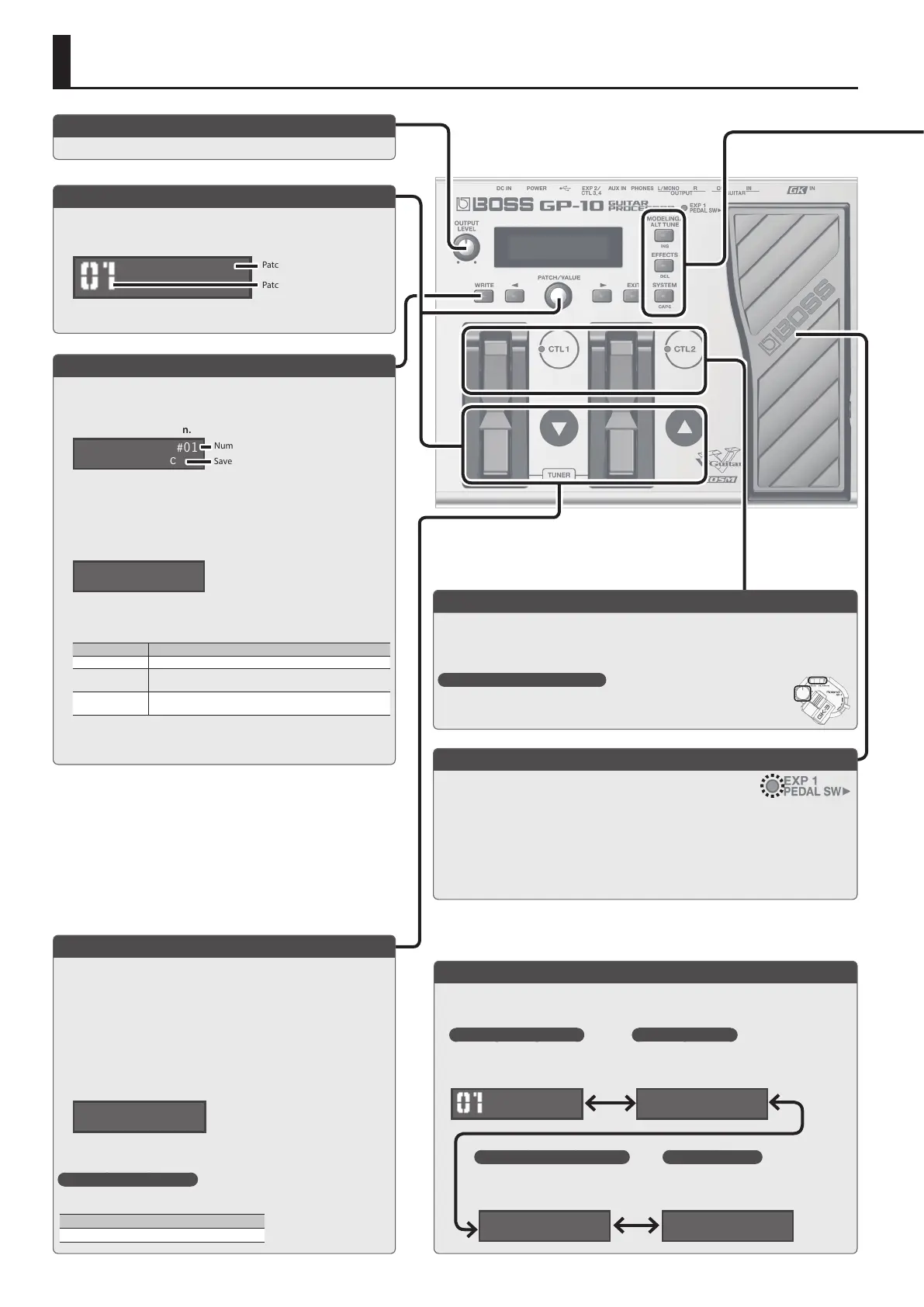
Adjusting the Volume
This adjusts the volume.
Selecting a Patch
Guitar modeling, alternate tuning, and eect settings can be recalled as
99 dierent “patches” (sounds).
1. Use the [I] [H] pedals or [PATCH] knob to select a patch.
Dual Sync
Patch number
Patch name
Switching the Display
You can use the [K] [J] buttons to switch the screens in the display.
Saving a Patch
If you select a dierent patch or turn o the power after editing the
settings, edited settings will be lost. If you want to keep the data, you
must save it.
1. Press the [WRITE] button.
Save-Destination Patch
Number
Write to #01
Dual Sync
2. Use the [PATCH/VALUE] knob to select the save-destination.
If you decide to cancel, press the [EXIT] button.
3.
Press the [WRITE] button.
4. Edit the name.
You can give names to patches using up to 12 characters.
Patch:Name Edit
Dual Sync
Use the [K] [J] buttons to move the cursor to the character that you
want to edit, and turn the [VALUE] knob to edit the character.
You can also use the following buttons.
Button Function
INS (MODELING) Inserts a blank space at the cursor position.
DEL (EFFECTS)
Deletes the character at the cursor position and shifts all
characters after it to the left.
CAPS (SYSTEM)
Alternately switches the letter at the cursor position between
uppercase and lowercase.
5. Press the [WRITE] button twice to save.
Controlling the Volume/Eect (Expression Pedal)
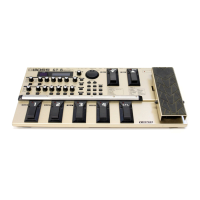
By strongly pressing the toe end of the pedal, you can turn the pedal
eect on and o (PEDAL SW indicator will light/go out).
Pedal eect is o:
• The pedal controls volume (default).
Pedal eect is on:
• The pedal controls the eect (e. g. : wah) that you select with the [PEDAL FX] knob.
* You are free to assign the pedals to other functions if you like.
& “Pedal and Switch Settings for Each Patch (Ctl: )” (p. 11), “System Settings for the Pedals and Switches
(SysCtl: )” (p. 13)
Using the Pedals for Control ([CTL 1], [CTL 2] pedals)
By default, the [CTL 1] and [CTL 2] pedals control a function that’s assigned by each patch.
* You are free to assign the pedals to other functions if you like.
& “Pedal and Switch Settings for Each Patch (Ctl: )” (p. 11), “System Settings for the Pedals and Switches
(SysCtl: )” (p. 13)
The controllers of the GK pickup
You can also use the [S1] (DOWN) /[S2] (UP) buttons and the volume knob of the GK
pickup to control the parameters.
Tuning the Guitar (Tuner Mode)
Press the [I] [H] pedals simultaneously to enter Tuner mode.
* To achieve the alternate tunings as described on the tuning control, tune your
guitar to correct standard tuning (E A D G B E).
* If you want to tune GUITAR IN (the normal guitar input), disconnect the GK IN
connection.
1. Press the [I] [H] pedals simultaneously.
* You can also enter Tuner mode by pressing the [J] button in the Play screen.
2. Play a single open note on the string to be tuned.
The name of the note closest to the pitch of the string played appears
in the display.
. . . . . E
>>>>>>>>█<<<<<<<
3. Tune your instrument so that the center indicator of the display is
lit.
Setting the standard pitch
In Tuner mode, you can press the [J] button to change the standard pitch of the
tuner.
Pitch
435–445 Hz (default: 440 Hz)
* When you operate the expression pedal, please be careful not to get your ngers pinched between the
movable part and the panel. In places where small children are present, make sure that an adult provides
supervision and guidance.
Dual Sync
. . . . . E
>>>>>>>>█<<<<<<<
Tuner:Pitch
A=440Hz
Patch:Level
100
Play (patch select) screen
Select a patch.
& “Selecting a Patch” (p. 4)
Tuner mode screen
Tune your guitar.
& “Tuning the Guitar (Tuner Mode)” (p. 4)
Standard pitch setting screen
Here you can change the standard pitch of
the tuner.
Patch level screen
Adjust the volume of the patch.
& “Patch Volume (Patch: Level)” (p. 11)
* The explanations in this manual include illustrations that depict what
should typically be shown by the display. Note, however, that your unit
may incorporate a newer, enhanced version of the system (e.g., includes
newer sounds), so what you actually see in the display may not always
match what appears in the manual.


 To Next Page