16
Troubleshooting
Error Message List
Main Specications
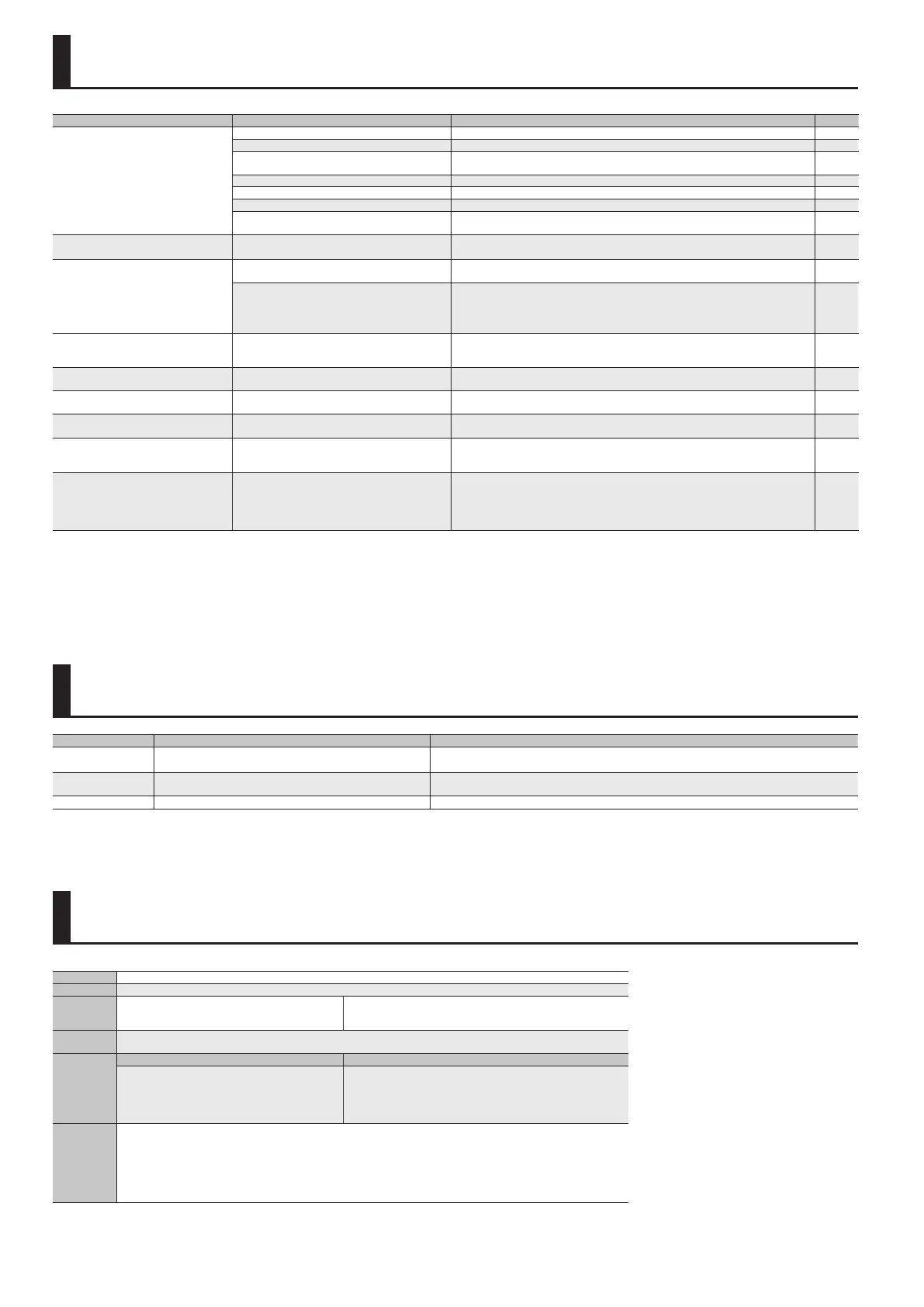
Message Meaning Action
MEMORY DAMAGED! It is possible that the contents of memory have been damaged.
Please execute a Factory Reset.
If this does not resolve the problem, contact your dealer or a nearby Roland service center.
MIDI Buer Full!
An unusually large amount of MIDI data was received, and could not
be processed.
Reduce the amount of MIDI messages that are being transmitted.
System Error! A problem has occurred in the system. Contact your dealer or a nearby Roland service center.
Problem Items to check Action Page
No sound/Low volume
Is the [OUTPUT LEVEL] knob turned down completely? Adjust the knob to an appropriate setting. —
Could the volume of the GK pickup be turned down? Raise the volume of the GK pickup to an appropriate level. —
Could the select switch of the GK pickup be set to
“GUITAR”?
Set the switch of the GK pickup to “MIX.” —
Could the expression pedal be released? Depress the expression pedal. —
Could the Patch: Level be turned down? Try raising the Patch: Level. p. 4, p. 11
Are the GP-10 and other devices connected properly? Check the connections with the other devices. p. 2
If there are no sounds through USB, are the USBAudio:
settings correct?
Adjust the settings to the appropriate values. p. 13
The volume level of the instrument
connected to AUX IN jack is too low
Could you be using a connection cable that contains
a resistor?
Use a connection cable that does not contain a resistor. —
Volume is uneven among the strings
Was the GK pickup sensitivity setting adjusted correctly
for each string?
Perform the adjustment. p. 3
Is the GK pickup attached correctly?
Refer to the manual of your GK pickup, and attach the GK pickup correctly.
On the Roland website, the “GK-3 Installation Tips” page provides an explanation and photos
on how to attach a GK pickup. Be sure to take a look!
http: //www.roland.com/GK/
—
When using the GP-10’s pedal eects or
expression pedal, the result is dierent for
each patch
The eect produced using the expression pedal is
dierent for each sound (patch).
Check the eect of each patch beforehand. —
Oscillation occurs
In the eect settings, could a gain value or volume-
related parameter be set too high?
Decrease the value. p. 9
Patches not switching
Is some screen other than the Play screen shown in
the display?
With the GP-10, you cannot switch patches in any screen other than the Play screen. Press the
[EXIT] button one or more times to return to the Play screen.
—
[PATCH/VALUE] knob does not work
Could Sys: Knob Lock be “ON”? If it is ON, patch
selection using the [PATCH/VALUE] knob is disabled.
Turn Sys: Knob Lock “OFF.” p. 14
Can’t enter Tuner mode
Could Tuner: Function be set to “Disable”? If it is set to
Disable, pressing the [I] and [H] pedals simultaneously
does not enter Tuner mode.
Set Tuner: Tuner Function to “Enable.” p. 14
Can’t use a controller (pedal or button) to
vary a parameter
Could you be using the internal pedal as the
assignment’s Source parameter?
If you specify “INT PDL” or “WAVE PDL” as the Source parameter of the assignment, the Target
eect parameter you’ve assigned will vary automatically. If you want to use a controller to
vary a parameter, temporarily turn the Switch parameter “OFF” for that assignment to stop
the internal pedal.
p. 12
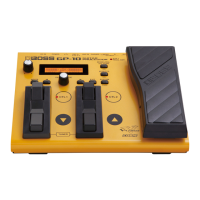
BOSS GP-10: Guitar Processor
Power Supply AC adaptor
Current Draw 350 mA
Dimensions
251 (W) x 207 (D) x 71 (H) mm
9-15/16 (W) x 8-3/16 (D) x 2-13/16 (H) inches
Maximum height:
251 (W) x 207 (D) x 93 (H) mm
9-15/16 (W) x 8-3/16 (D) x 3-11/16 (H) inches
Weight
1.9 kg (excluding AC adaptor)
4 lbs 4 oz
Accessories
Model with included GK pickup Model for separately sold GK pickup
AC adaptor
Owner’s Manual
Leaet “USING THE UNIT SAFELY”
Divided pickup (Roland GK-3)
GK cable (3 m, 10 feet)
AC adaptor
Owner’s Manual
Leaet “USING THE UNIT SAFELY”
Options (sold
separately)
Divided pickup: Roland GK-3
GK cable: Roland GKC-5 (5 m), GKC-10 (10 m)
GK parallel cable (GK pickup #" GK connector x 2): Roland GKP-2
Unit selector: Roland US-20
Footswitch: FS-5U
Dual footswitch: FS-6
Expression pedal: Roland EV-5, FV-500L/500H
* In the interest of product improvement, the specications and/or appearance of this unit are subject to change without prior notice.


 To Next Page