2
Panel Descriptions
Top Panel
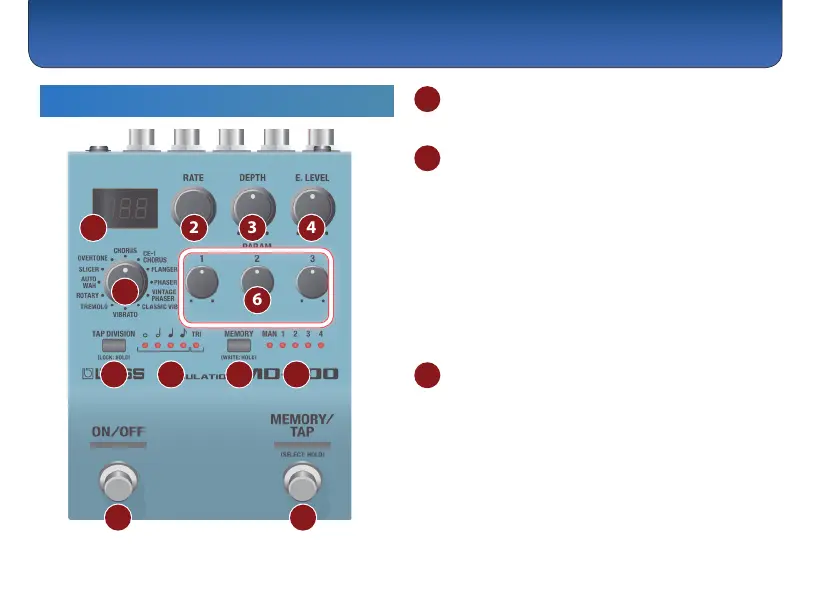
1
2
3 4
5
6
7 8 9 10
11 12
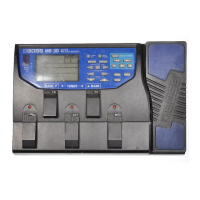
1 Display
Shows the parameters and the values.
2 [RATE] knob
Adjusts the speed at which the eect sound changes.
Each time you press the button, the rate indication
switches.
Frequency # Tempo (BPM)
Example indications
0.01 Hz = “0.01”, 1 Hz = “1.00”, 10 Hz = “10.0”,
tempo: 120 = “120.”, tempo: 1000 = “1.0K.”,
tempo: 10000 = “10K.”
* When the mode is ROTARY, this switches the speaker’s rotation
speed between SLW (slow) and FST (fast).
3 [DEPTH] knob
Adjusts the depth to which the eect sound is
modulated.
* When the mode is ROTARY, this adjusts the amount of preamp
distortion. When the mode is SLICER, this adjusts the balance
between the eect sound and the direct sound.



 To Next Page