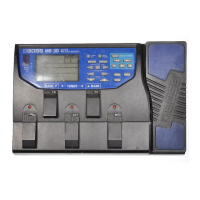
Panel Descriptions
6
7 [TAP DIVISION] button
Species the rate as a note value relative to the BPM.
Preventing accidental operation (panel lock)
By long-pressing the [TAP DIVISION] button, you can
switch between enabling (unlocking) or disabling
(locking) operation of the knobs and buttons.
If you attempt an operation while the unit is locked, the
display indicates “LCK.”
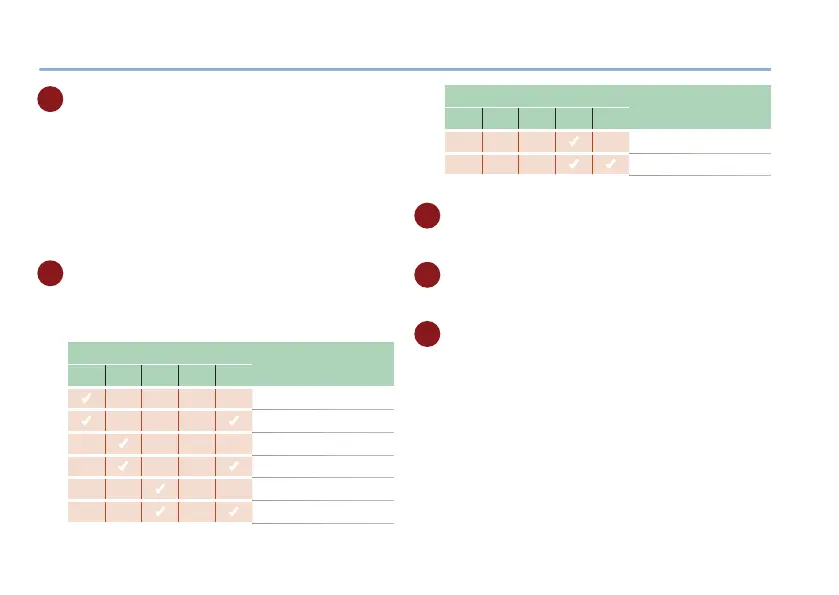
8 TAP DIVISION indicator
Indicates the rate as a note value, relative to quarter-
notes (100%) of the interval at which you press the
pedal.
TAP DIVISION indicator
Explanation
ª ˇ ¸ ˙
TRI
(
Whole note (25%)
( (
Whole-note triplet (38%)
(
Half note (50%)
( (
Half-note triplet (75%)
(
Quarter note (100%)
( (
Quarter-note triplet (150%)
TAP DIVISION indicator
Explanation
ª ˇ ¸ ˙
TRI
(
Eighth note (200%)
( (
Eighth-note triplet (300%)
9 [MEMORY] button
Switches or saves memories (MANUAL, 1–4) (p. 10).
10 MEMORY indicator
Indicates the currently selected memory.
11 [ON/OFF] switch
Turns the eect on/o.



 To Next Page