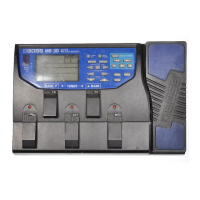
Panel Descriptions
9
Using the jack as EXP
You can connect an expression pedal (sold separately:
EV-30, Roland EV-5, etc.) and use it to control the rate or
the volume of the eect sound (p. 13).
* Use only the specied expression pedal. By connecting any other
expression pedals, you risk causing malfunction and/or damage
to the unit.
D DC IN jack
An AC adaptor (sold separately: PSA-S series) can be
connected to this jack.
* Use only the specied AC adaptor (sold separately: PSA-S series)
and plug it into an AC outlet of the correct voltage.
* If the AC adaptor is connected while power is on, the power
supply is drawn from the AC adaptor.
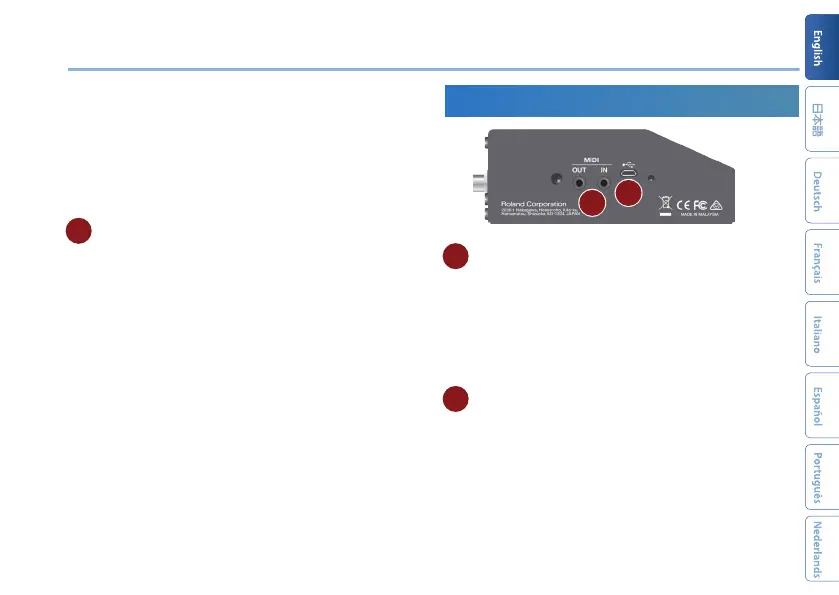
Side Panel (Connecting Your Equipment)
E
F
E
MIDI jacks
Use a TRS/MIDI connecting cable (sold separately:
BMIDI-5-35) to connect an external MIDI device. You can
use an external MIDI device to switch the memories of
this unit.
* Do not connect an audio device here. Doing so will cause
malfunctions.
F USB port (for program updates only)
Connect your computer using a commercially available
USB cable that supports USB 2.0.
* Do not use a micro USB cable that is designed only for charging a
device. Charge-only cables cannot transmit data.
* This is used only for program updates.



 To Next Page