Need help?
Do you have a question about the Botex DMX DC-1224 and is the answer not in the manual?
Details on obtaining the manual, keyword search, online guides, and support.
Explains symbols, italics, and quotation marks used for controls and displays.
Defines the meaning of signal words like DANGER, WARNING, NOTICE, and warning signs.
Instructions to prevent choking hazards and ensure children do not use devices unattended.
Guidelines for connecting power, avoiding electrical storms, and preventing fire hazards.
Advises against exposing the device to liquid, moisture, direct sunlight, or heavy vibrations.
Warns that rubber feet may stain certain floor types, recommending protectors.
Illustrates the wiring connections for a fog machine.
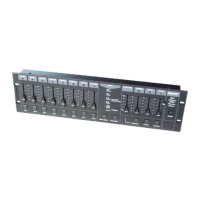
Guidance on removing the plastic panel for 19" rack installation.
Details on connecting devices in a DMX daisy chain with termination.
Instructions for connecting the 9V power supply unit and plugging it into the wall outlet.
Steps to turn the device on using the main switch on the rear panel.
Description of faders, buttons, and LEDs on the front panel for presets, scenes, and flash.
Explanation of buttons for mode selection, recording, editing, and page switching.
Details on buttons like Hold, Step, Audio, Blind, Home, Tap Sync, Full On, Black Out, Fade, Speed.
Identification and function of rear panel connections including Power, MIDI, DMX, Audio, Remote, and Fog Machine.
Steps to enable programming mode, protect programmes, and program scenes.
Procedures for editing, deleting, adding, or changing steps within programmes.
Instructions on starting programmes, using sound control, and setting programme speed and beat.
Configuration for MIDI input, and procedures for receiving and sending MIDI files.
Steps for setting DMX channels, deleting settings, and loading preprogrammed programmes.
How to reverse the direction of scenes and chases.
Setting the fade time and synchronizing chase speed using TAP SYNC.
Using the master fader and selecting between Single and Mix chase modes.
Utilizing functions like Blind, HOME, PARK, ADD/KILL, and Double Preset.
Details the pin assignment for XLR plugs used for DMX output and input.
Guidelines for recycling transport and protective packaging materials.
Instructions for disposing of the device according to WEEE regulations and local laws.
 General
| Brand | Botex |
|---|---|
| Model | DMX DC-1224 |
| Category | Controller |
| Language | English |

 To Next Page